
How to Choose Multiple Songs for the Same Event
Prepare several tracks for the event and choose from the Music panel in Vizz360. See the Plus requirement and how to check each song.



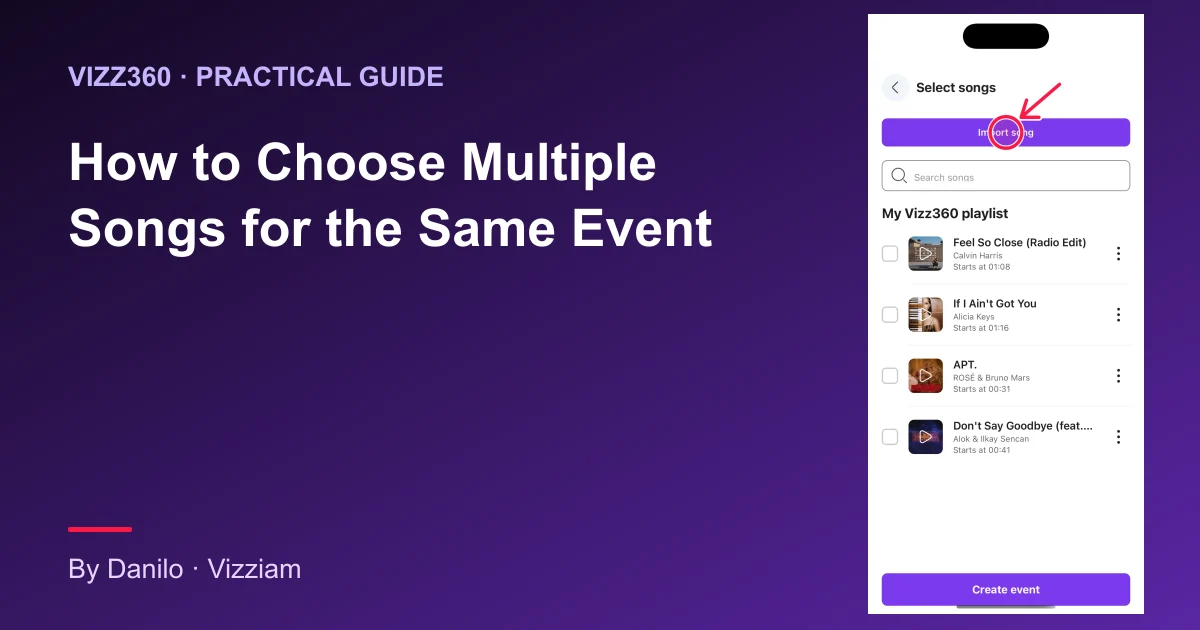
With Plus access, you can keep multiple songs selected in a video event and use the Music panel while recording. That way, your options are ready for operation without having to import everything again for each service.
Demonstration on the iPhone simulator, using Vizz360 7.39 and sample data. Some controls vary on Android and by plan.
Read the video steps
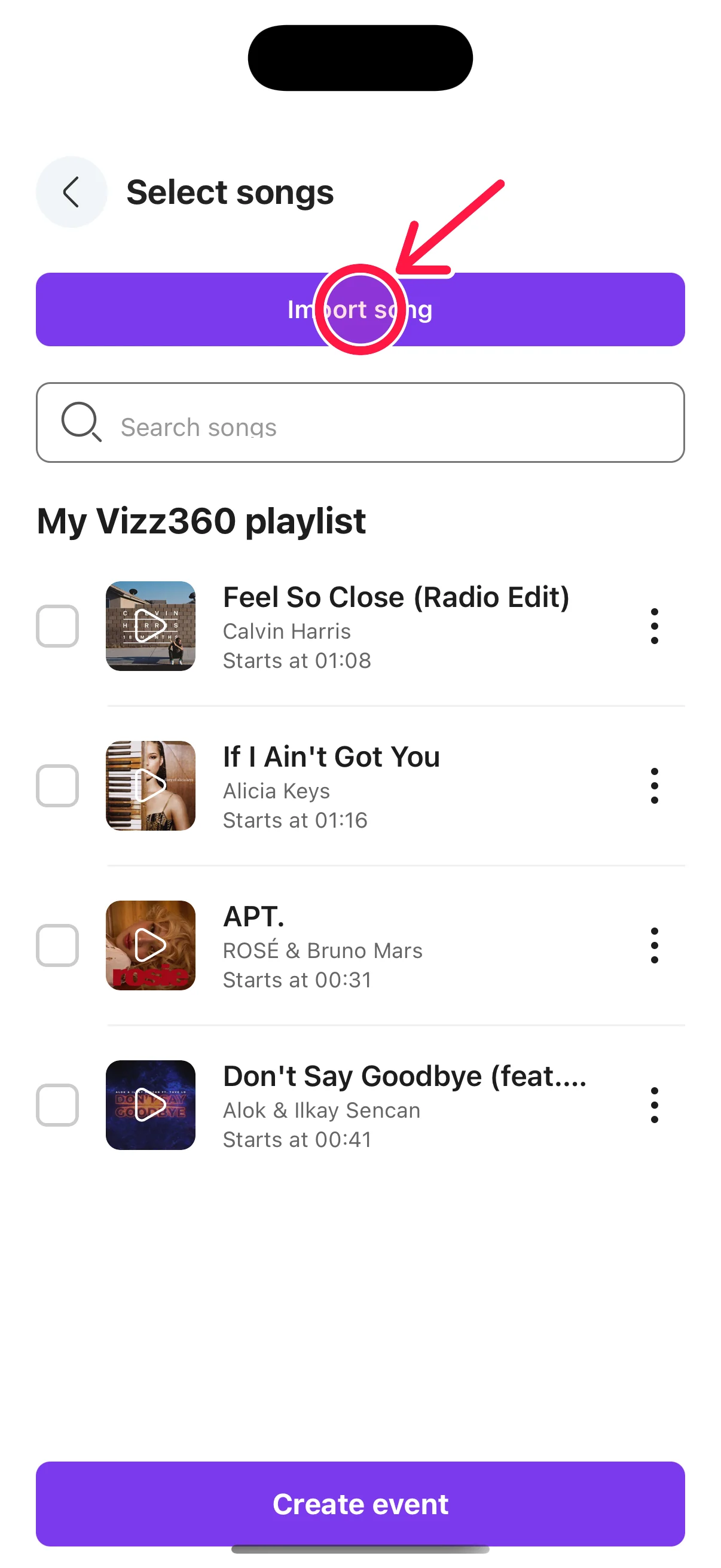
- On the music selection screen, tap Import music.
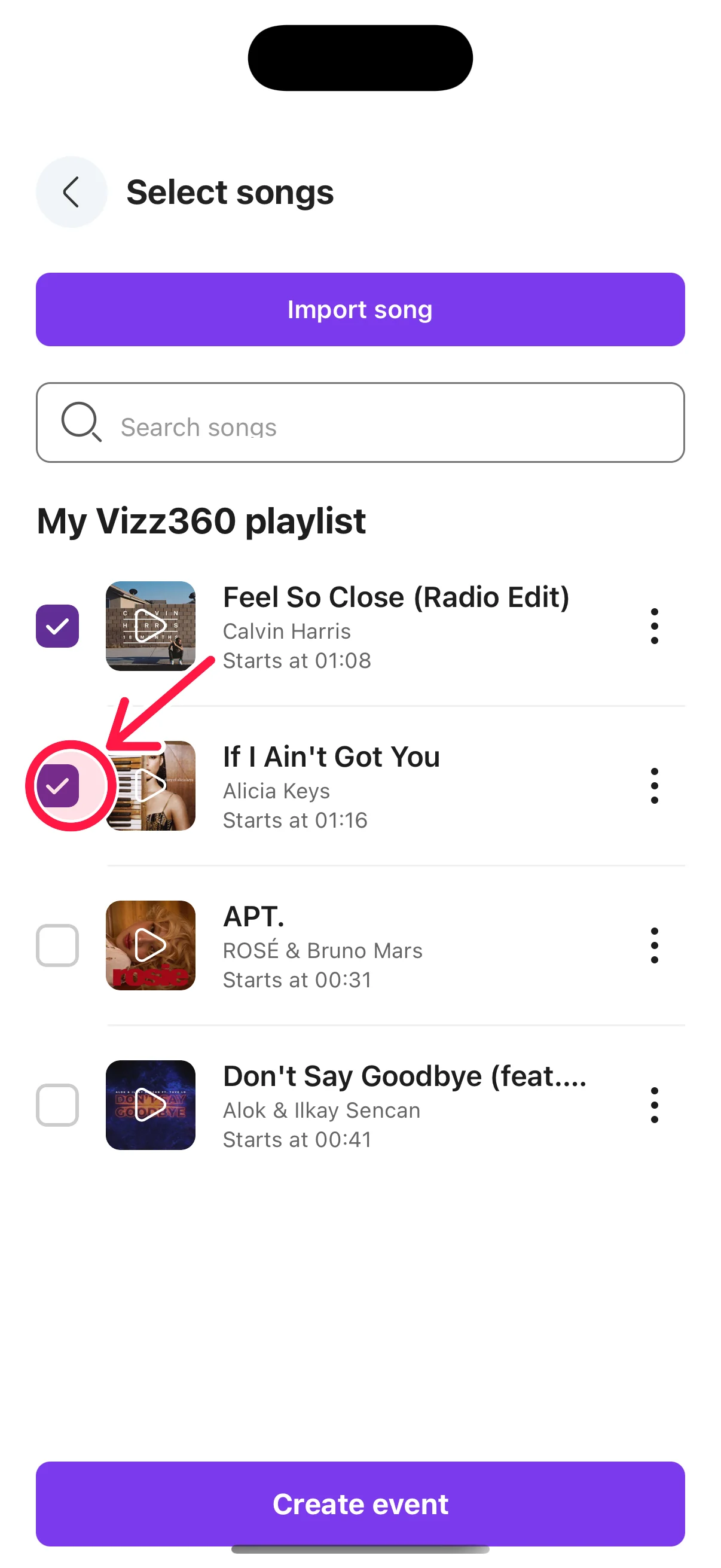
- With Plus, select the tracks for the event playlist.
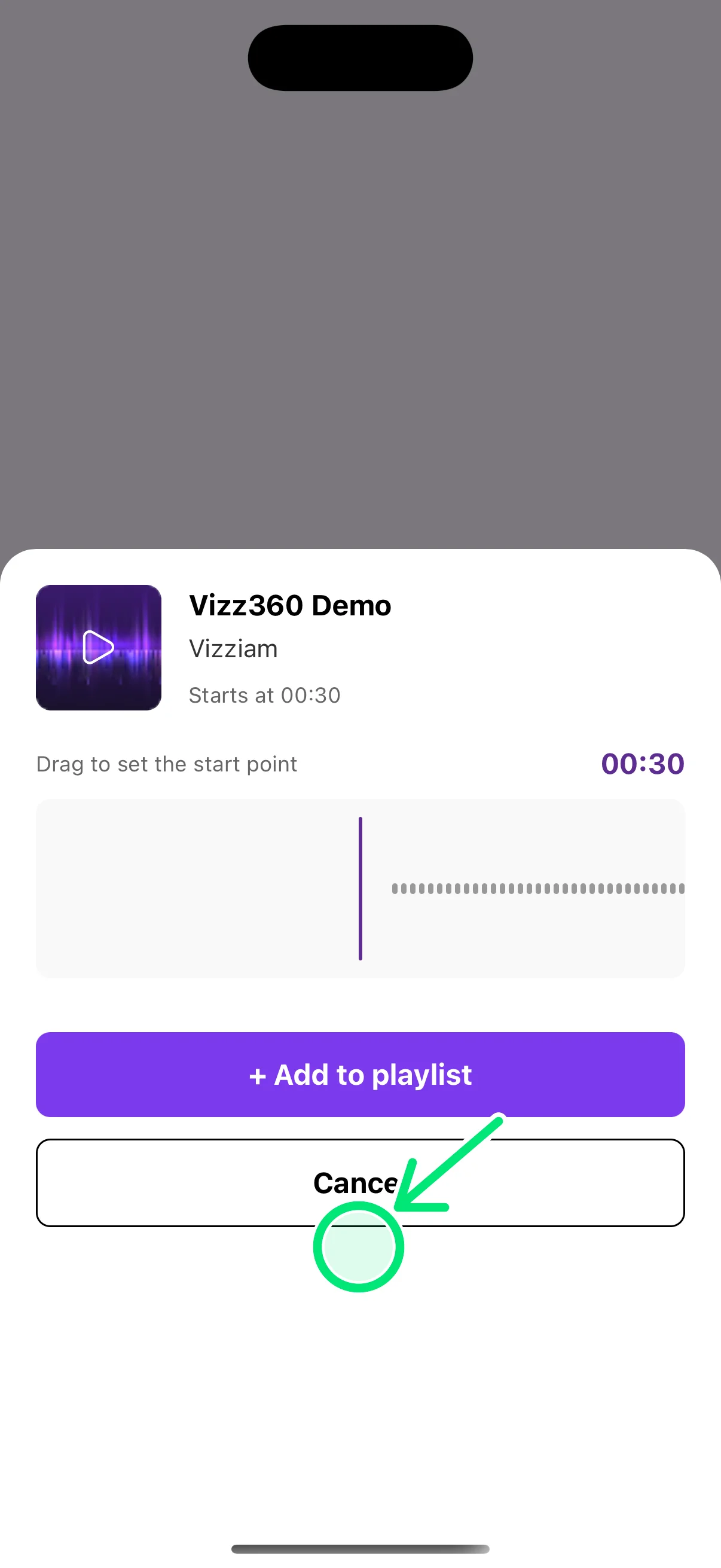
- Check the start time and add the excerpt to the playlist.
You want to switch tracks between recordings without importing a file every time. The benefit is having an organized selection, with sections already checked, instead of a long list that no one can identify.
Before you start
Import the audio files you can use and check the account access. Without access to multiple songs, the selection stays limited to one track. Check the duration and starting point of each option.
How to do it
-
In the event song selection, open the library.
-
Select the tracks you want for the event, noting the access conditions shown.
-
Play each song and adjust Edit start time when the chosen section needs to change.
-
Finish preparing the files and go to Record video.
-
Open the Music panel, choose the track for the capture, and check the selection before recording.
-
Run short tests of the main options to hear the result in the final file.
Where to tap in the app
Check the result
The chosen track should be recognizable and cover the processed duration. If different music styles are available, it is worth preparing a simple order of use with the team so you do not choose a track that does not match the client's request.
If something does not go as expected
If only one song stays selected, check Plus access before repeating the setup. If the track ends early, review the starting point and the duration warning. If the event uses a ready-made template with its own track, check that model's music settings instead of assuming the regular selection is controlling all the audio.
Quick questions
Does having multiple songs mean they all play in the same video?
No. This tutorial is about making options available and choosing the track, not mixing tracks in multiple layers.
Can I leave everything prepared to work offline?
Prepare and download the files on the device while you are connected, and test opening the event before you lose internet access.
Does changing a song change previous videos?
Do not count on that. Check the track in the next recordings; files that have already been processed remain as they were generated.
Continue in the app
Prepare a test event in Vizz360 and check the full path before your next service. You can find the app for iPhone and Android at the links below.
Read also: How to Import a Song for an Event in Vizz360; How to Choose the Part of the Song That Plays in the Video; How to Change the Music for an Event You Already Created.

Download Vizz360
Record, edit and share 360° videos in seconds, right from your phone. Free download for Android and iOS, with in-app purchases.


Related articles

How to Position and Resize the Kiosk Shutter Button
How to Position and Resize the Kiosk Shutter Button. See the Vizz360 steps, app screens and what to check before using it at an event.

How to Adjust Photo Framing Inside an AI Overlay
How to Adjust Photo Framing Inside an AI Overlay. See the Vizz360 steps, app screens and what to check before using it at an event.

How to Change Your Vizz360 Account Email
How to Change Your Vizz360 Account Email. See the Vizz360 steps, app screens and what to check before using it at an event.