
How to import music into an event in Vizz360
Import a music file into an event in Vizz360, check playback, and prepare the soundtrack before using the app without internet.



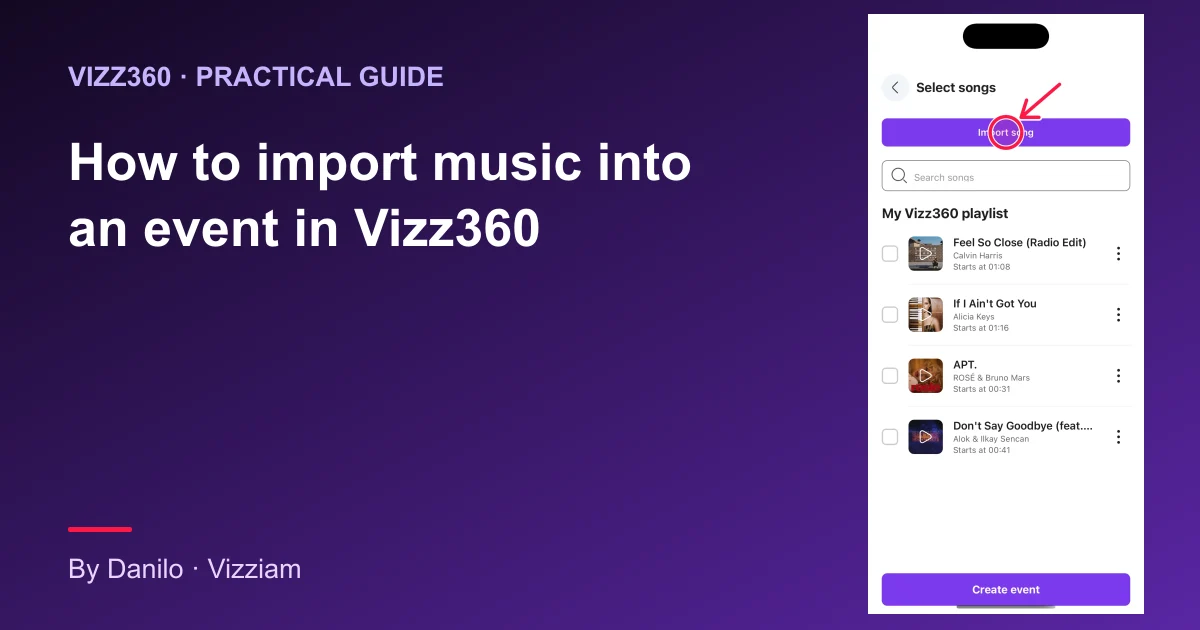
To use a soundtrack in Vizz360, open the music library while preparing the event and import the audio file. Then select the music and check the section that will be used in the video.
Demonstration on the iPhone simulator, using Vizz360 7.39 and sample data. Some controls vary on Android and by plan.
Read the video steps
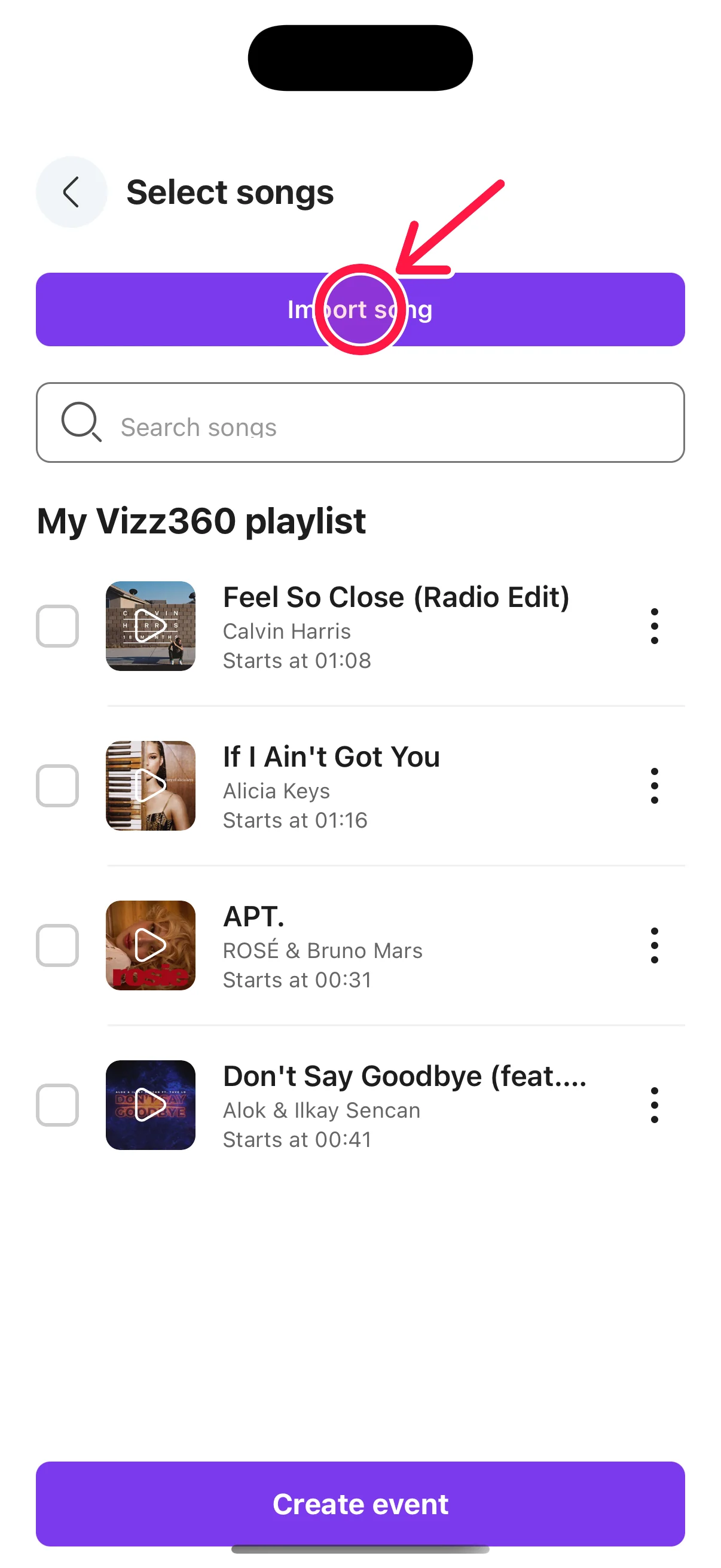
- On the music selection screen, tap Import music.
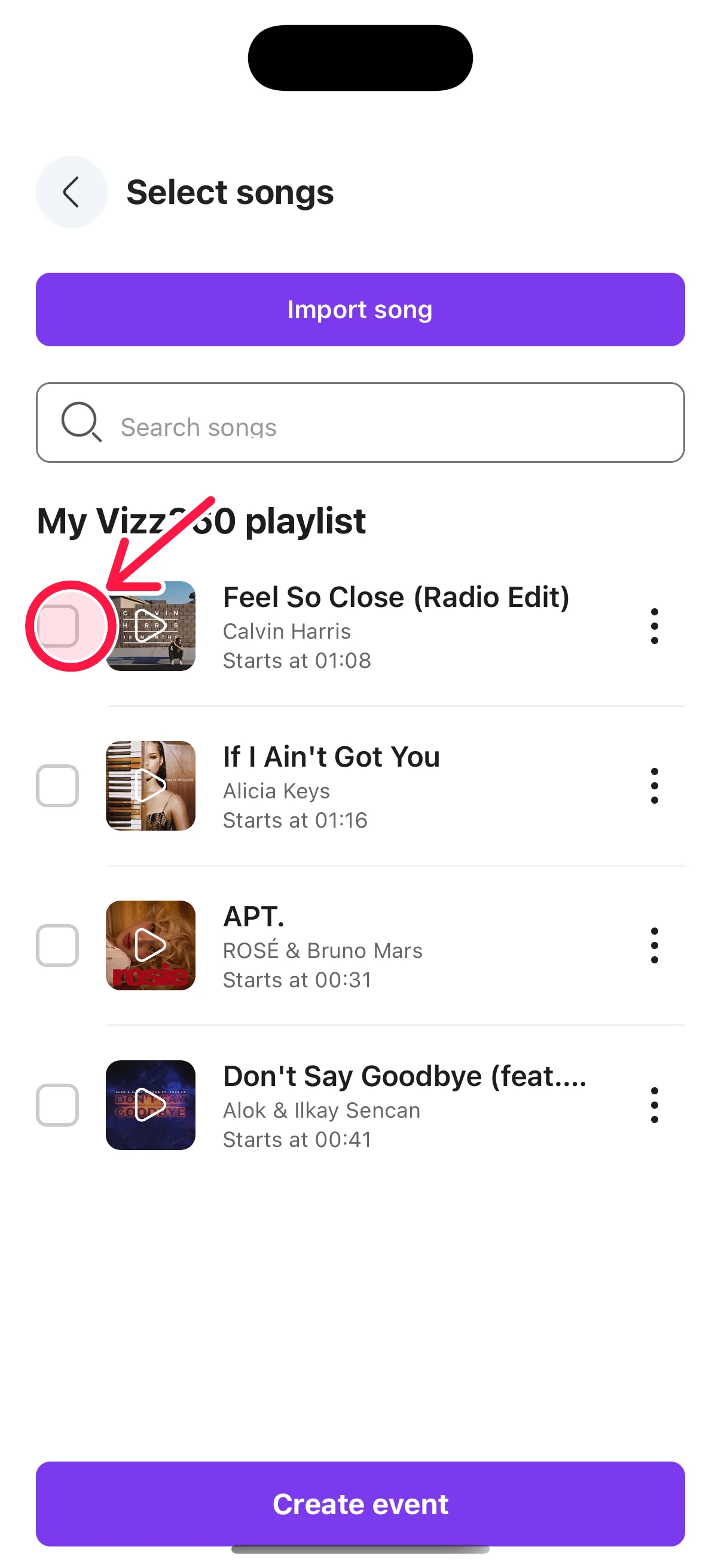
- Choose an available track from your library.
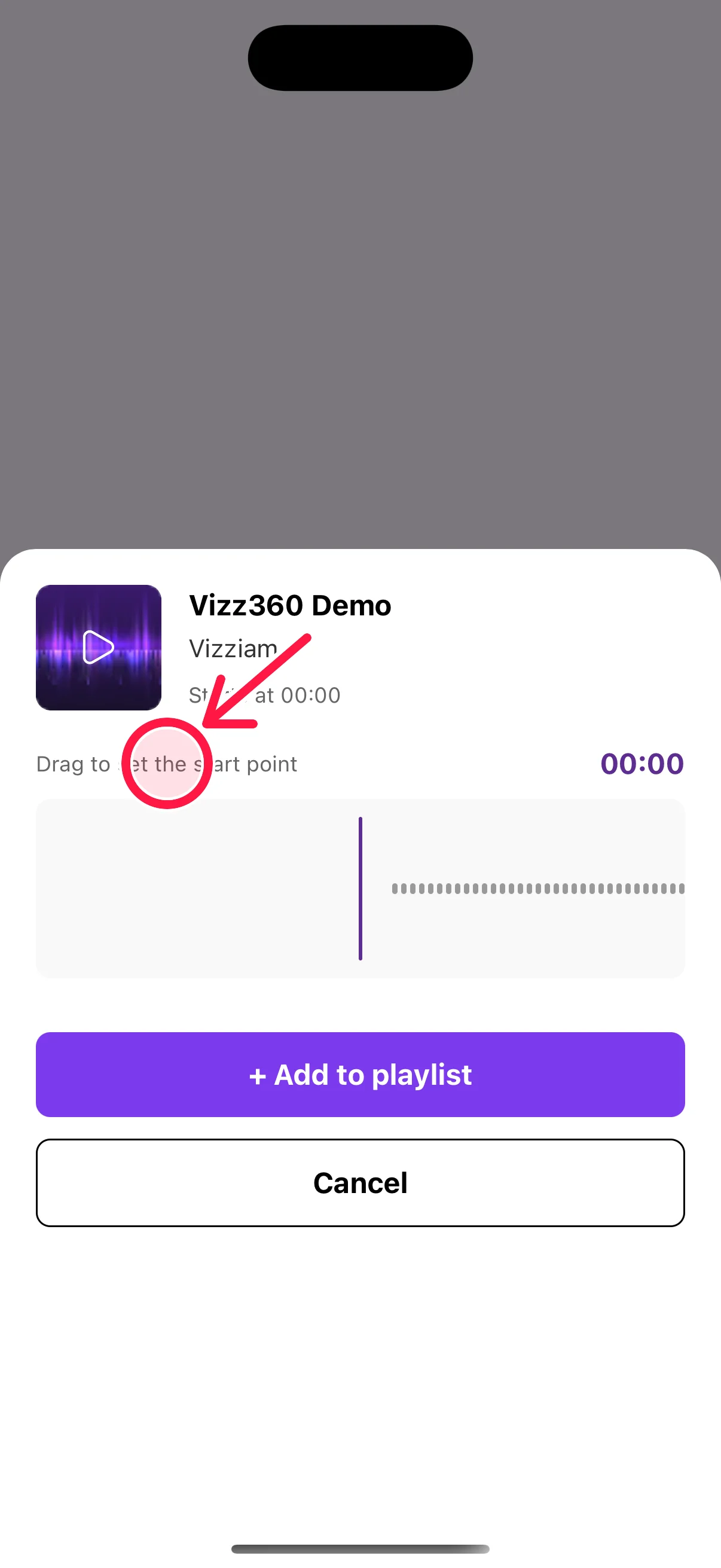
- Drag the track to choose where the excerpt starts.
The client chose a track, and you already have the audio file to use at the event. Receiving the name of a song is different from having a file available and authorized for the operation.
Before you start
Set aside a file you can access on the device and have the right to use. A track available to listen to on a streaming service should not automatically be treated as an importable file or authorization to include it in a commercial deliverable.
How to do it
-
While creating the event, continue to the music selection step.
-
Open the library and use the import action to choose the audio file on the device.
-
Wait for the import to finish and check that the music appears in the list with a recognizable name.
-
Play the track to confirm it is the correct version.
-
Select the music for the event and, if needed, use Edit start time to adjust the starting point.
-
Finish the setup and record a test to hear the soundtrack in the processed video.
Where to tap in the app
Check the result
Listen to the beginning and end of the delivered file. Check whether the music starts at the desired moment and covers the video duration. This test also shows when you selected a different version, such as audio with speech or a long intro.
If something does not work as expected
If the file is not imported, check whether it is actually available on the device and whether it can be read by the picker. Do not rename an extension to try to turn a file into another format. Before working offline, open the event while connected and prepare the music on that phone; having it in your account or on another device does not prove it was downloaded locally.
Quick questions
Can I choose music directly from Spotify?
This tutorial uses audio file import. Do not assume integration with streaming services.
Can the same music appear in other events?
The library can be reused. When editing the start of a track that has already been used, read the warning about the affected events.
Does choosing the music guarantee it covers the entire video?
No. Check the starting point, the remaining duration, and the processed result before the party.
Continue in the app
Prepare a test event in Vizz360 and check the full path before your next booking. You can find the app for iPhone and Android at the links below.
Also read: How to choose the part of the music that plays in the video; How to choose multiple songs for the same event; How to change the music for an event that has already been created.

Download Vizz360
Record, edit and share 360° videos in seconds, right from your phone. Free download for Android and iOS, with in-app purchases.


Related articles

How to Position and Resize the Kiosk Shutter Button
How to Position and Resize the Kiosk Shutter Button. See the Vizz360 steps, app screens and what to check before using it at an event.

How to Adjust Photo Framing Inside an AI Overlay
How to Adjust Photo Framing Inside an AI Overlay. See the Vizz360 steps, app screens and what to check before using it at an event.

How to Change Your Vizz360 Account Email
How to Change Your Vizz360 Account Email. See the Vizz360 steps, app screens and what to check before using it at an event.