
How to use multiple overlays in the same video event
Select multiple overlays for your video event in Vizz360 and use the Overlays panel before capture. The multiple-overlays feature requires Plus.



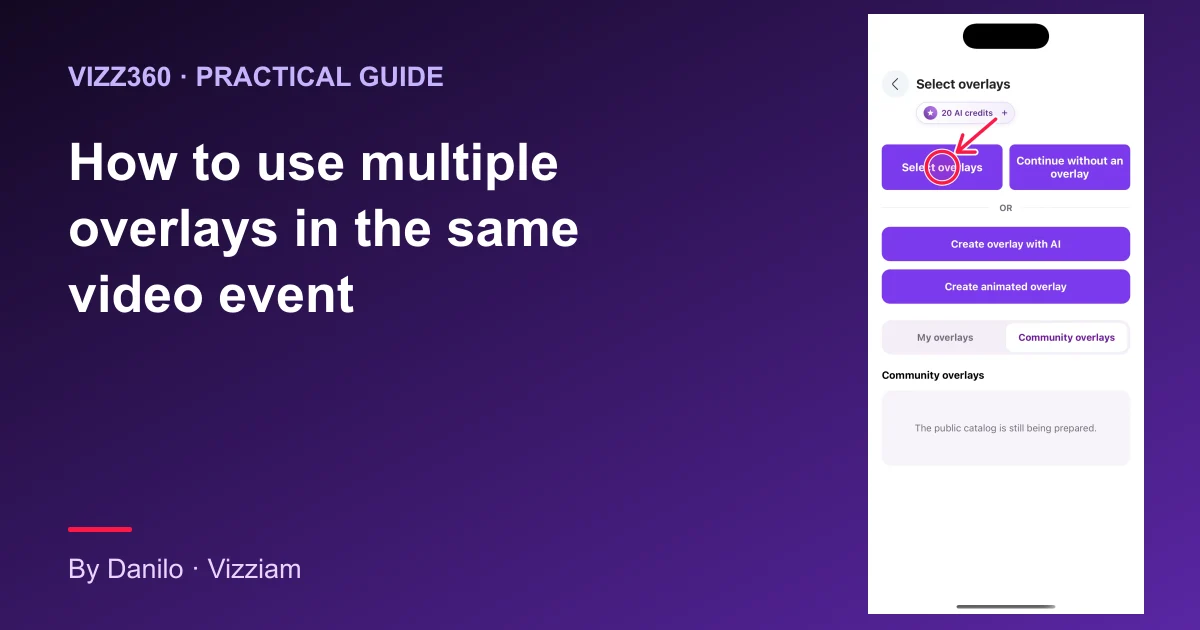
To offer several designs in a video event, select the overlays during setup and use Overlays on the recording screen. Selecting multiple overlays for video requires Plus access.
Demonstration on the iPhone simulator, using Vizz360 7.39 and sample data. Some controls vary on Android and by plan.
Read the video steps
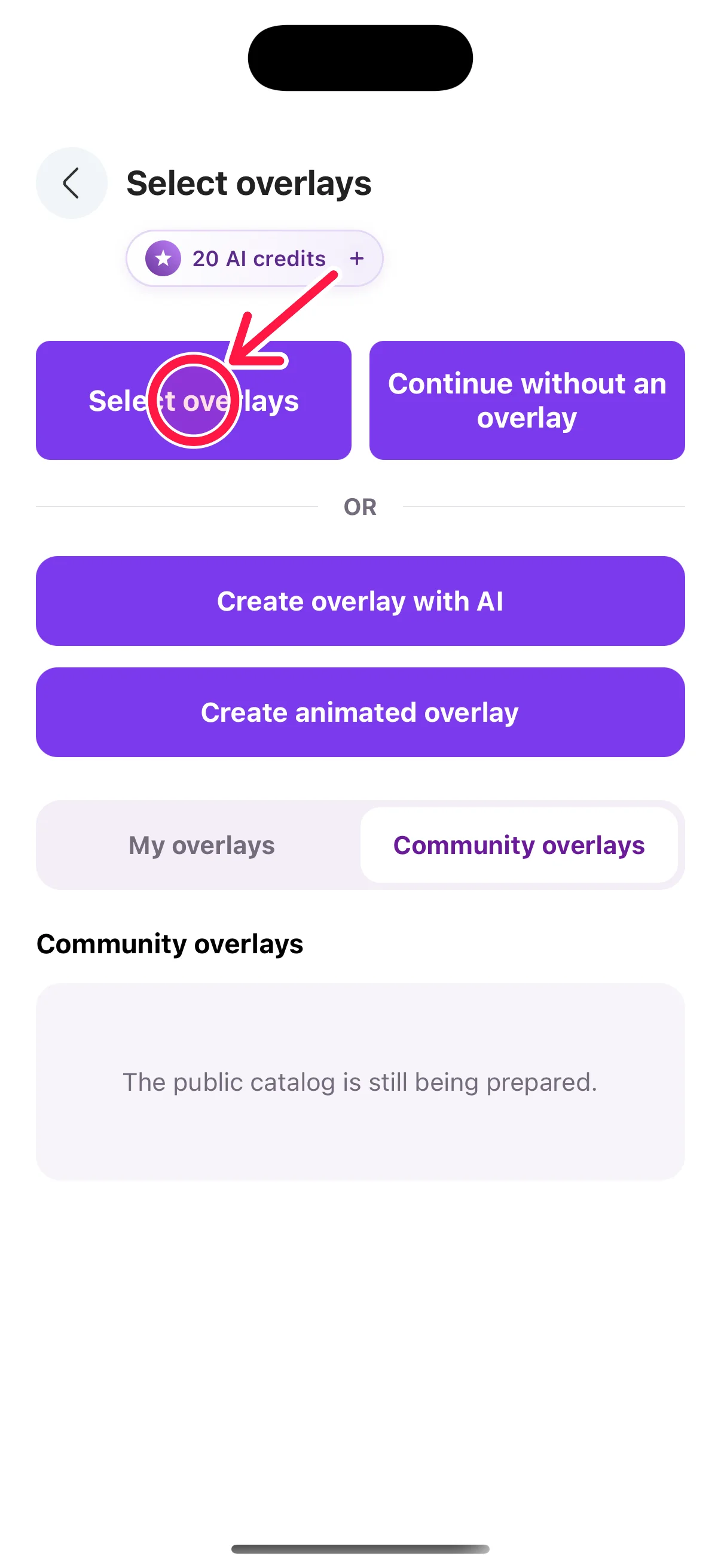
- Tap Select overlays to import your artwork.
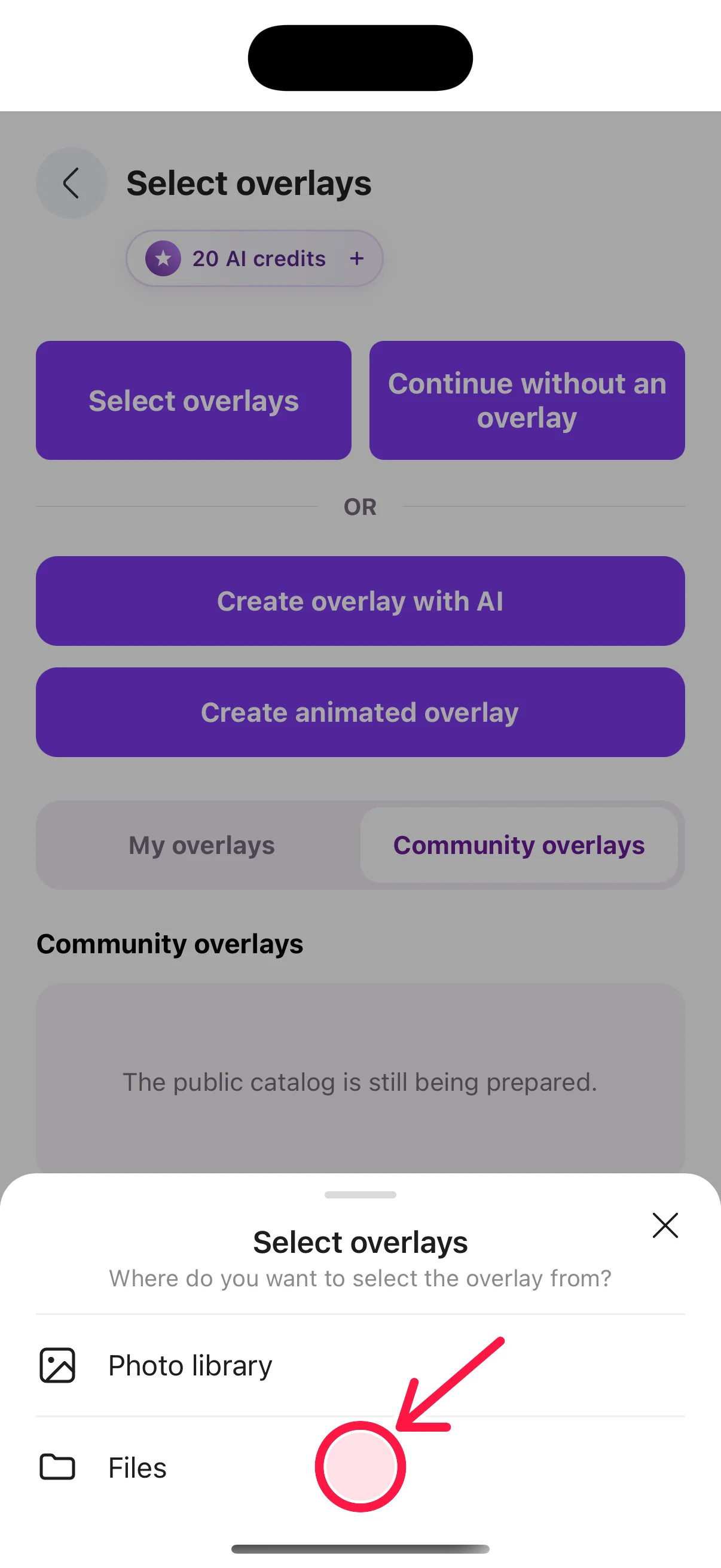
- Choose Files to locate a transparent PNG.
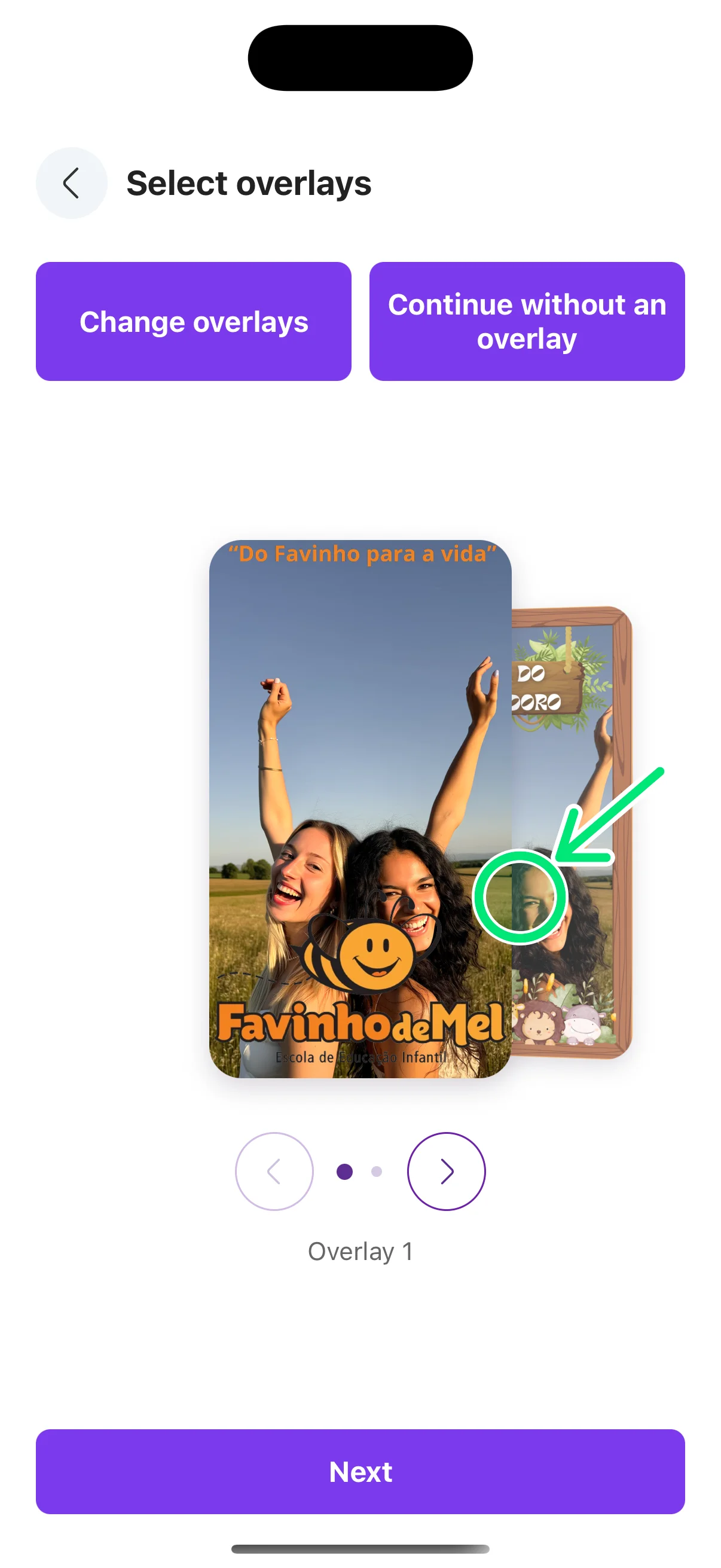
- With Plus, check each overlay using the carousel arrows.
The event has more than one visual identity, and you want to choose the right overlay before recording. Having the options ready keeps you from searching for files while guests are in line, but the correct choice needs to be checked before capture.
Before you start
Organize the approved artwork files and make sure they all have the right aspect ratio. For vertical video, the recommendation is 1080 × 1920 in 9:16. Use recognizable names so you do not confuse similar versions for the same client.
How to do it
-
When creating the event, continue to the overlay selection step.
-
Add the designs you want to offer and select the desired options, according to the account’s access.
-
Check the previews so you can recognize each version.
-
Finish the setup and go to the Record video screen.
-
Open Overlays, choose the design for that take, and check the image before starting.
-
Make a test recording with each option that will be used at the event.
Where to tap in the app
Check the result
The chosen overlay should appear in the final video without covering the guest. If there are designs with different text, check each one instead of assuming one test validates all of them. One version may have a larger logo or the date outside the safe area.
If something does not work as expected
If the selection does not keep multiple overlays, check the Plus conditions on the account. If the artwork is not the one you expected, review the selection before recording again. Switching the option for the next capture should not be presented as a way to change all files that have already been recorded.
Quick questions
Does multiple overlays mean layering all of them on the same video?
This guide is about making overlay options available and choosing the desired one for the recording. Do not confuse this with building multiple layers on the same file.
Who chooses the overlay in the video?
The choice is made from the panel on the recording screen. The flow where the guest chooses an overlay in the Photo Booth Kiosk is covered in another tutorial.
Do I need to download the artwork before operating without internet?
Yes. Prepare the files on the device itself while you still have a connection, and test opening the event.
Continue in the app
Set up a test event in Vizz360 and check the full flow before your next booking. You can find the app for iPhone and Android in the links below.
Read also: How to import a PNG overlay for a 360 video; How to change the overlay of an event you already created; How to create a 360 photo booth event in Vizz360.

Download Vizz360
Record, edit and share 360° videos in seconds, right from your phone. Free download for Android and iOS, with in-app purchases.


Related articles

How to Position and Resize the Kiosk Shutter Button
How to Position and Resize the Kiosk Shutter Button. See the Vizz360 steps, app screens and what to check before using it at an event.

How to Adjust Photo Framing Inside an AI Overlay
How to Adjust Photo Framing Inside an AI Overlay. See the Vizz360 steps, app screens and what to check before using it at an event.

How to Change Your Vizz360 Account Email
How to Change Your Vizz360 Account Email. See the Vizz360 steps, app screens and what to check before using it at an event.