
How to import a PNG overlay for 360 video
Import a PNG overlay for 360 video in Vizz360. Use 1080×1920 in 9:16, preserve transparency, and check the framing.



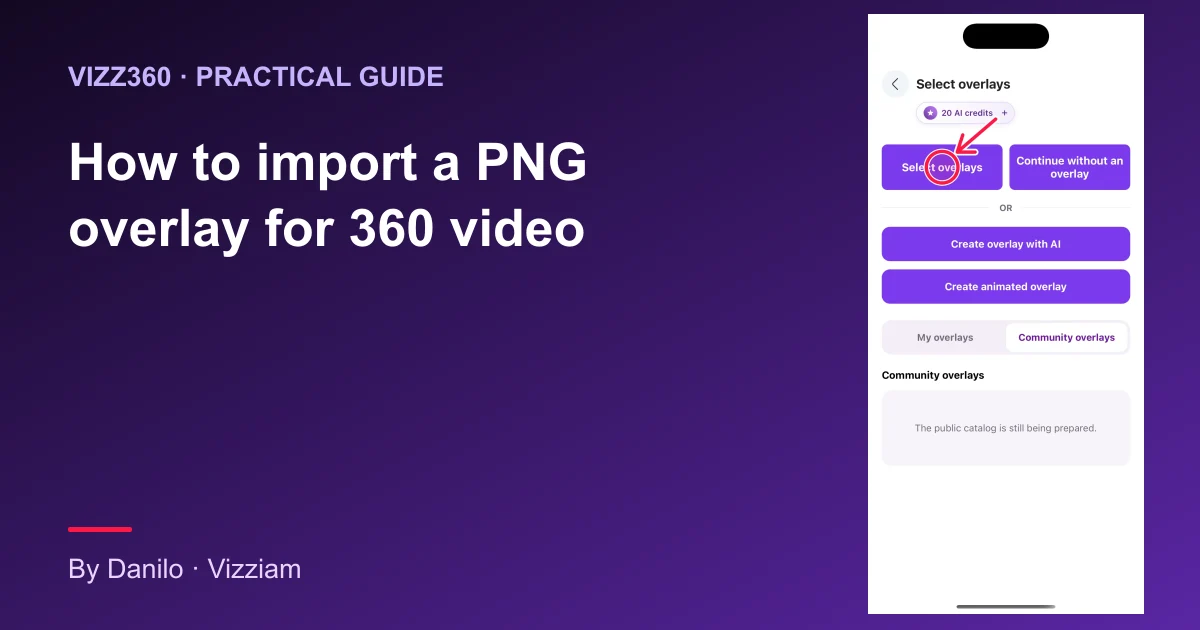
To add an overlay to the video, use Select overlay while creating the event and choose the artwork file. For vertical video, Vizz360 recommends 1080 × 1920 pixels, 9:16 aspect ratio. The area where guests appear should be transparent.
Demonstration on the iPhone simulator, using Vizz360 7.39 and sample data. Some controls vary on Android and by plan.
Read the video steps
- Tap Select overlays to import your artwork.
- Choose Files to locate a transparent PNG.
- Check the overlay preview before continuing.
The client sent the event artwork, and you need to place it over the video without hiding the guests. A PNG with a white background will still cover the video: the file extension by itself does not create transparency.
Before you start
Have the final version of the artwork on the device, with the details approved by the client. Check the size, orientation, and transparent area in the editor where it was created. Avoid placing important text near the edges or where faces will be.
How to do it
-
Create the event and continue to Select overlay.
-
Open the file picker and select the PNG you want.
-
Check the format warning if one appears. For the vertical video flow, adjust the artwork to 1080 × 1920 in 9:16.
-
View the preview and confirm that the center area lets you see the camera image.
-
Finish the event and record a test with someone standing where the guests will be.
Where to tap in the app
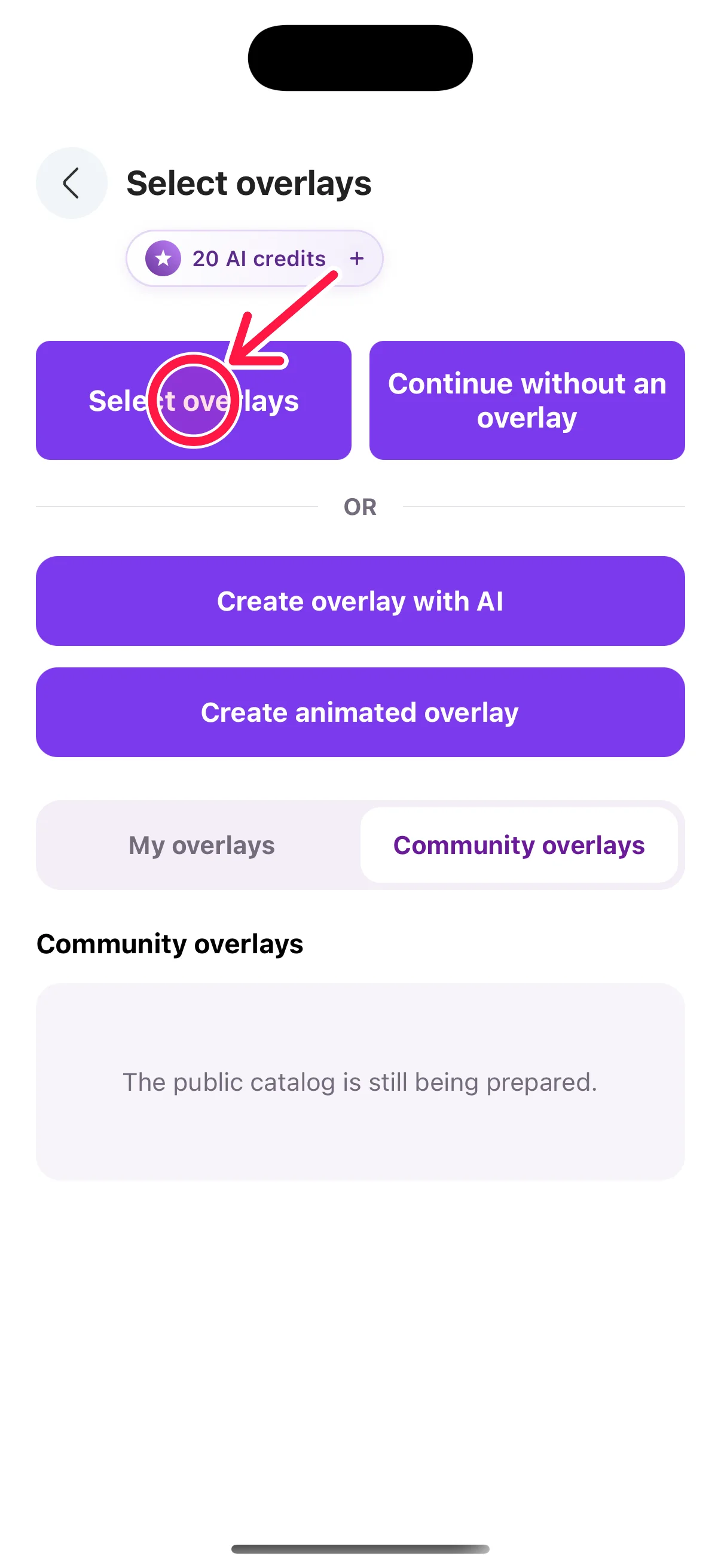
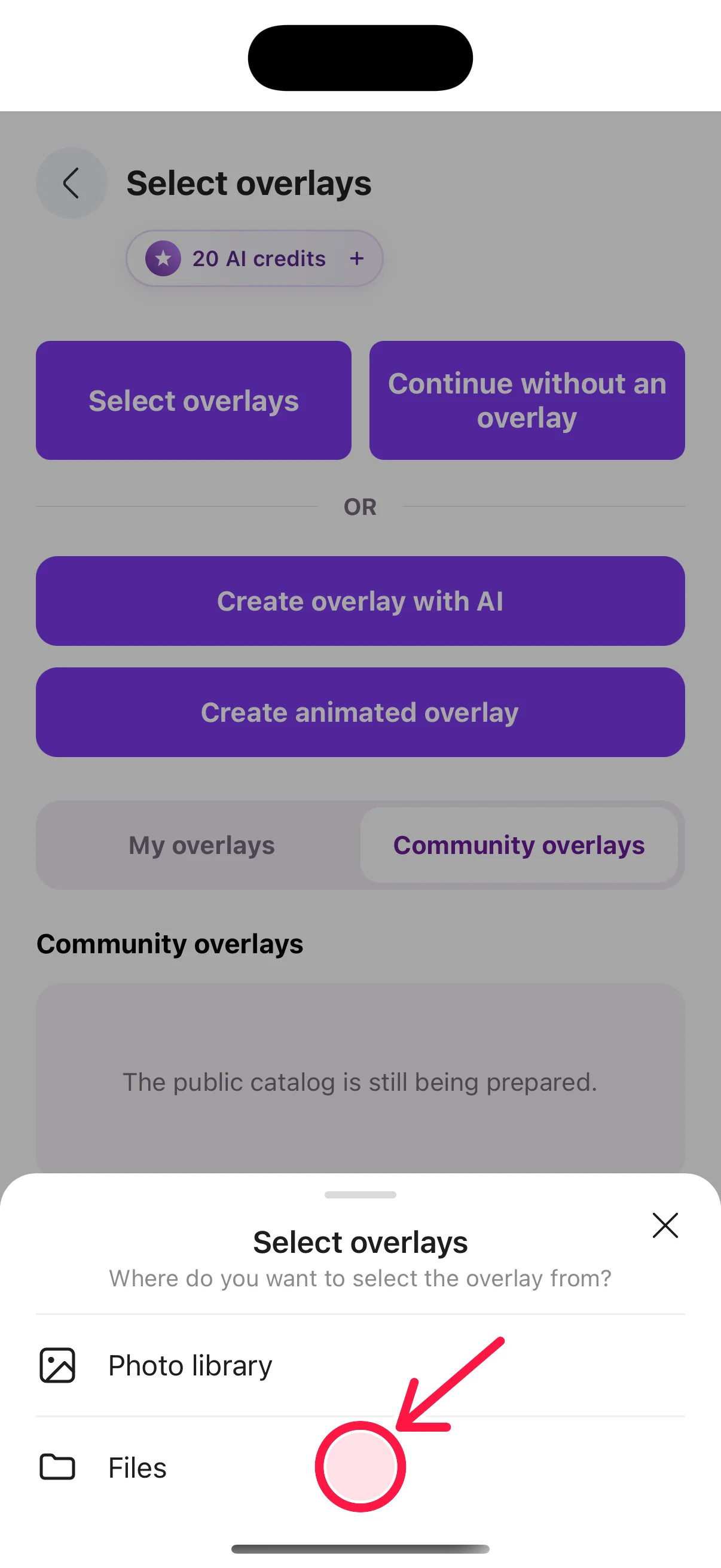
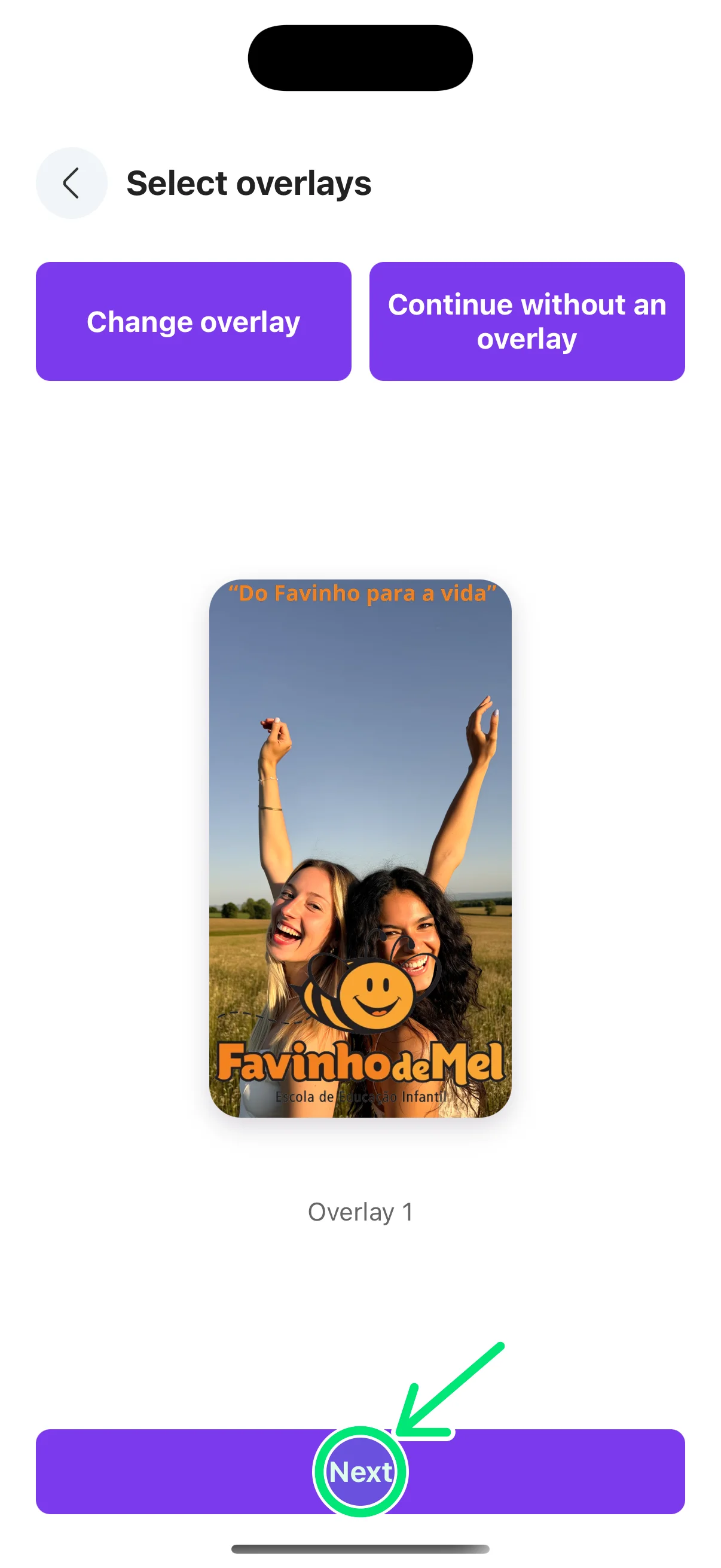
Check the result
Play the final file. The logo and text should remain readable, and the overlay should not cover eyes, hands, or the main part of the movement. Artwork that looks beautiful on its own can feel cramped when applied to the real framing.
If something does not work as expected
If the center is opaque, go back to the original file and export it with real transparency. If there is distortion or cropping, check the aspect ratio and dimensions before switching files in the app. If you select an image and see a warning, that does not mean the size was corrected automatically: check the result.
Quick questions
What size should I use for vertical video?
The recommendation for this flow is 1080 × 1920 pixels, in 9:16. Do not automatically carry over overlay dimensions from another piece of equipment.
Can I use a JPG image?
For an overlay that lets the video show through an empty area, you need to preserve transparency. This guide uses a PNG prepared for that purpose.
Does the overlay need to cover the entire screen?
The file follows the frame, but the visual elements can stay only along the edges. Preserve space for people and movement.
Continue in the app
Prepare a test event in Vizz360 and check the full flow before your next job. You can find the app for iPhone and Android in the links below.
Read also: Overlay for 360 photo booth: size, transparency, and customization; How to change the overlay for an event you already created; How to use multiple overlays in the same video event.

Download Vizz360
Record, edit and share 360° videos in seconds, right from your phone. Free download for Android and iOS, with in-app purchases.


Related articles

How to Position and Resize the Kiosk Shutter Button
How to Position and Resize the Kiosk Shutter Button. See the Vizz360 steps, app screens and what to check before using it at an event.

How to Adjust Photo Framing Inside an AI Overlay
How to Adjust Photo Framing Inside an AI Overlay. See the Vizz360 steps, app screens and what to check before using it at an event.

How to Change Your Vizz360 Account Email
How to Change Your Vizz360 Account Email. See the Vizz360 steps, app screens and what to check before using it at an event.