
Overlay for a 360 photo booth: size, transparency, and customization
Prepare an overlay for a 360 photo booth in 1080×1920, 9:16, with transparency. See how to plan the artwork and check how it applies in Vizz360.



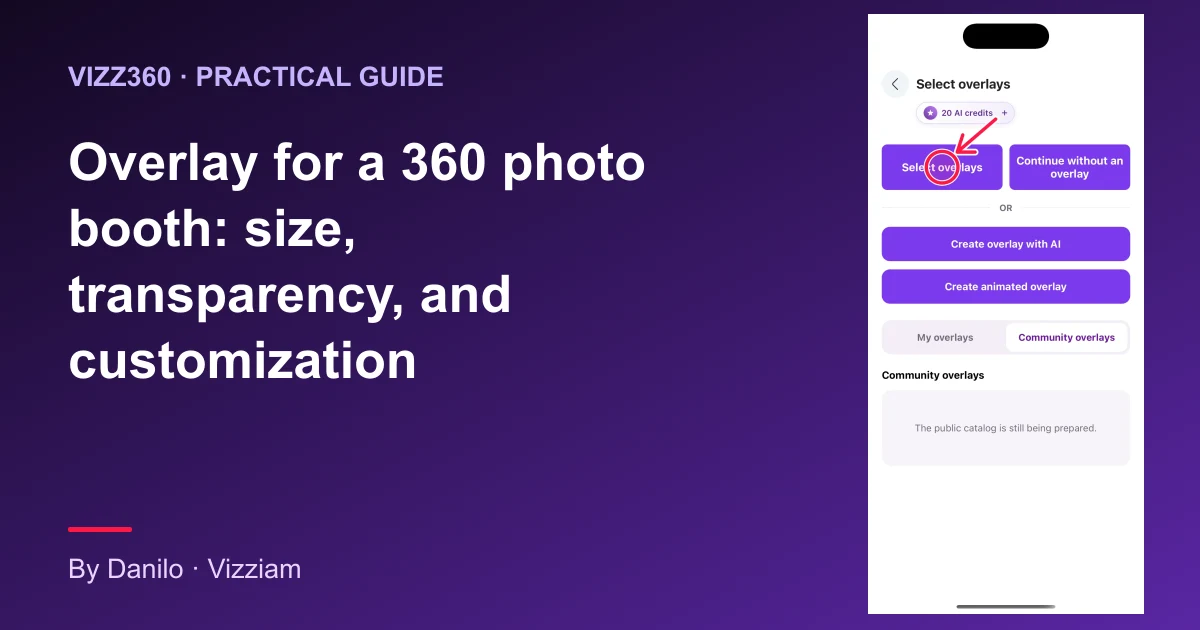
For vertical 360 photo booth video in Vizz360, prepare the overlay at 1080×1920 pixels, 9:16 aspect ratio, keeping a transparent area for the guests. The file is a visual overlay: the logo, names, and event elements sit on top of the recording.
Demonstration on the iPhone simulator, using Vizz360 7.39 and sample data. Some controls vary on Android and by plan.
Read the video steps
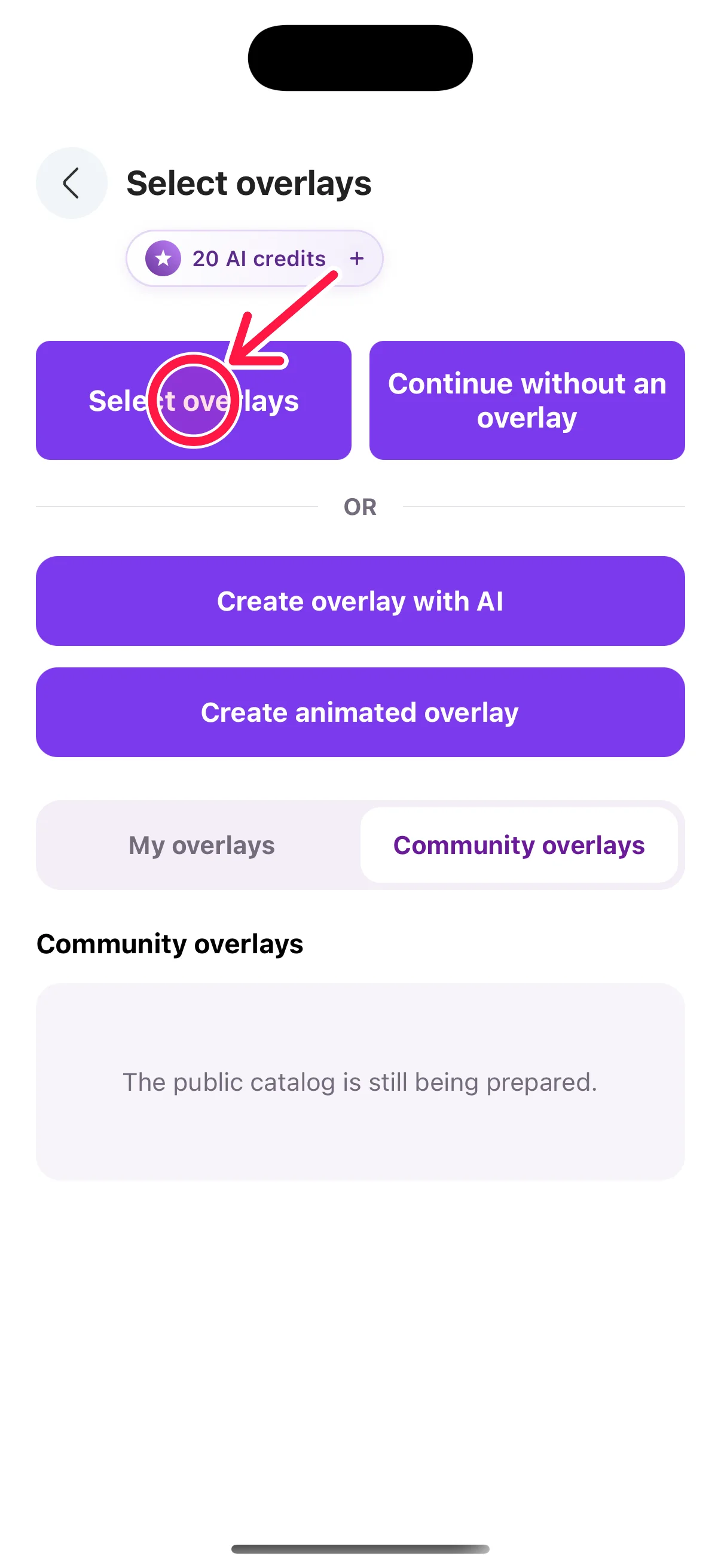
- Tap Select overlays to import your artwork.
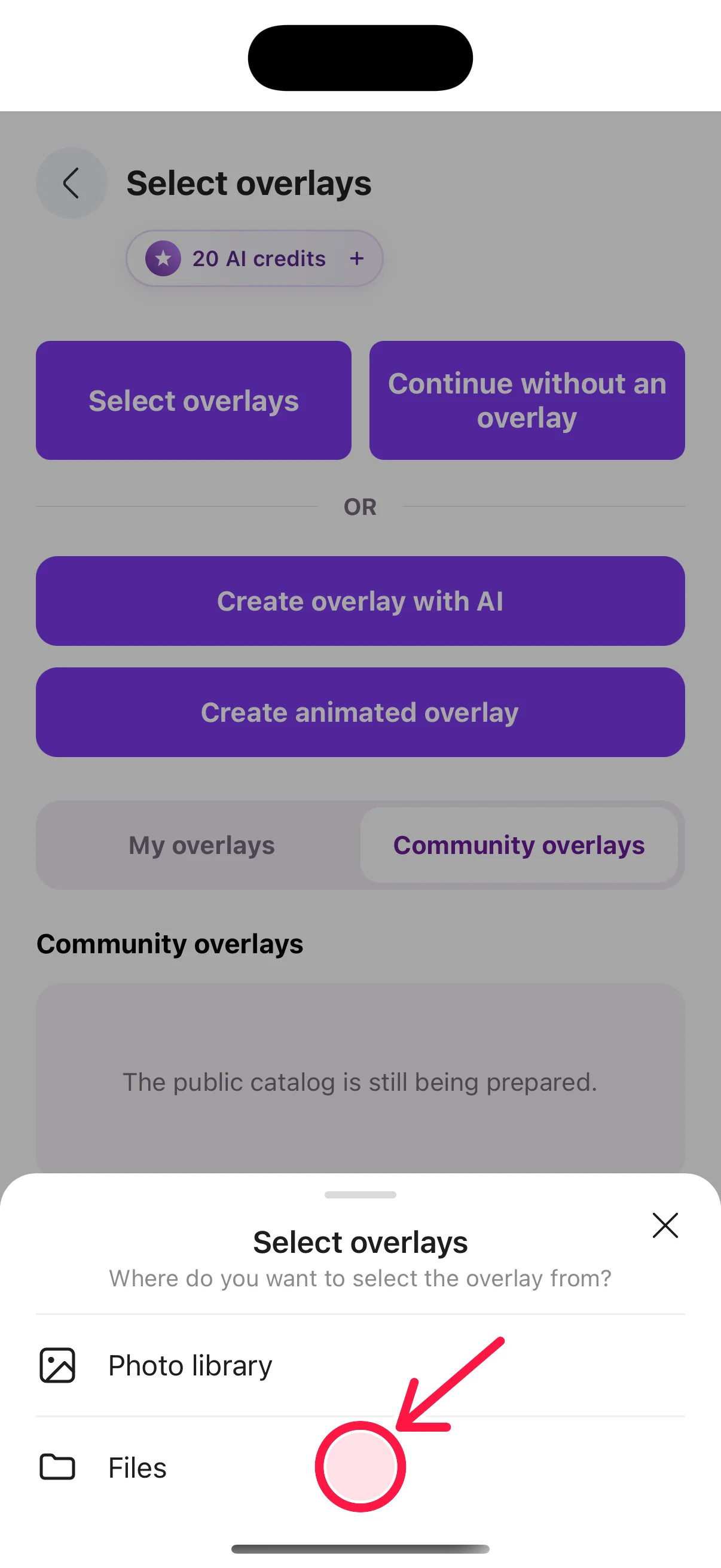
- Choose Files to locate a transparent PNG.
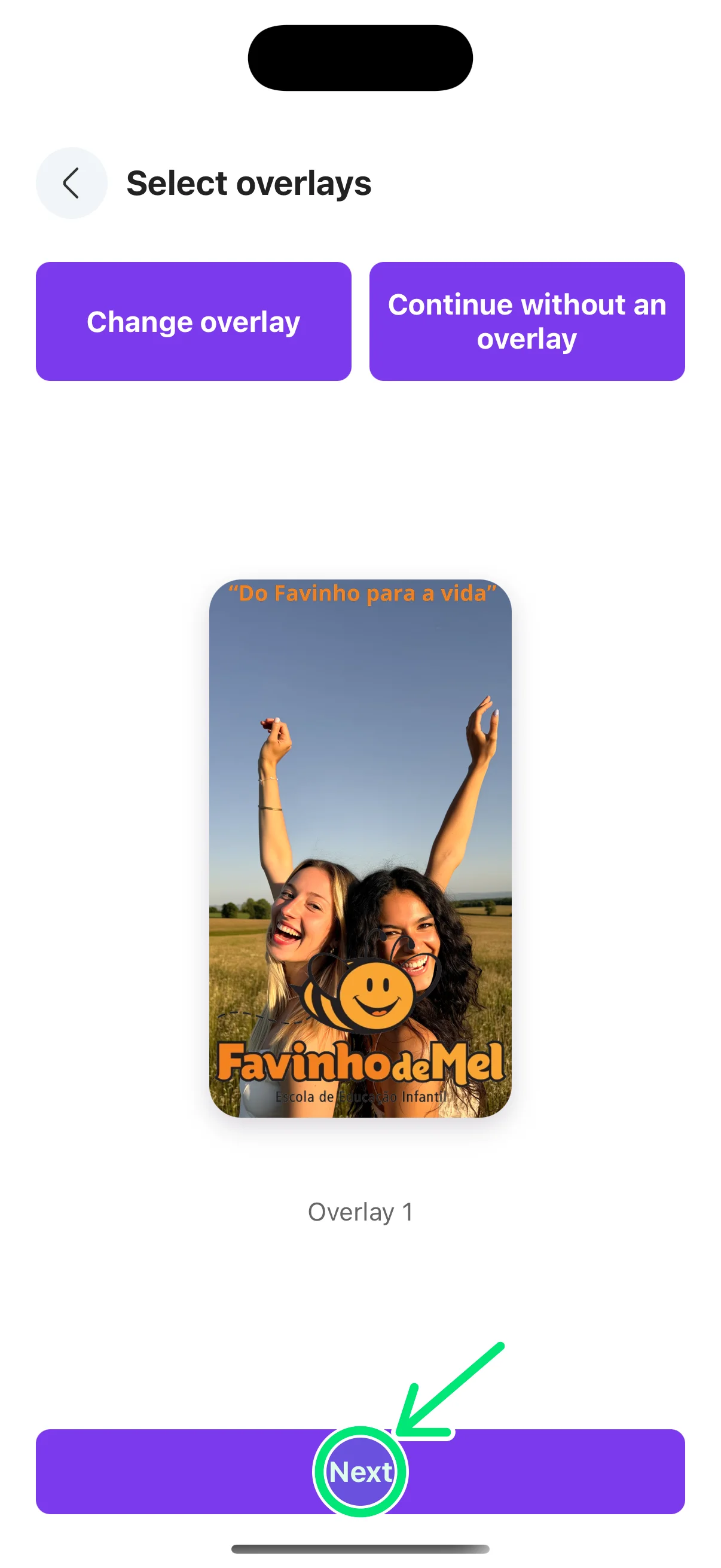
- Check the overlay preview before continuing.
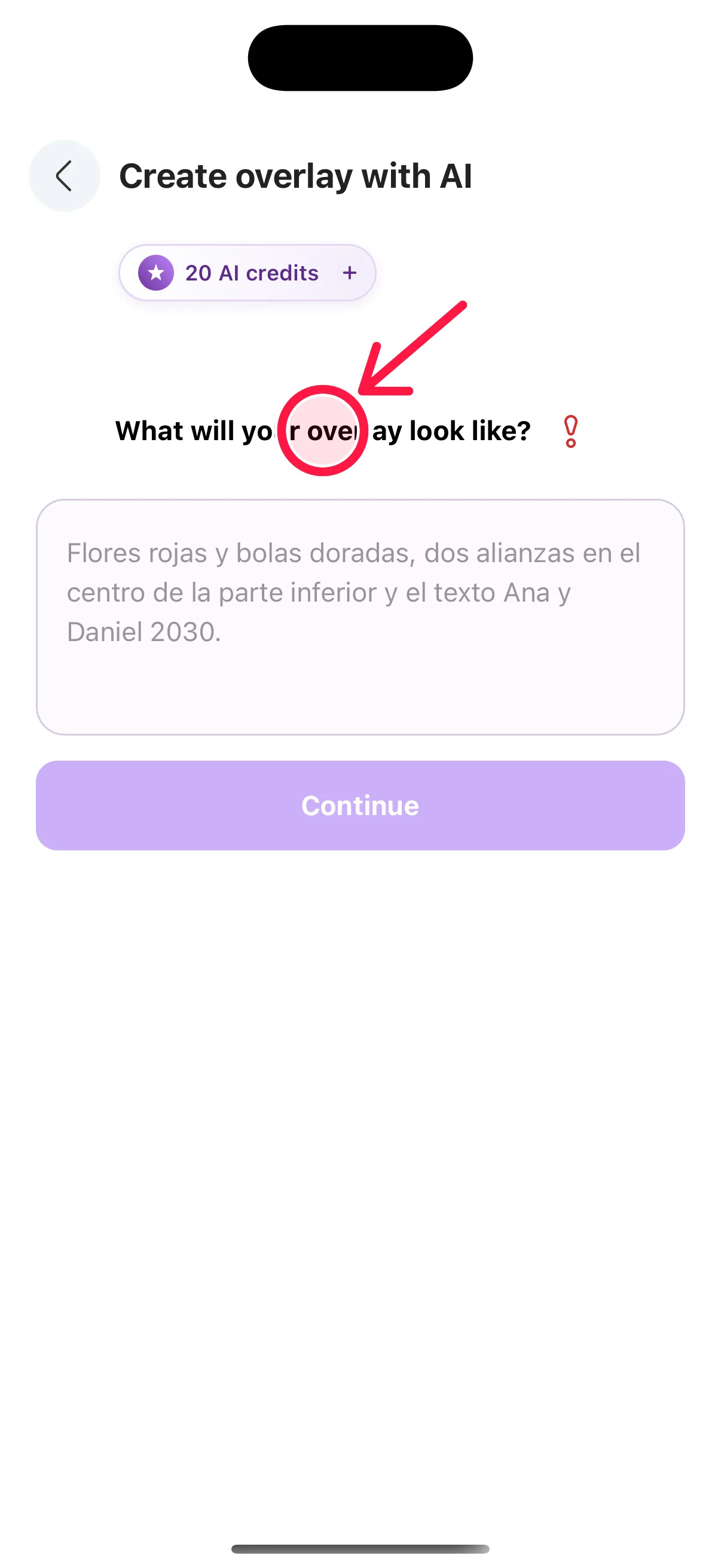
- Describe the overlay theme, colors and elements.
You want to create beautiful artwork for the 360 video, but you need to get the file and framing right. Setting the correct size and transparency before importing helps avoid a stretched border or a rectangle covering the scene.
Before you start
Have the logo in good quality and the details approved by the client. Plan where people will be positioned and keep the main area clear. The dimensions in this guide are for the vertical video flow; photo booth kiosk overlays have their own spacing and capture settings.
How to do it
-
In your image editor, create a 1080×1920 pixel canvas.
-
Place the logo, name, and details in areas that do not compete with faces or movement.
-
Keep the area where the recording should appear transparent. Do not just use a white background assuming it will disappear.
-
Export as a PNG with transparency and check that the details are correct.
-
In Vizz360, open Select overlay, import the artwork, and review the preview and format warnings.
-
Record a take with someone in the real position and check the processed video.
Where to tap in the app
Check the result
The face should remain visible during movement, not just in the initial pose. See whether small text stays readable on the guest’s phone and whether the logo competes for attention with the scene. Artwork with fewer elements may work better than an overlay packed with tiny details.
If something does not work as expected
If the video is covered, review the transparency in the source file. If the artwork looks distorted, check the aspect ratio and dimensions. If a warning appears in the app, do not assume the image was corrected automatically. Adjust the original and run another test before serving guests.
Quick questions
Does 1080×1920 work for any overlay on any equipment?
No. This is the recommendation for Vizz360’s vertical video flow. The kiosk has its own spacing editor and needs a separate check.
Does the PNG extension guarantee transparency?
No. The file must have a real transparent area when exported; a PNG can also contain a fully opaque background.
Can I create the artwork with AI in the app?
Vizz360 has AI overlay creation, subject to connection and its own credits. Review the generated material and test how it applies just as you would with imported artwork.
Continue in the app
Prepare simple artwork and test it in Vizz360 before creating multiple versions. The links below take you to the app for iPhone and Android.
Also read: How to import a PNG overlay for 360 video; How to create an overlay with artificial intelligence in Vizz360; How to change the overlay for an event you already created.

Download Vizz360
Record, edit and share 360° videos in seconds, right from your phone. Free download for Android and iOS, with in-app purchases.


Related articles

How to Position and Resize the Kiosk Shutter Button
How to Position and Resize the Kiosk Shutter Button. See the Vizz360 steps, app screens and what to check before using it at an event.

How to Adjust Photo Framing Inside an AI Overlay
How to Adjust Photo Framing Inside an AI Overlay. See the Vizz360 steps, app screens and what to check before using it at an event.

How to Change Your Vizz360 Account Email
How to Change Your Vizz360 Account Email. See the Vizz360 steps, app screens and what to check before using it at an event.