
How to Save the Event QR Code for Printing
Save the event gallery QR code in Vizz360 and prepare a sign for guests. Check the link before printing.



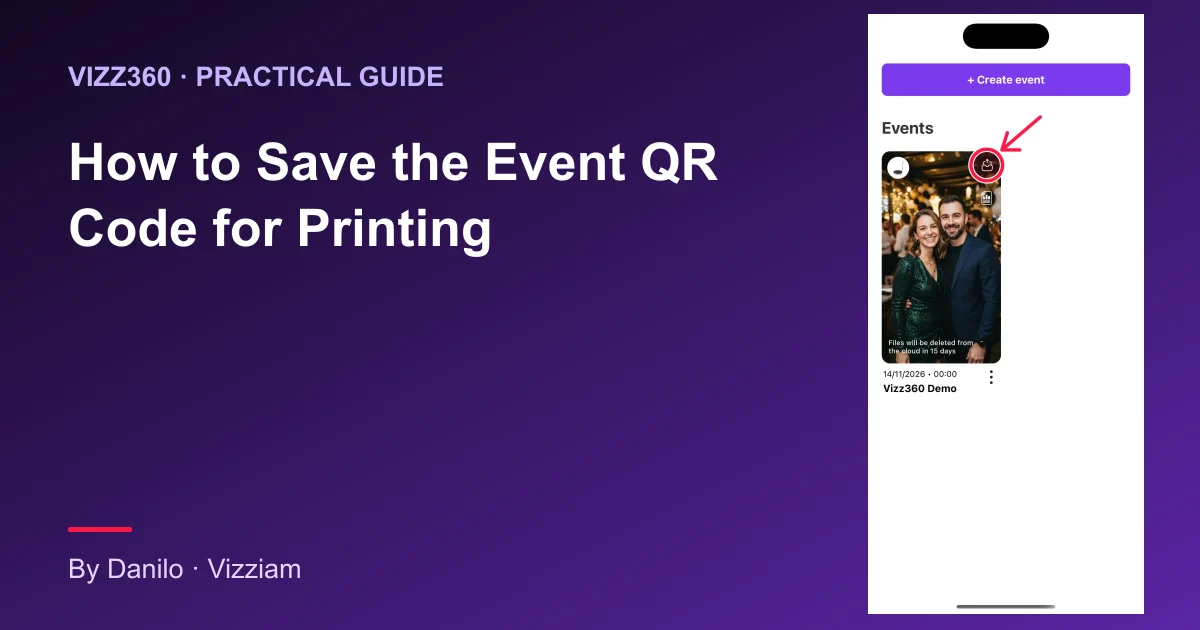
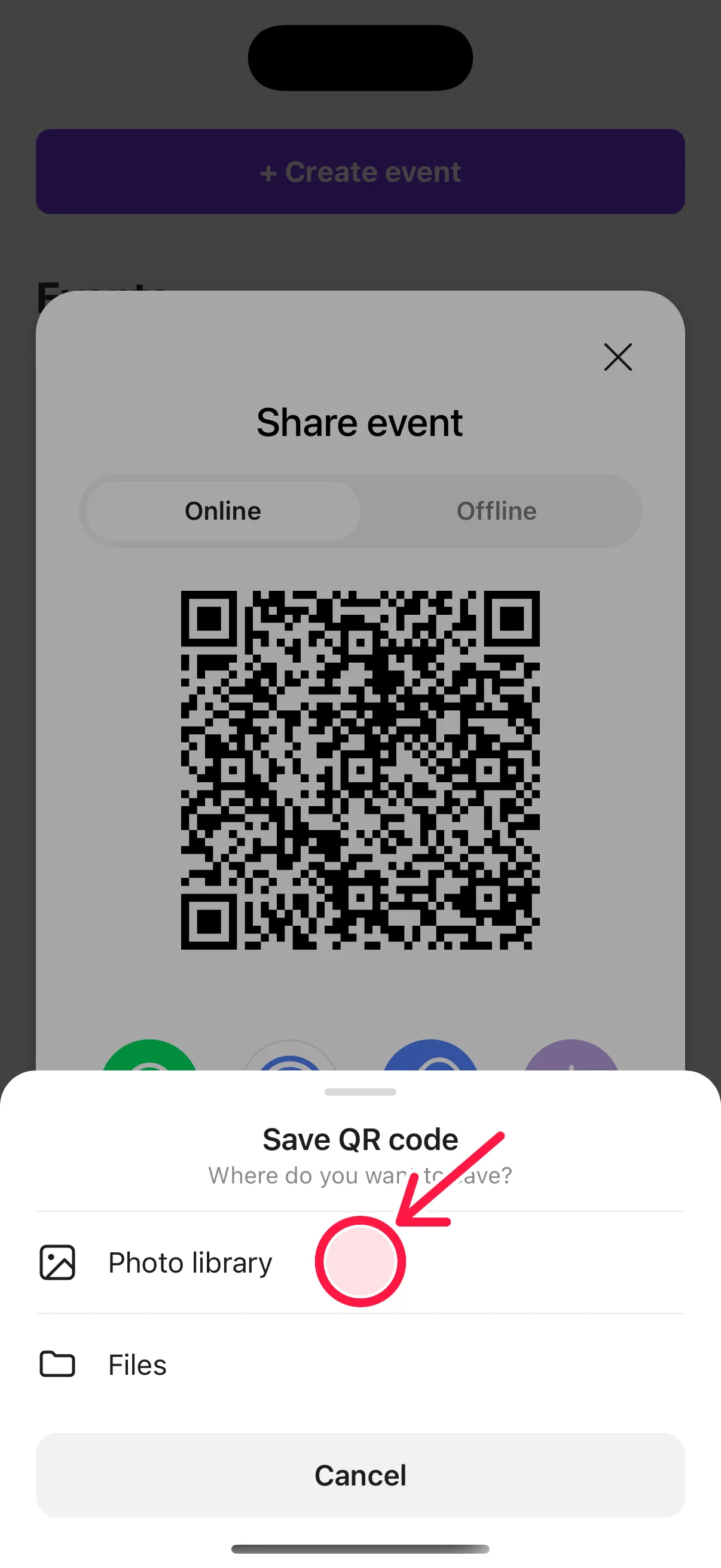
To save the event QR code, open sharing from the cover, select Online, and tap Save QR code. You can choose Photo library or Files as the destination.
Demonstration on the iPhone simulator, using Vizz360 7.39 and sample data. Some controls vary on Android and by plan.
Read the video steps
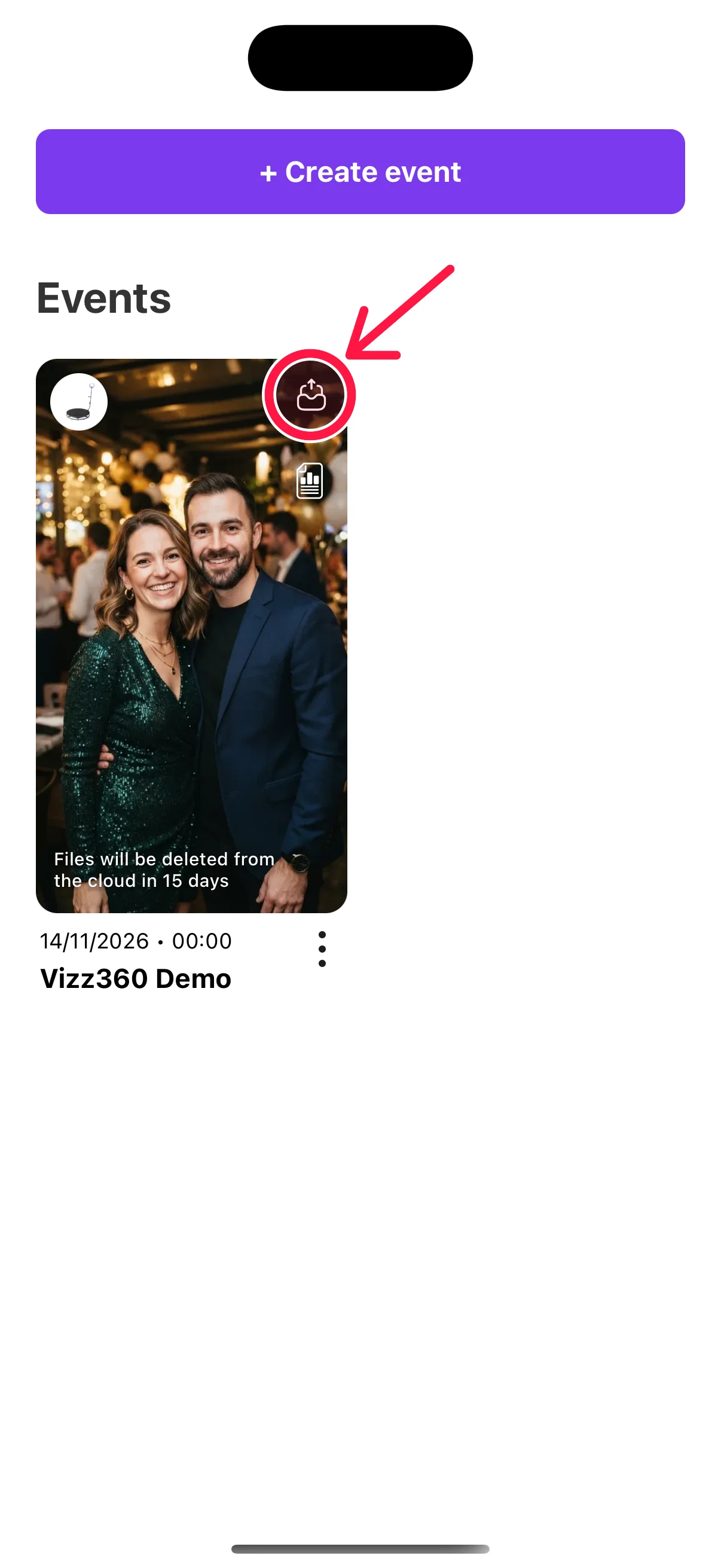
- Tap the share icon on the event cover.
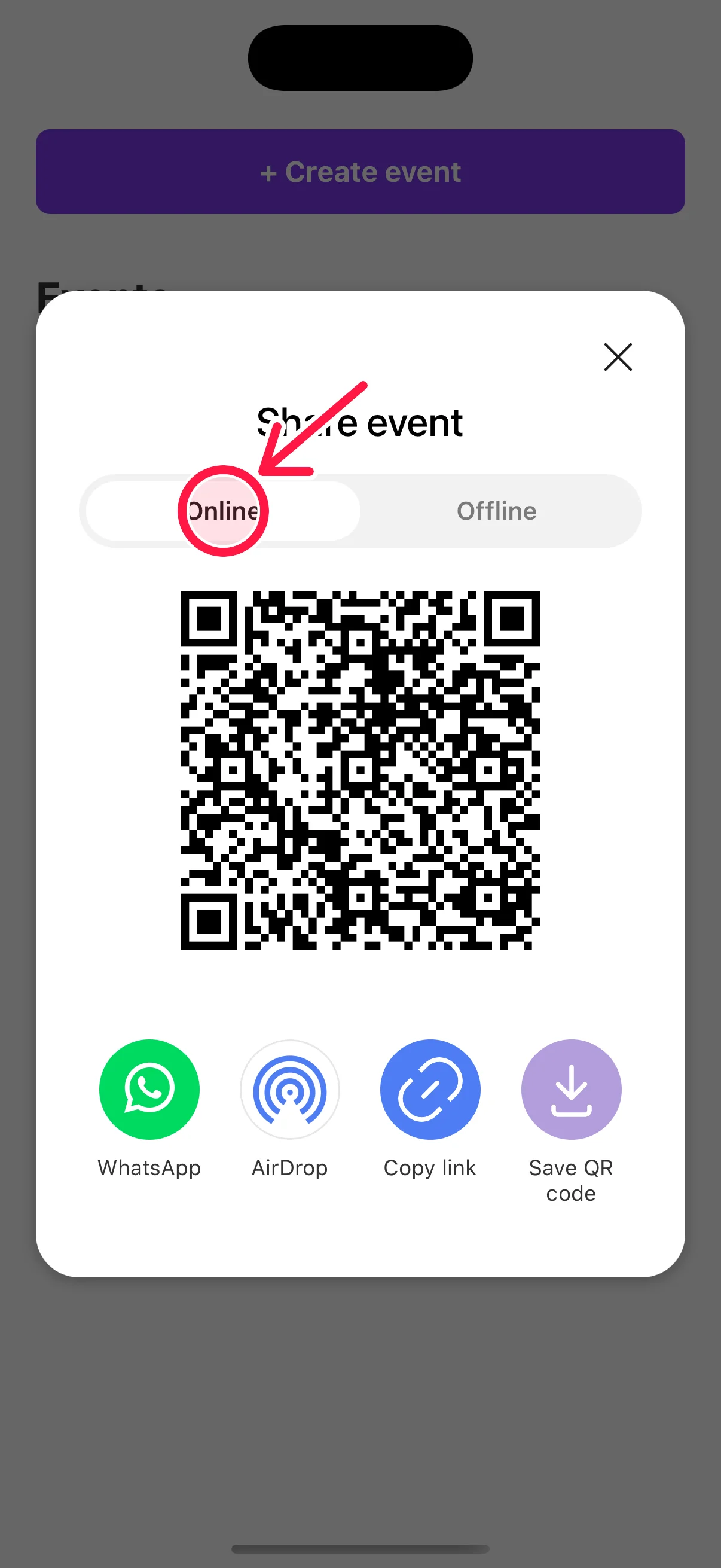
- Use Online to share the gallery in a browser.
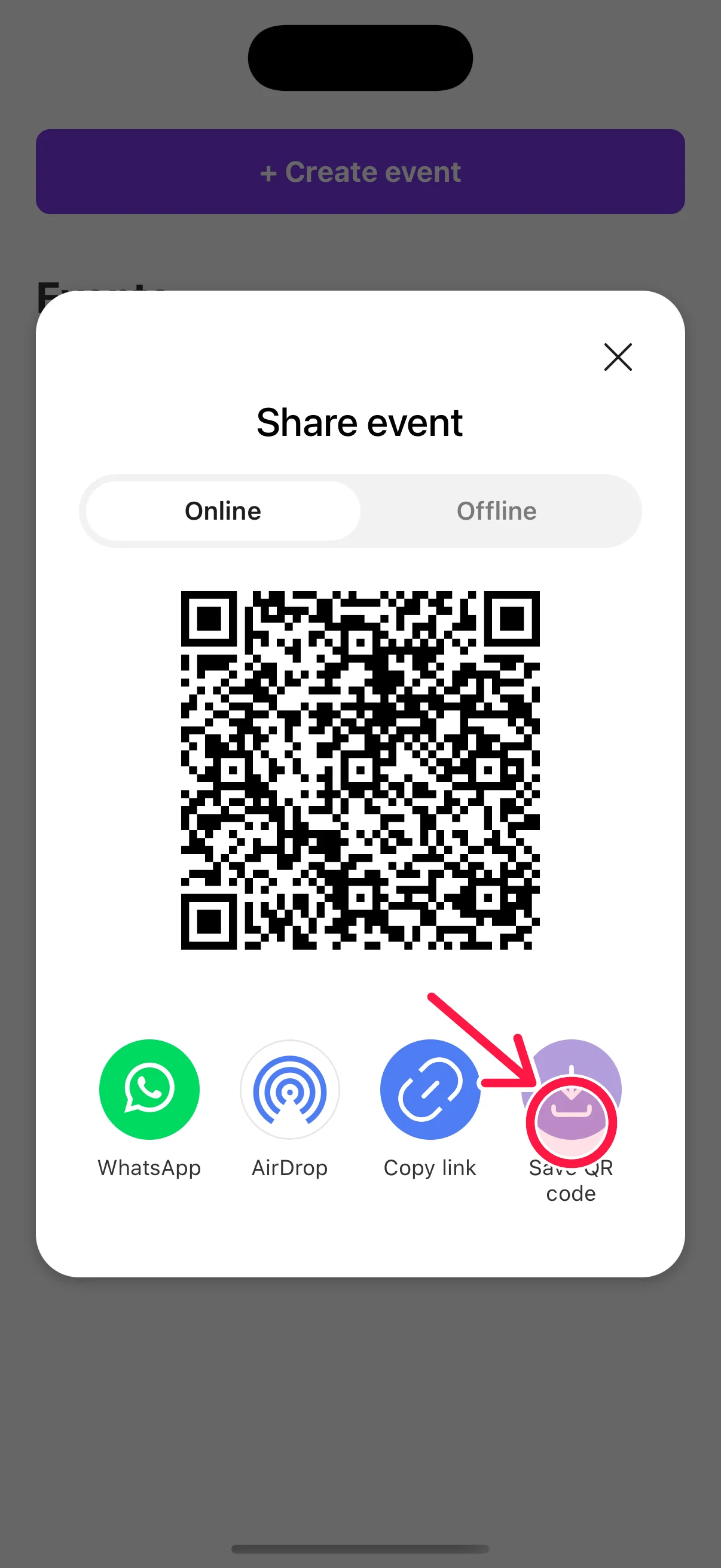
- In the event gallery, tap Save QR Code.
- Choose where to save the QR and test it before printing.
You want to place a small sign near the 360 photo booth so people can open the gallery on their own phones. The sign works best when you test the code at the exact size it will be used.
Before you begin
Use the event QR when the goal is to open the full gallery. For a single recording, use the media QR. Check the name, date, online availability, and access period before printing multiple copies.
How to do it
-
On the Vizz360 home screen, find the correct event cover and tap the share option.
-
In the Share event window, keep Online selected.
-
Tap Save QR code and choose Photo library or Files.
-
Open the saved image and add it to the sign artwork without cropping the code or squeezing it against other elements.
-
Make a test print and scan the QR with another phone from the distance guests will use it.
Where to tap in the app
Check the result
The code should open the correct gallery, with a recognizable name and the videos already uploaded. Testing the scan before taking the sign to the venue helps you avoid discovering a file error after the operation has already started.
If something does not go as expected
If no QR is available, check the event and the connection before trying to save it again. If the print cannot be scanned, test a larger version with more contrast, preserving a clear margin around it. A visually attractive code still needs to remain readable under the event’s real lighting.
Quick questions
Does saving the QR also download all videos?
No. You are saving the image of the code that leads to the gallery. Copying the files is a separate task.
Can I print the Offline mode QR to use later?
Local sharing has different conditions, such as being connected to the network and keeping the app open. For a sign with the full gallery, this tutorial uses the event’s Online QR.
Is the sign still useful after the cloud period ends?
The QR does not extend the file availability period. Let the client know about availability and any necessary copies.
Continue in the app
Prepare the sign from a test event in Vizz360 and check scanning on iPhone and Android before using it with guests.
Read also: How to share the event link in Vizz360; How to customize the QR code with a logo and colors; How long do videos stay in the Vizz360 cloud?.

Download Vizz360
Record, edit and share 360° videos in seconds, right from your phone. Free download for Android and iOS, with in-app purchases.


Related articles

How to Position and Resize the Kiosk Shutter Button
How to Position and Resize the Kiosk Shutter Button. See the Vizz360 steps, app screens and what to check before using it at an event.

How to Adjust Photo Framing Inside an AI Overlay
How to Adjust Photo Framing Inside an AI Overlay. See the Vizz360 steps, app screens and what to check before using it at an event.

How to Change Your Vizz360 Account Email
How to Change Your Vizz360 Account Email. See the Vizz360 steps, app screens and what to check before using it at an event.