
How to Share an Event Link in Vizz360
Share the entire event gallery in Vizz360 using the cover icon. See where to tap, how to copy the link, and what to check before sending it.



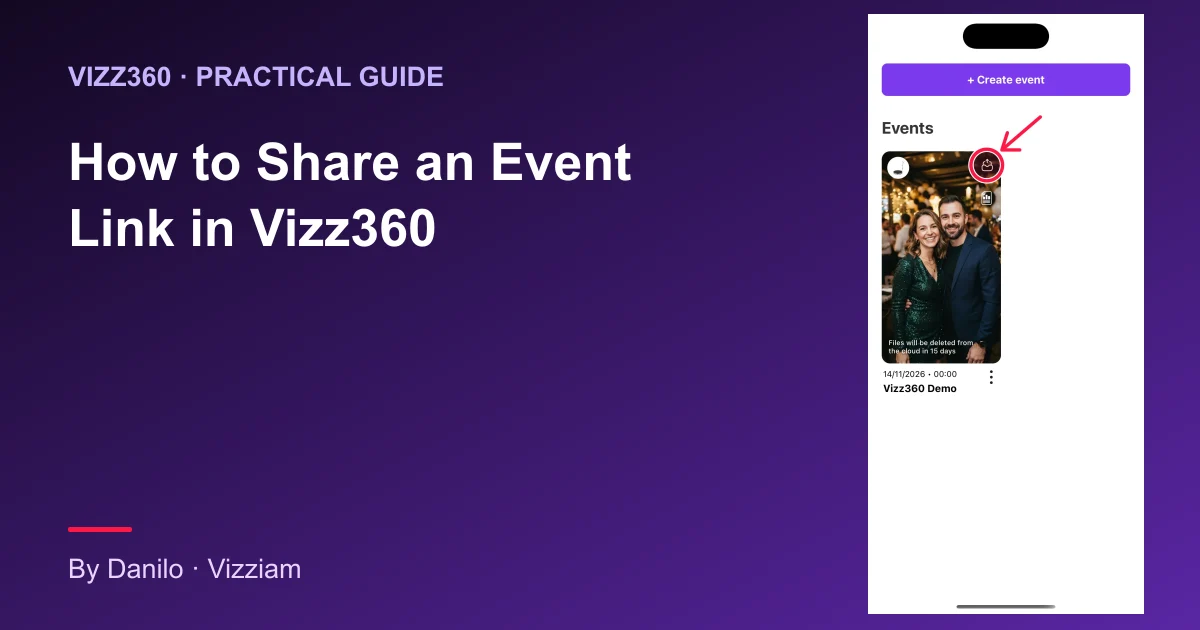
To share an event link in Vizz360, tap the share icon on the cover, stay on the Online tab, and choose Copy link. This URL opens the event gallery, while sharing from inside a media item sends one specific video.
Demonstration on the iPhone simulator, using Vizz360 7.39 and sample data. Some controls vary on Android and by plan.
Read the video steps
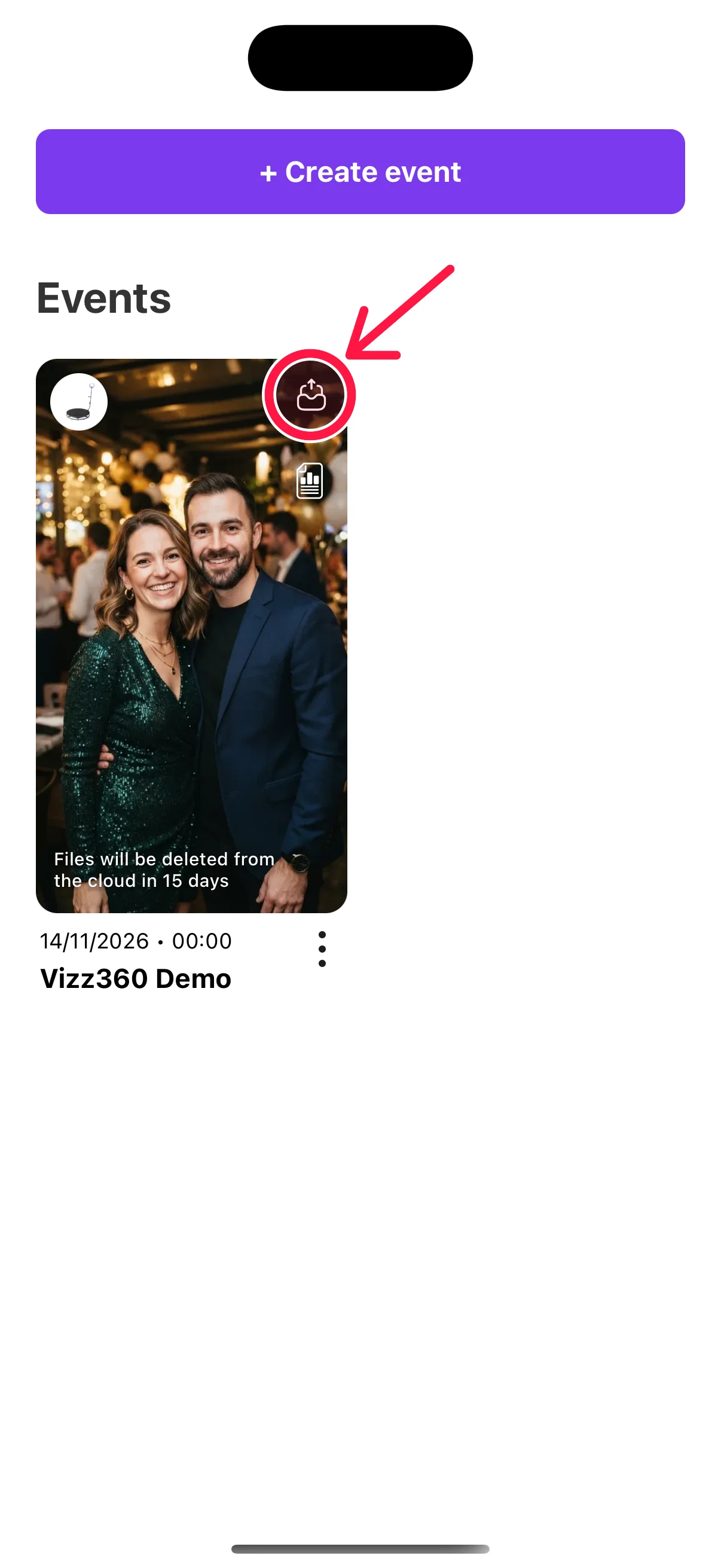
- Tap the share icon on the event cover.
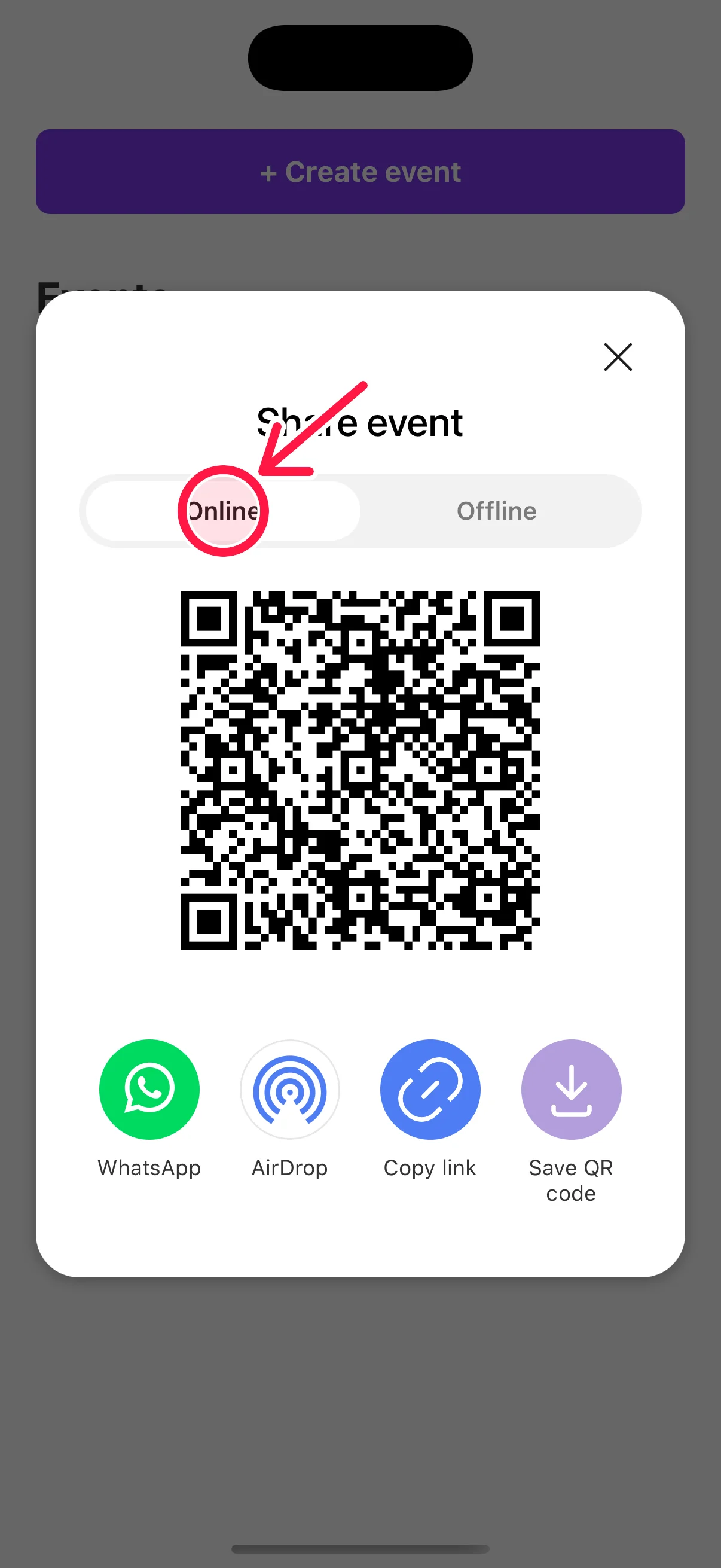
- Use Online to share the gallery in a browser.
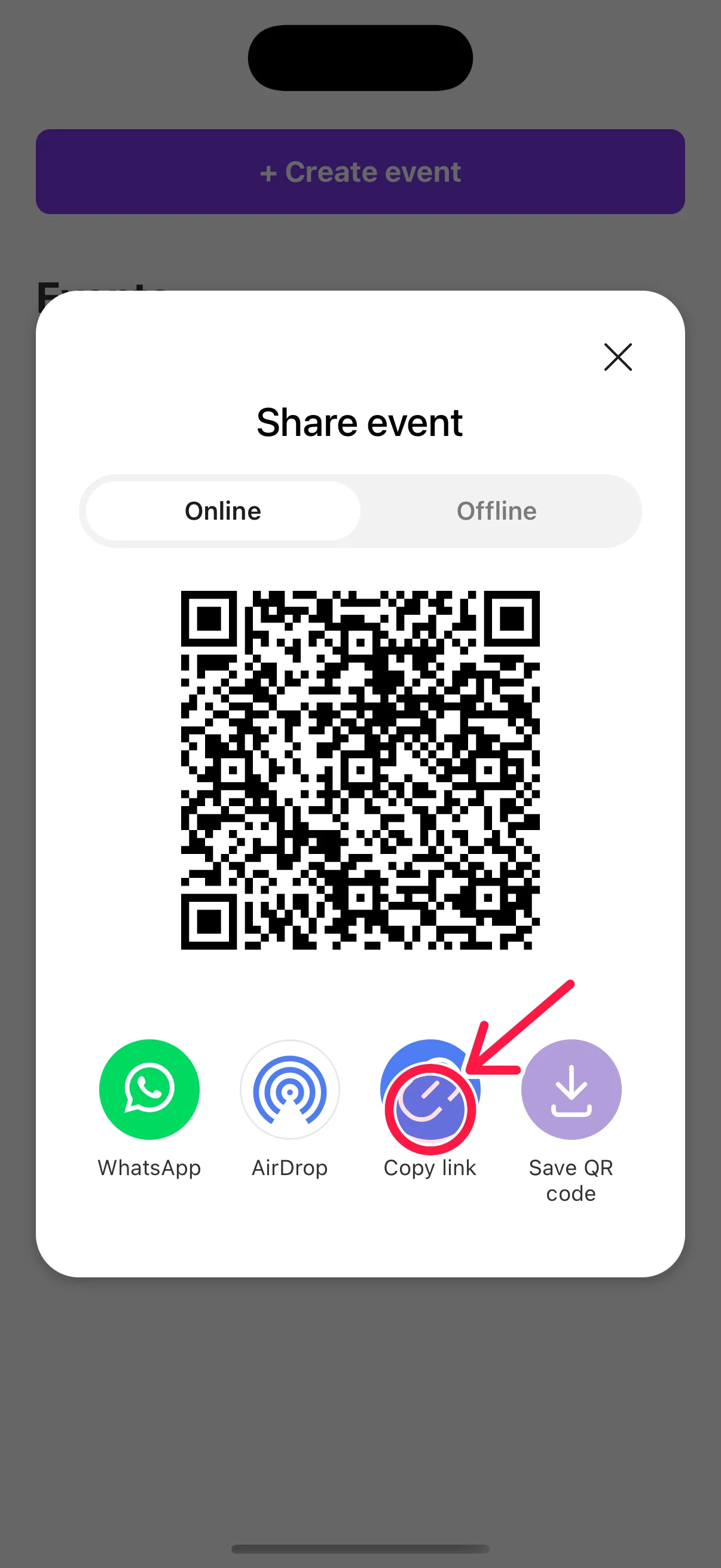
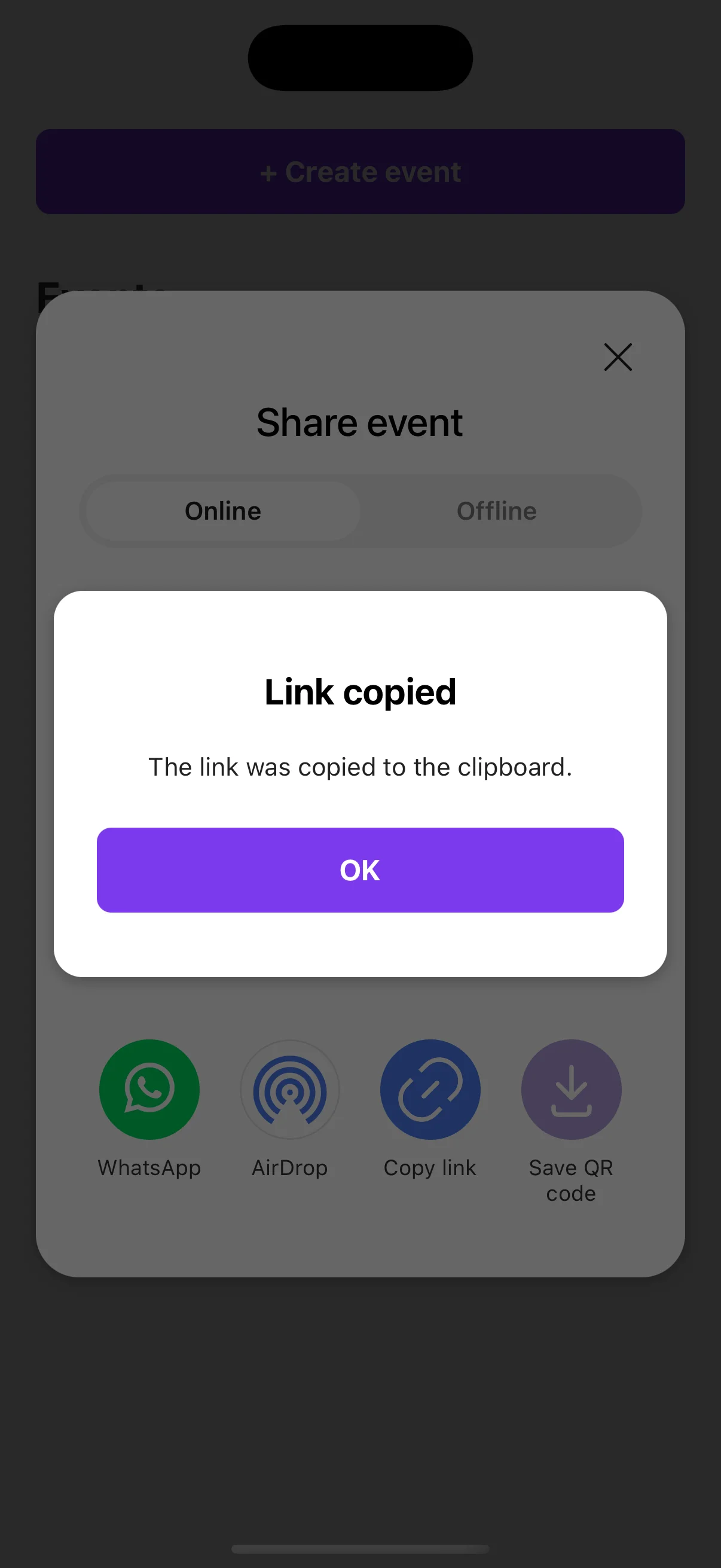
- Tap Copy link to share the entire gallery.
- The link is copied. Check the event before sending.
The client asked for all the videos from the party, and you’re looking for a way to deliver the entire gallery. You don’t need to find each recording to reply to the person who hired you: the starting point is right in the event list.
Before you start
Confirm the event name and date. For the files to appear at the online URL, their uploads need to be complete. The gallery expiration also matters: the standard cloud availability is 15 days from the event date.
How to do it
-
On the Home screen, find the cover of the event you want.
-
Tap the share icon shown on the cover. Don’t confuse it with the three dots, which open other actions.
-
In the Share event window, select Online.
-
Tap Copy link and paste the URL into the conversation or email to the client. The WhatsApp option is also in this window.
-
Open the URL in a browser and check the event name and available media before sending it.
Where to tap in the app
Check the result
The URL should open the gallery for the selected event. Check it on another phone too: this helps you catch a link copied from the wrong event or a recording whose upload has not finished yet.
If something doesn’t work as expected
If a video does not appear, check Pending uploads on the device that recorded it. If you are on the Offline tab, the entire event cannot be shared this way: open the event and share each file separately. Older events may not show the same cover icon.
Quick questions
Does the guest need to install Vizz360 to open the link?
The online link opens the delivery page in the browser. The app is the tool for the person who prepares and runs the event.
Is this link for just one video?
No. The cover icon shares the event gallery. To deliver only one guest’s recording, use video sharing inside the event.
Does the link keep the files forever?
No. Check the deadline shown in the event and organize any necessary copies before it expires.
Continue in the app
Prepare a test event in Vizz360 and go through the full path before your next booking. You can find the app for iPhone and Android using the links below.
Read also: How to Share an Individual Video in Vizz360; How to Save the Event QR Code for Printing; Video Not Showing in the Link? Check Pending Uploads.

Download Vizz360
Record, edit and share 360° videos in seconds, right from your phone. Free download for Android and iOS, with in-app purchases.


Related articles

How to Position and Resize the Kiosk Shutter Button
How to Position and Resize the Kiosk Shutter Button. See the Vizz360 steps, app screens and what to check before using it at an event.

How to Adjust Photo Framing Inside an AI Overlay
How to Adjust Photo Framing Inside an AI Overlay. See the Vizz360 steps, app screens and what to check before using it at an event.

How to Change Your Vizz360 Account Email
How to Change Your Vizz360 Account Email. See the Vizz360 steps, app screens and what to check before using it at an event.