
360 Photo Booth Software: How to Compare Apps
Compare Vizz360, Snap360, and Snappic by device, editing, and 360 video delivery. See official sources and a practical test, with no absolute ranking.



To choose 360 photo booth software, compare the workflow you will actually run: device, capture, customization, delivery, and plan terms. This guide is published by Vizziam, the developer of Vizz360, and written by Danilo, its founder. The comparison below uses official documentation checked on 11/14/2026; it is not an independent performance test.
Demonstration on the iPhone simulator, using Vizz360 7.39 and sample data. Some controls vary on Android and by plan.
Read the video steps
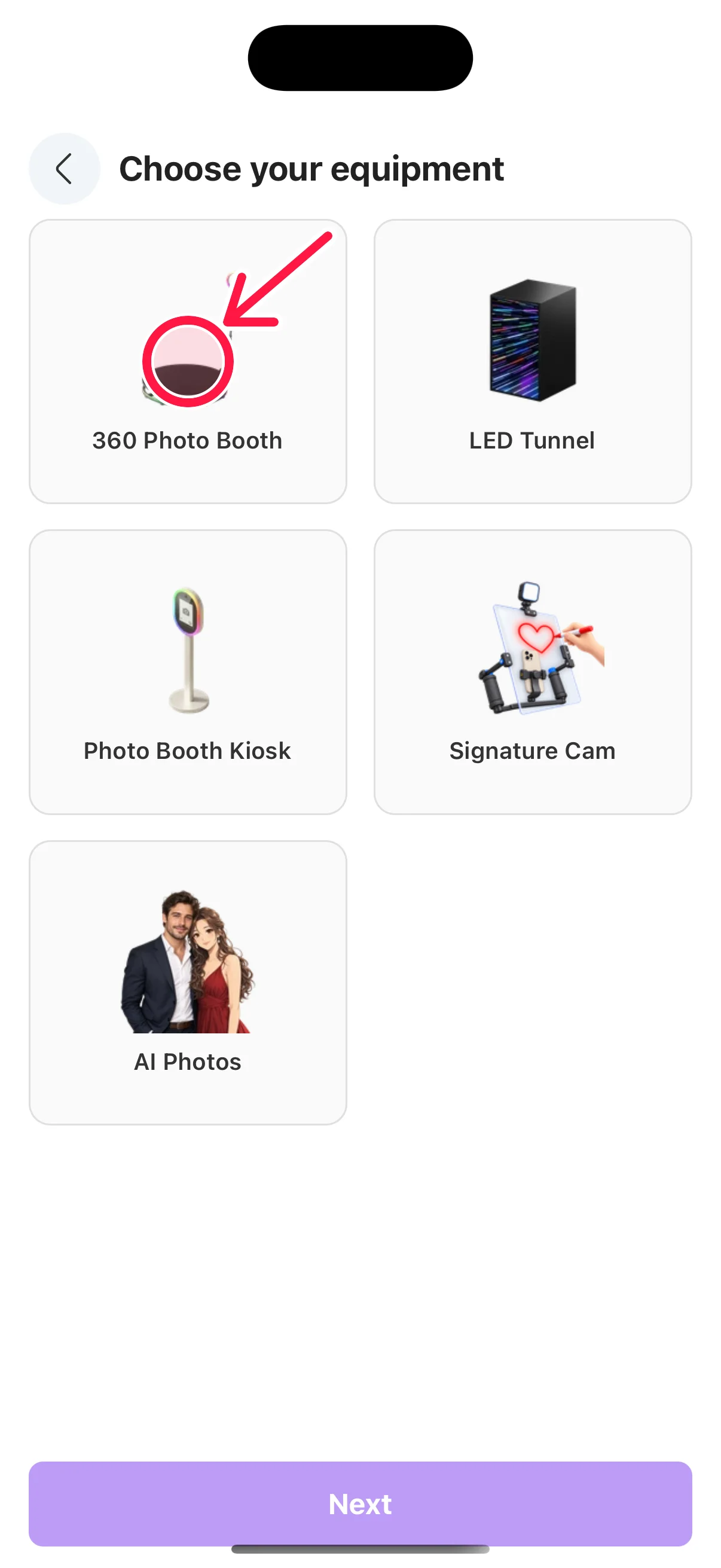
- Select 360 Photo Booth and continue.
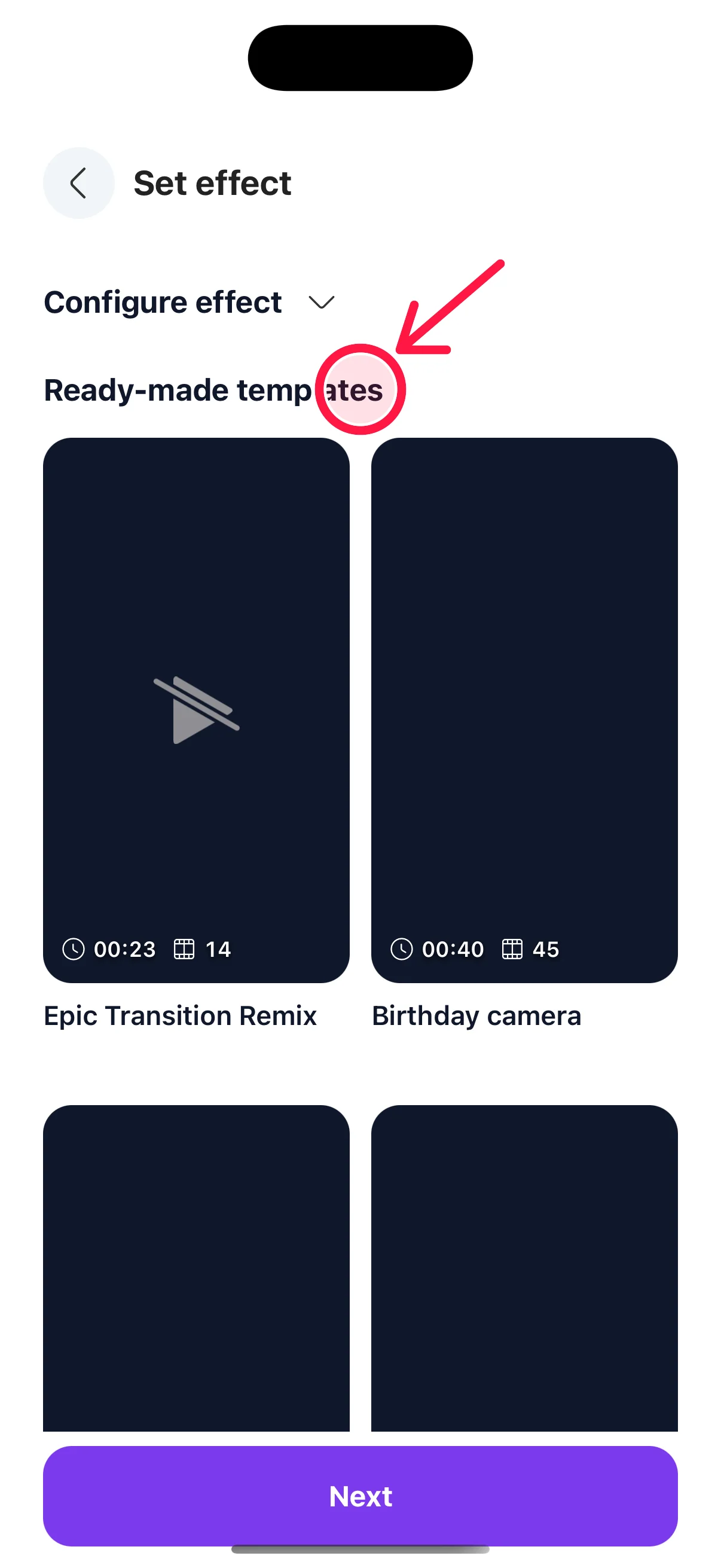
- Under Ready-made templates, choose an option and test before the event.
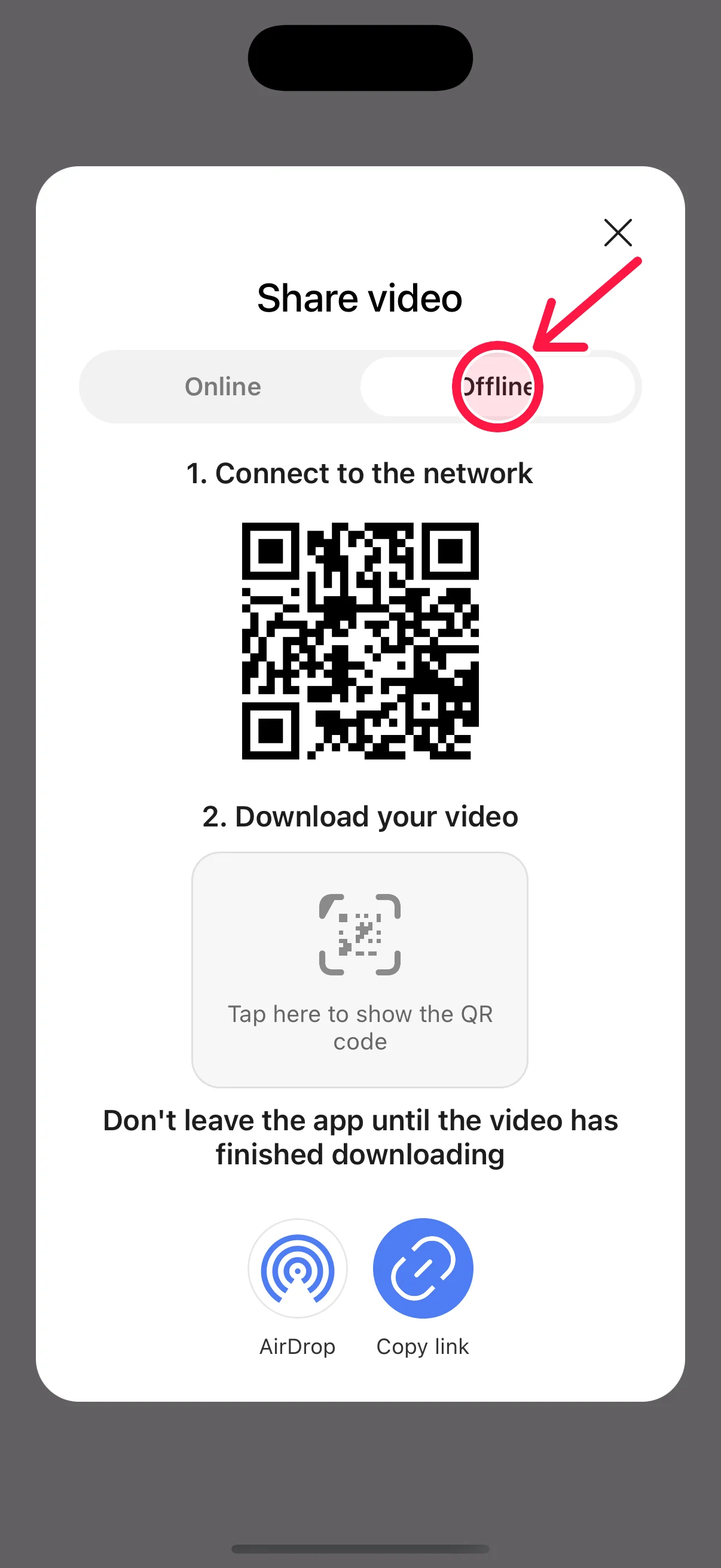
- Without internet, open Offline when sharing an individual video.
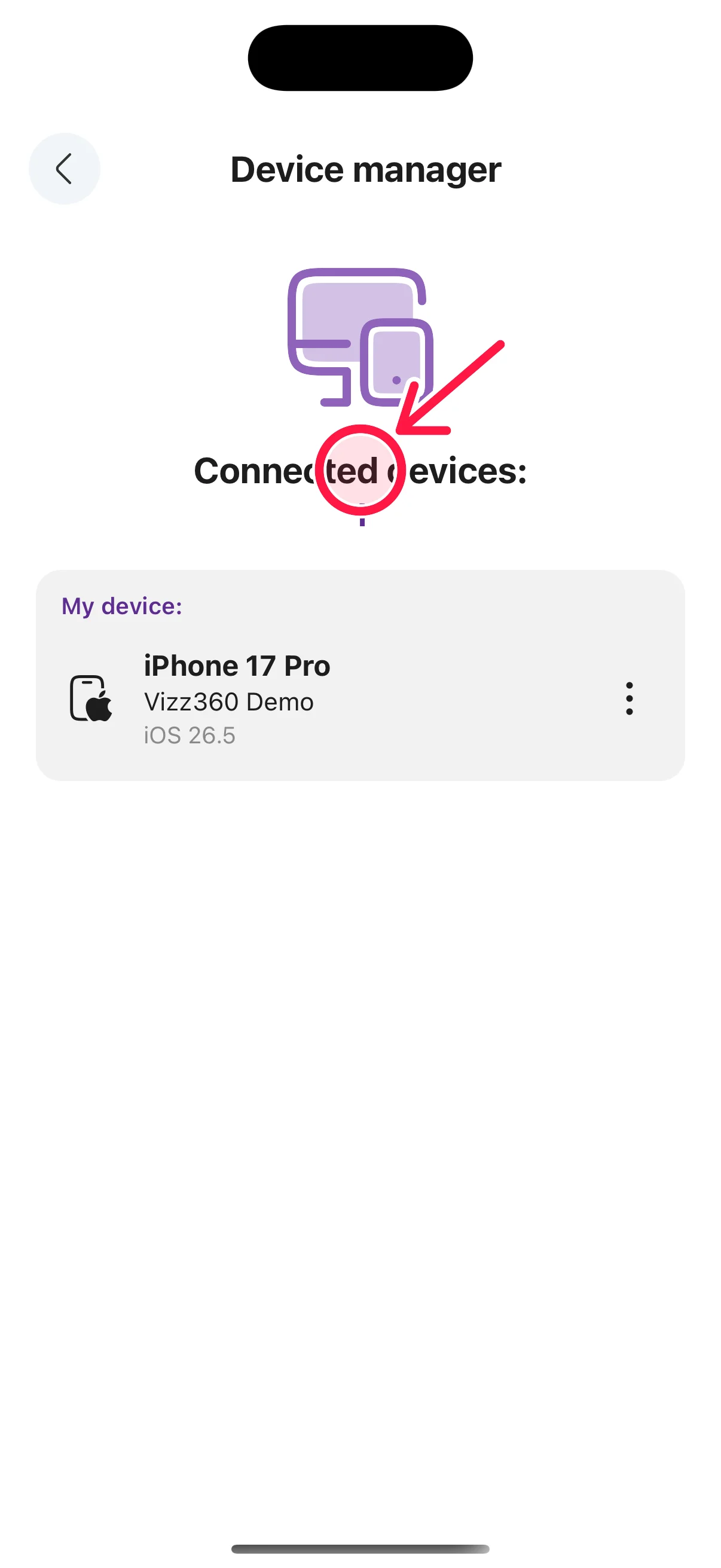
- Review connected devices before changing team access.
You are comparing apps and want to know what to test before choosing the software for your operation. A starting price or a long feature list does not tell you whether your setup and delivery workflow will be covered.
Before you start
Define the device you will operate with, the required features, and the number of events. Separate the price of the plan that is actually compatible with 360 video from entry-level prices for other uses. Do not compare different currencies, billing periods, or add-ons as if they were the same offer.
How to do it
-
Check the platform: Vizz360 has official versions for Android and iPhone. Snappic offers an app for iPad, iPhone, and Macs with Apple silicon; check the compatible devices and modes.
-
Compare the customization you need. The Snap360 tutorials document music, overlays, and speed. In Vizz360, check how to prepare your event and which features require Plus.
-
Check delivery and internet requirements. See the Snappic offline workflow and the Snap360 offline tutorial. In Vizz360, test prepared capture and individual delivery over a local network separately.
-
Check the correct package: in the official Snappic comparison, 360 video is not included in Starter. Read each provider’s current terms before doing the final cost calculation.
-
Test with your device: create an event, apply your artwork, record, and deliver to another phone. Make note of any difficulties and what depended on a connection.
Where to tap in the app
Check the result
The right option should pass your full test and fit the cost of your operation. The documentation explains what the provider states; your rehearsal confirms how that workflow behaves on the equipment available to you.
If something does not go as expected
Avoid turning a lack of information into a lack of functionality. If a condition is not clear, confirm it with the provider. Do not treat this guide as a guarantee of higher speed, stability, or support from any brand.
Quick questions
Is the lowest advertised price the cost of using 360?
It may be a package for a different workflow. Check the license, duration, add-ons, and included features.
Does this article prove that Vizz360 is the best for everyone?
No. The commercial relationship is disclosed, and the choice depends on your use case.
What should you compare first?
Compatible device and video delivery. Without these two points, extra effects will not solve the operation.
Continue in the app
Include Vizz360 in your practical test. Create an event and check capture, artwork, and delivery on your own device before deciding.
Also read: App for 360 photo booths: how to get started on Android or iPhone; How to record 360 videos without internet in Vizz360; Overlay for 360 photo booths: size, transparency, and customization.

Download Vizz360
Record, edit and share 360° videos in seconds, right from your phone. Free download for Android and iOS, with in-app purchases.


Related articles

How to Position and Resize the Kiosk Shutter Button
How to Position and Resize the Kiosk Shutter Button. See the Vizz360 steps, app screens and what to check before using it at an event.

How to Adjust Photo Framing Inside an AI Overlay
How to Adjust Photo Framing Inside an AI Overlay. See the Vizz360 steps, app screens and what to check before using it at an event.

How to Change Your Vizz360 Account Email
How to Change Your Vizz360 Account Email. See the Vizz360 steps, app screens and what to check before using it at an event.