
How to Record 360 Videos Without Internet in Vizz360
Prepare the overlay and music on the device to record 360 videos without internet in Vizz360. Understand what stays local and what depends on upload.



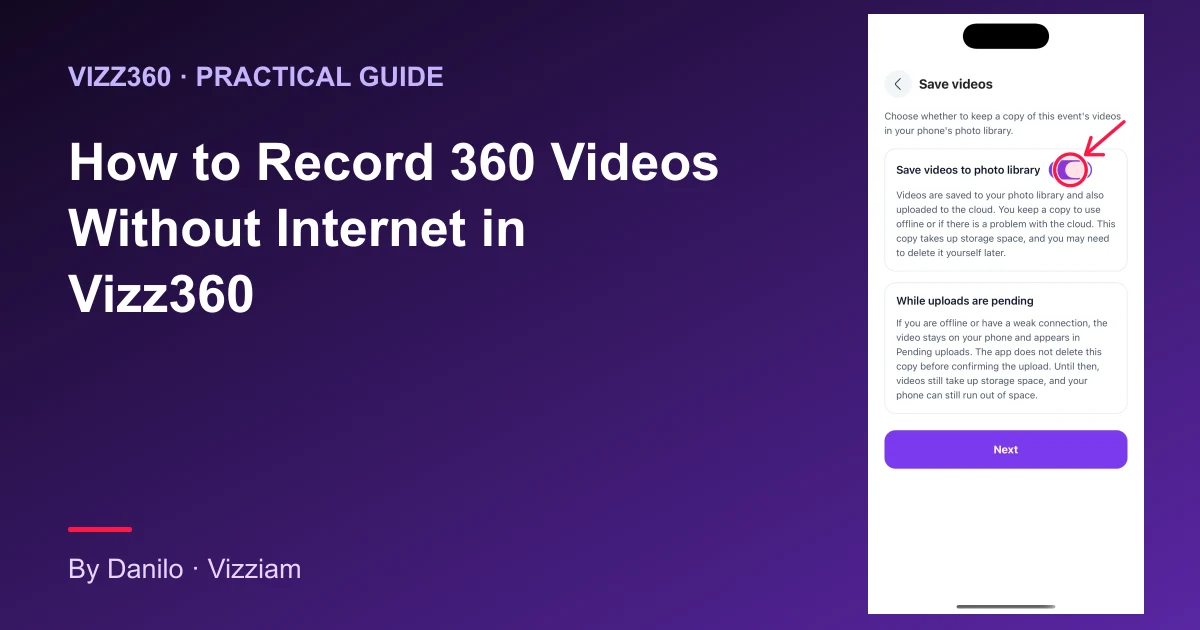
Vizz360 lets you record videos without internet when the event’s required materials are already prepared on the device. Before going offline, connect once to download the overlay and music, and test opening the event.
Demonstration on the iPhone simulator, using Vizz360 7.39 and sample data. Some controls vary on Android and by plan.
Read the video steps
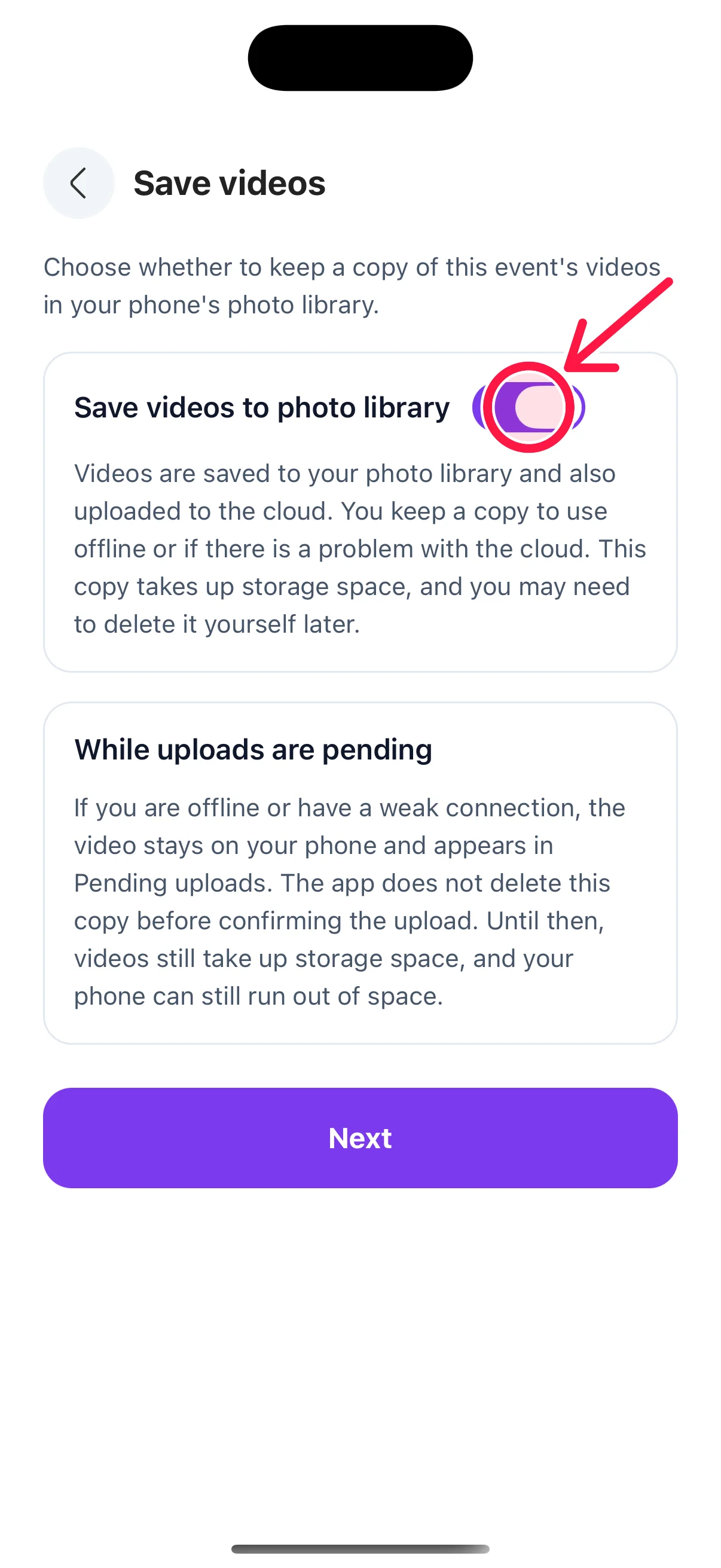
- Enable Save videos to photo library to keep a copy on the phone.
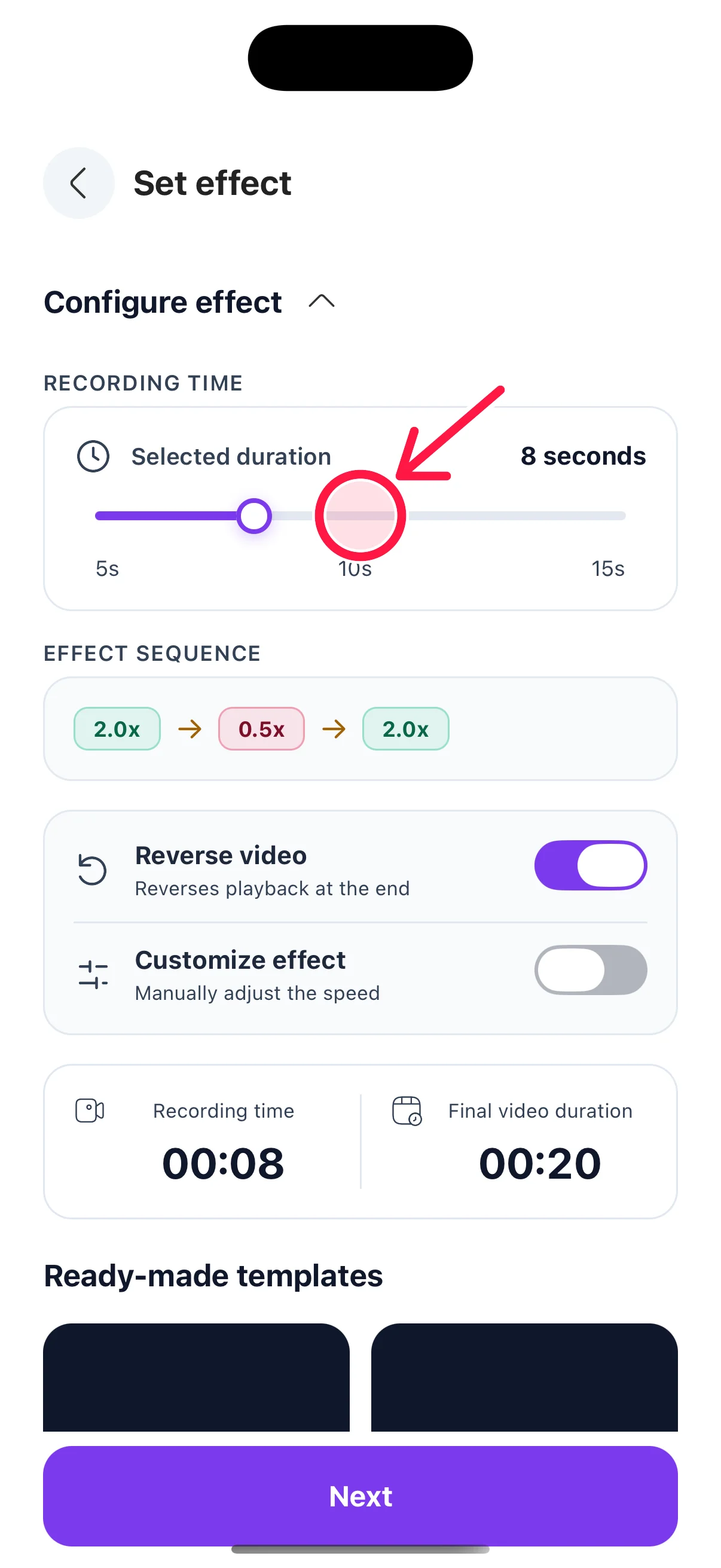
- Expand Configure effect and adjust Recording time.
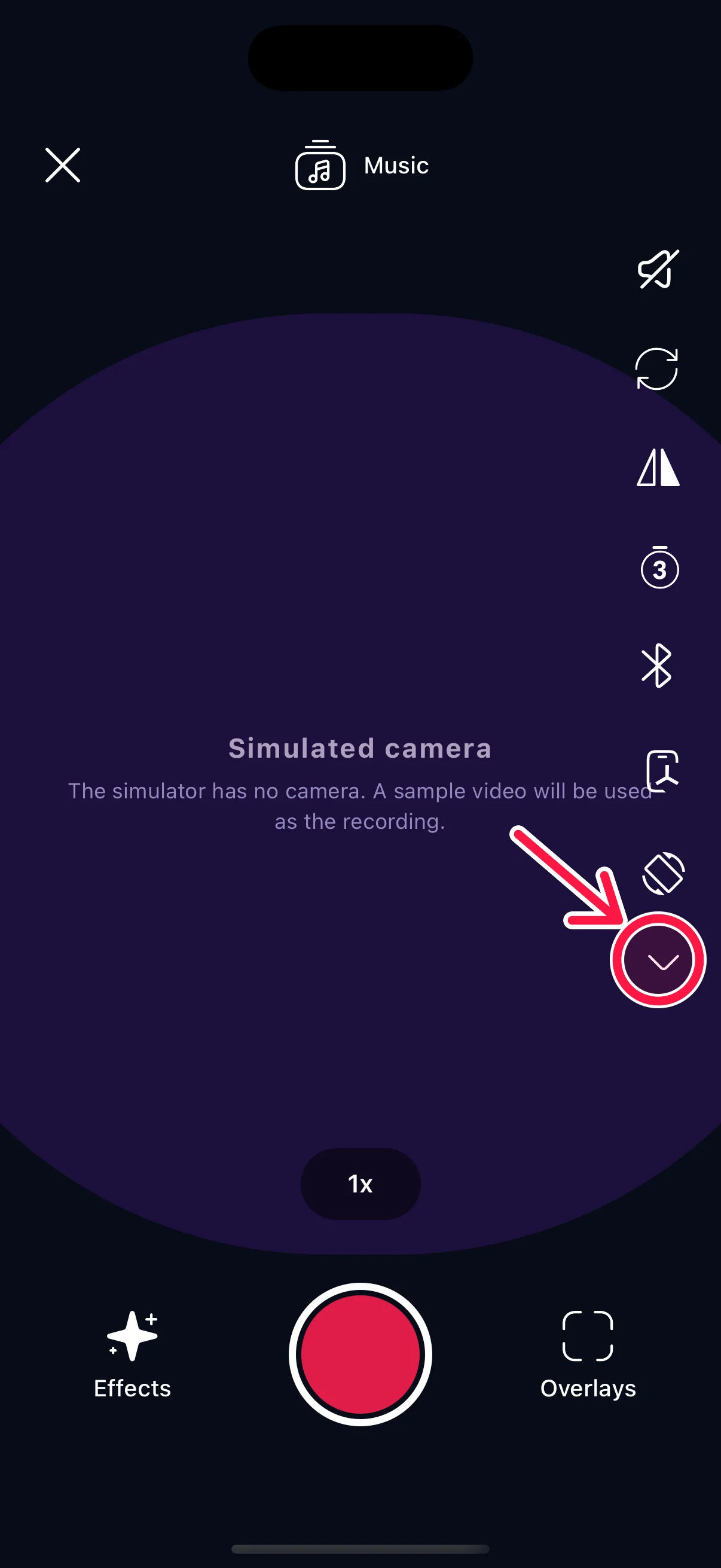
- When recording, expand the panel to access camera controls.
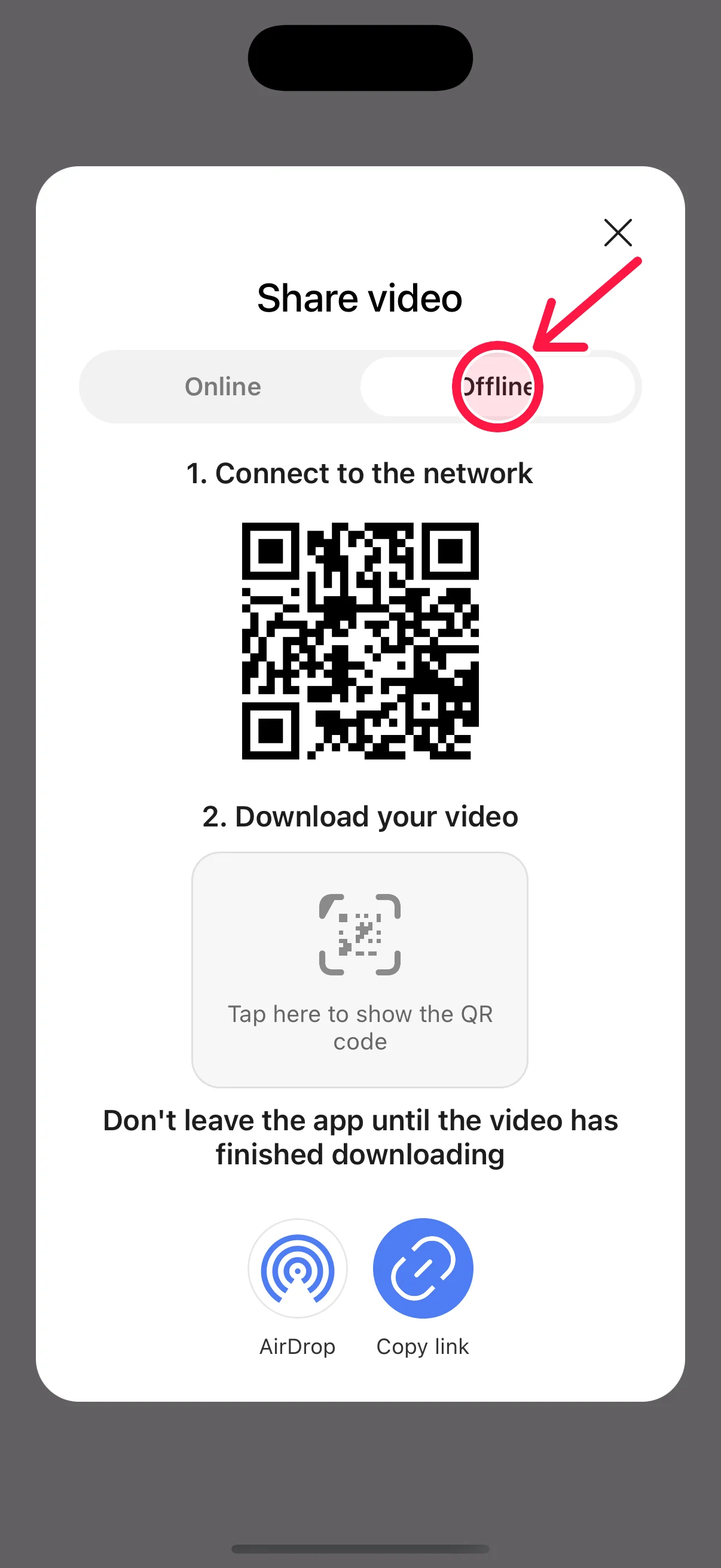
- Without internet, open Offline when sharing an individual video.
The party venue has a poor signal and you want to keep capturing videos with the prepared materials. Preparation needs to happen on the phone that will be used during the operation, even if the event already exists in your account.
Before you start
Check free space, battery, and local files. If access is through a team member, complete the required online confirmation before recording. Keeping local capture separate from online delivery is essential so you don’t promise that the internet gallery will update during a connection outage.
How to do it
-
While you still have internet, open the event on the device that will record.
-
Wait for the overlay and music materials to be prepared and downloaded.
-
Open the recording screen and confirm that the event is ready with no missing-material warning.
-
Run a test without internet access and play the local video to check the capture.
-
During the offline operation, monitor the generated files and the device’s storage space.
-
When the connection returns, check Pending uploads and wait for the uploads before delivering the online link.
Where to tap in the app
Check the result
The test should confirm recording and processing on the device used at the party. After reconnecting, open the link on another phone to confirm online delivery. These are two different checks, and both matter to complete the service.
If something doesn’t go as expected
If the app asks for a connection to download materials, return to a stable network and finish the preparation. Don’t confuse the event appearing in the list with all files being local. If the upload queue grows during the party, preserve the files and organize the reconnection instead of deleting content to try to speed things up.
Quick questions
Does recording offline update the internet gallery right away?
No. The online update depends on uploading when there is a connection.
Can I deliver anything without internet?
The app has individual Offline sharing over local Wi-Fi. It requires preparing the network and keeping the app open during the download.
Is preparing it on my other phone enough?
No. The required materials must be available on the device that will capture.
Continue in the app
Prepare a test event in Vizz360 and check the full process before your next booking. You can find the app for iPhone and Android in the links below.
Also read: How to share a video without internet in Vizz360; Video not showing up in the link? Check Pending uploads; How to save Vizz360 videos to your phone’s photo library.

Download Vizz360
Record, edit and share 360° videos in seconds, right from your phone. Free download for Android and iOS, with in-app purchases.


Related articles

How to Position and Resize the Kiosk Shutter Button
How to Position and Resize the Kiosk Shutter Button. See the Vizz360 steps, app screens and what to check before using it at an event.

How to Adjust Photo Framing Inside an AI Overlay
How to Adjust Photo Framing Inside an AI Overlay. See the Vizz360 steps, app screens and what to check before using it at an event.

How to Change Your Vizz360 Account Email
How to Change Your Vizz360 Account Email. See the Vizz360 steps, app screens and what to check before using it at an event.