
360 Photo Booth App: Getting Started on Android or iPhone
See how a 360 photo booth app organizes capture, effects, and delivery. See how to get started with Vizz360 on Android or iPhone.



An app for a 360 photo booth organizes video capture, effects, the event branding, and delivery to the guest. In Vizz360, the workflow starts by creating an event and ends by checking the video on the recipient’s phone. Versions are available for Android and iPhone.
Demonstration on the iPhone simulator, using Vizz360 7.39 and sample data. Some controls vary on Android and by plan.
Read the video steps
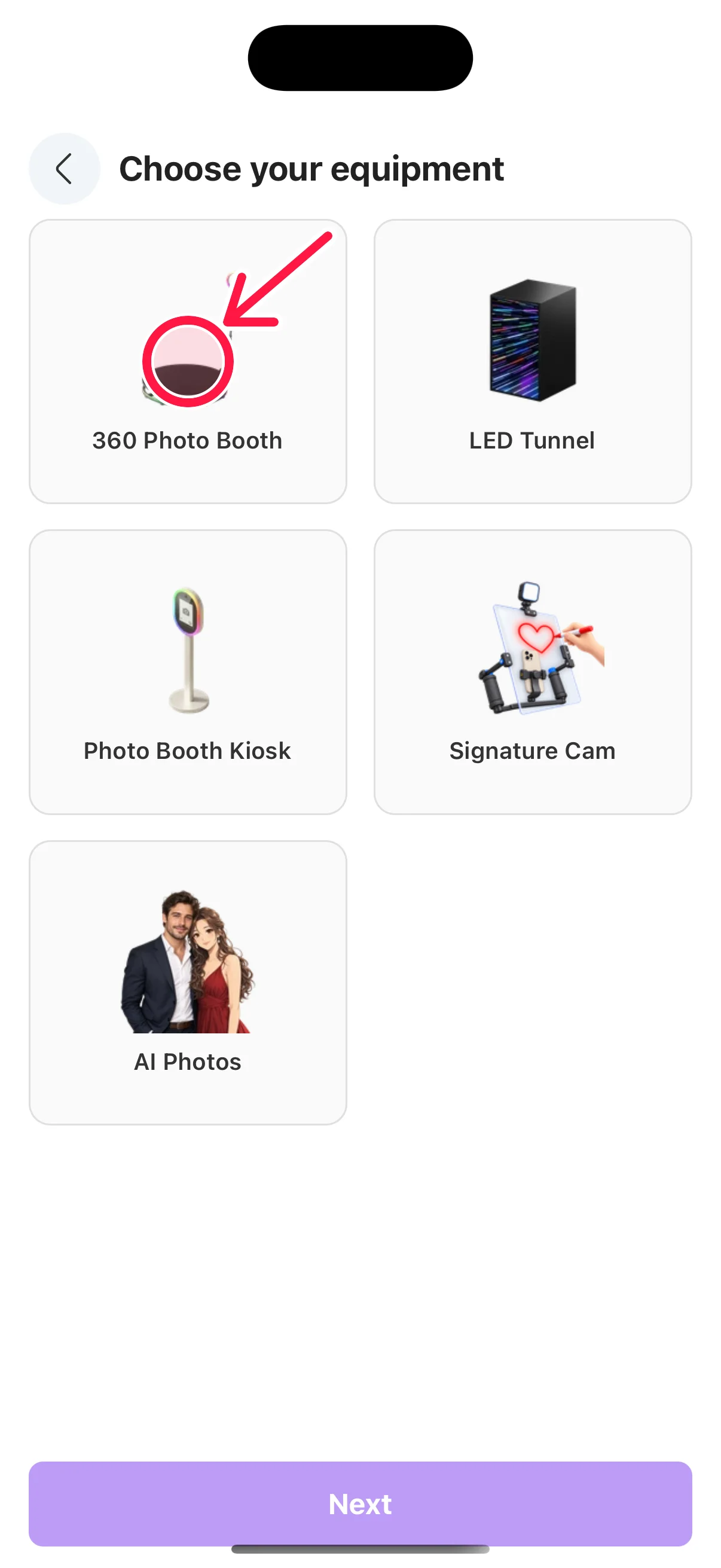
- Select 360 Photo Booth and continue.
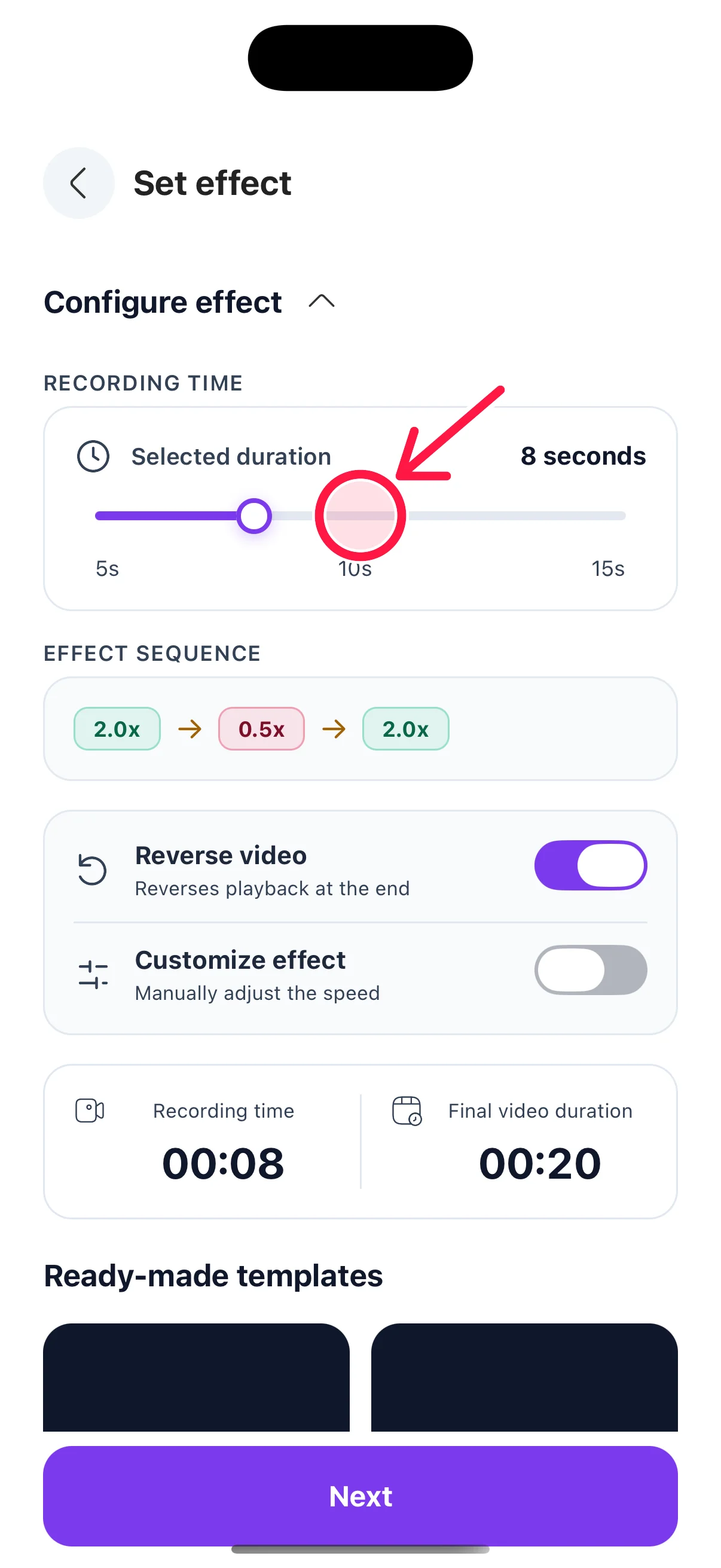
- Expand Configure effect and adjust Recording time.
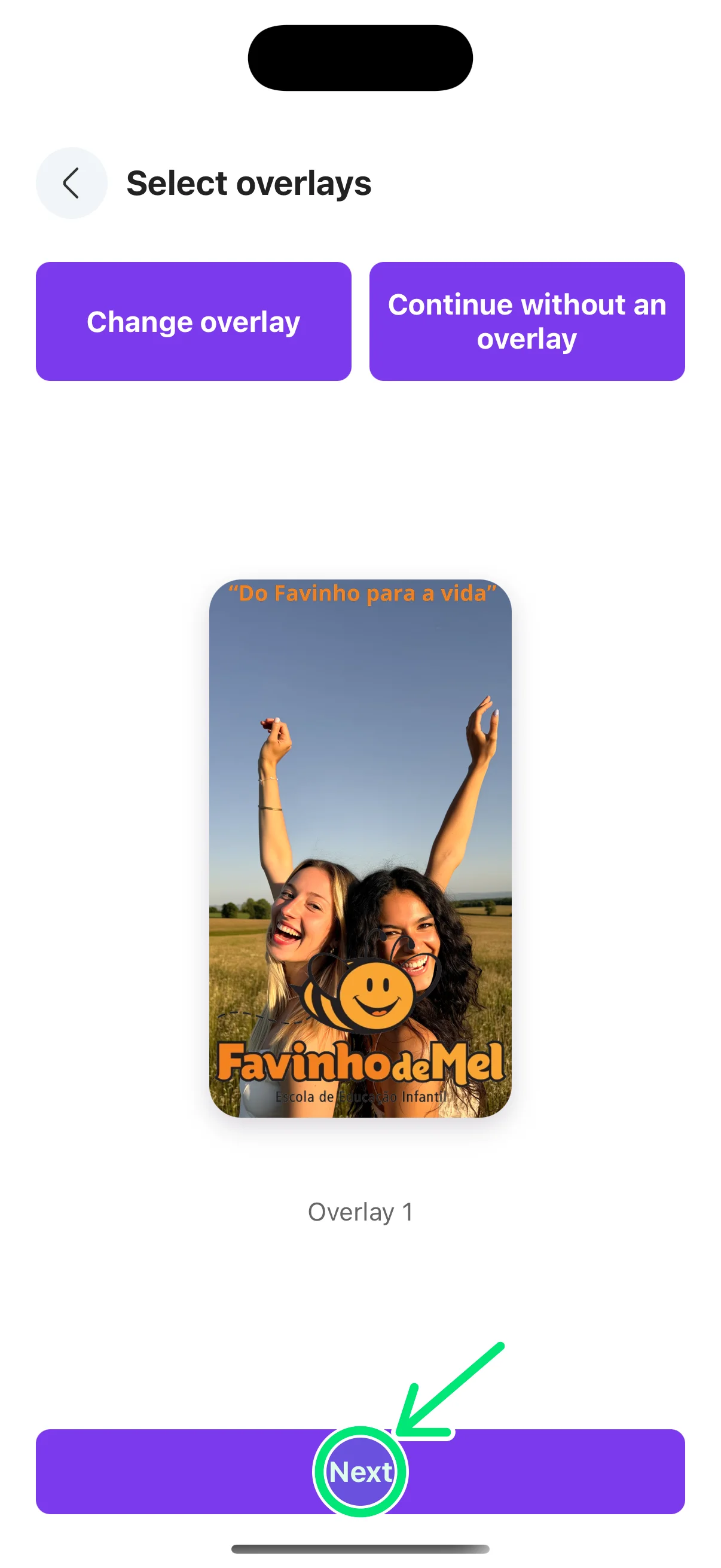
- Check the overlay preview before continuing.
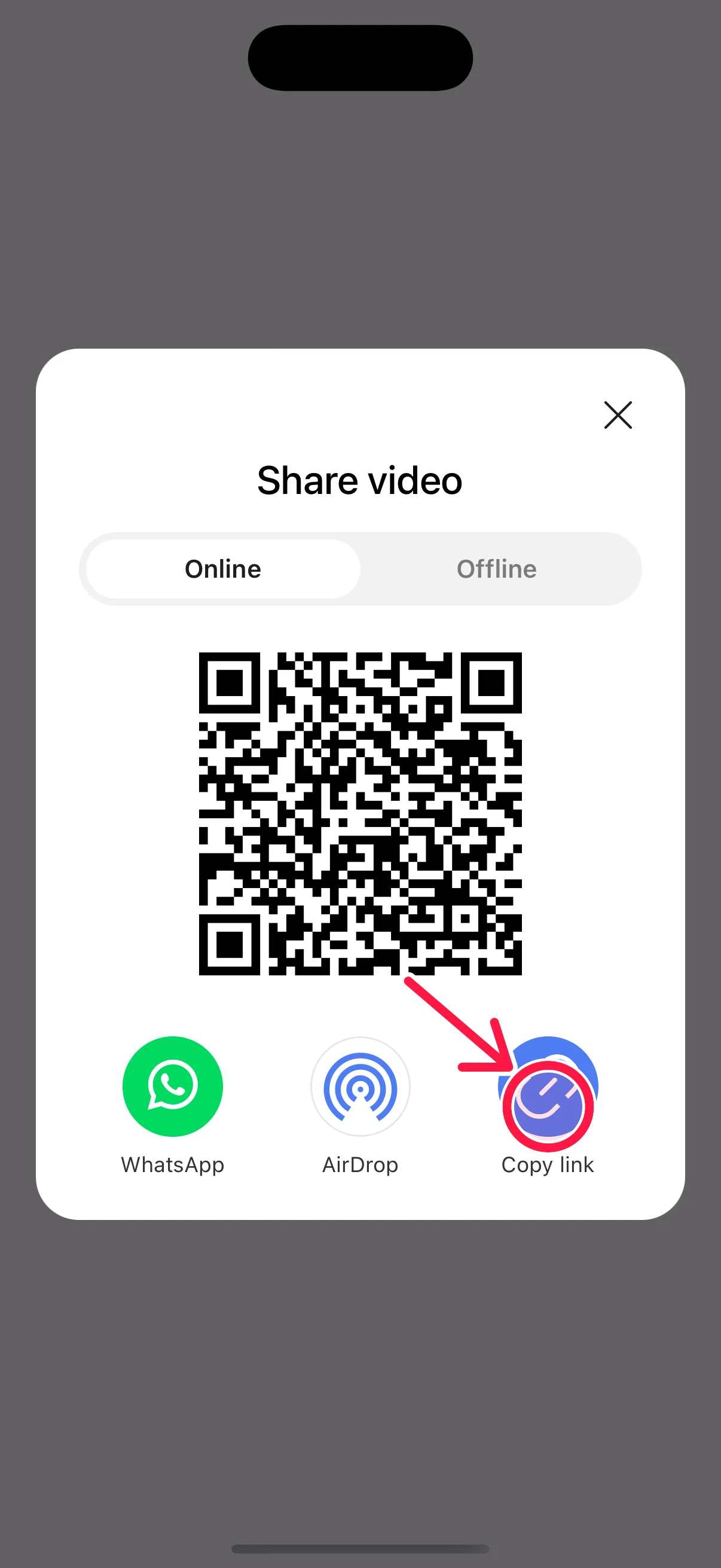
- Copy this video’s link and open it on another phone to check it.
You already have, or are going to operate, a 360 photo booth and want to understand the app’s role in your service. Choosing based on the complete workflow is more useful than looking only at a list of effects or the phone model.
Before you start
Check Vizz360 availability on Google Play or the App Store. Installation with no upfront charge and in-app purchases are different things; read the current plan and credit terms. The app does not replace the 360 photo booth, support, lighting, or proper setup.
How to do it
-
Install the official version compatible with your device and sign in to your account.
-
Tap + Create event, choose 360 Photo Booth, and fill in the details.
-
Configure the effect, music, and overlay that are part of your offer.
-
Prepare the files on the device and make a recording with the actual setup.
-
Open the final file to check the image, pacing, and audio.
-
Share one media item by link or QR code and test receiving it on another phone.
Where to tap in the app
Check the result
Your test should answer three questions: can I capture reliably on this device, does the result match the service level, and can the guest receive it? Check it under the same lighting and connection conditions you plan to use at the event.
If something does not go as expected
Avoid confusing a rotating-platform video with panoramic recording for virtual reality: here, the focus is the event clip. Do not buy a phone just because another device showed a lens or an effect; camera, processing, and options vary. To work offline, prepare the materials in advance and distinguish local recording from uploading to the online gallery.
Quick questions
Do I need a computer to start testing Vizz360?
The workflow to create, record, process, and share happens in the app. Display features or accessories should be evaluated according to your setup.
Do Android and iPhone need to work the same way to deliver the video?
No. The online link lets the guest open the page in the browser after the upload, regardless of the phone’s operating system.
What is the best app for every operator?
The choice depends on the device, the delivery, and the features you need. Test the complete workflow before making a commitment to the client.
Continue in the app
Download Vizz360 and create a test event with your own setup. The official links for iPhone and Android are below.
Read also: How to Create a 360 Photo Booth Event in Vizz360; Which App Should You Use for a 360 Photo Booth? Compare Using the Right Criteria; How to Share an Individual Video in Vizz360.

Download Vizz360
Record, edit and share 360° videos in seconds, right from your phone. Free download for Android and iOS, with in-app purchases.


Related articles

How to Position and Resize the Kiosk Shutter Button
How to Position and Resize the Kiosk Shutter Button. See the Vizz360 steps, app screens and what to check before using it at an event.

How to Adjust Photo Framing Inside an AI Overlay
How to Adjust Photo Framing Inside an AI Overlay. See the Vizz360 steps, app screens and what to check before using it at an event.

How to Change Your Vizz360 Account Email
How to Change Your Vizz360 Account Email. See the Vizz360 steps, app screens and what to check before using it at an event.