
How to Change the Language in the Vizz360 App
Change the Vizz360 language in Profile → Language. Check the creation and sharing commands in Portuguese, Spanish, or English.



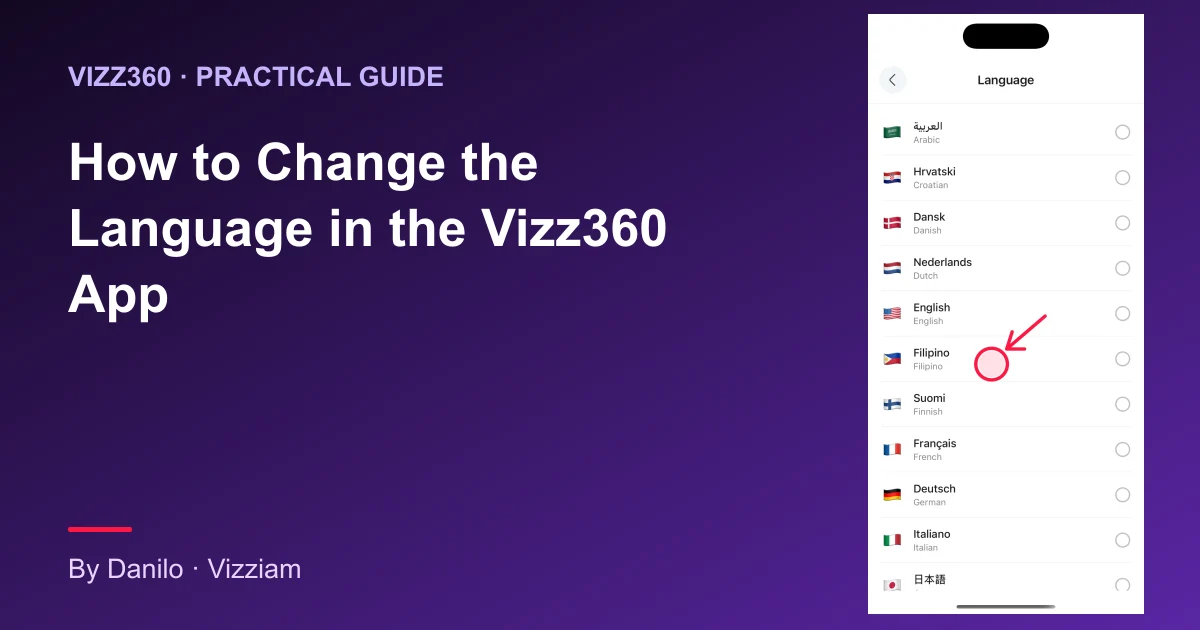
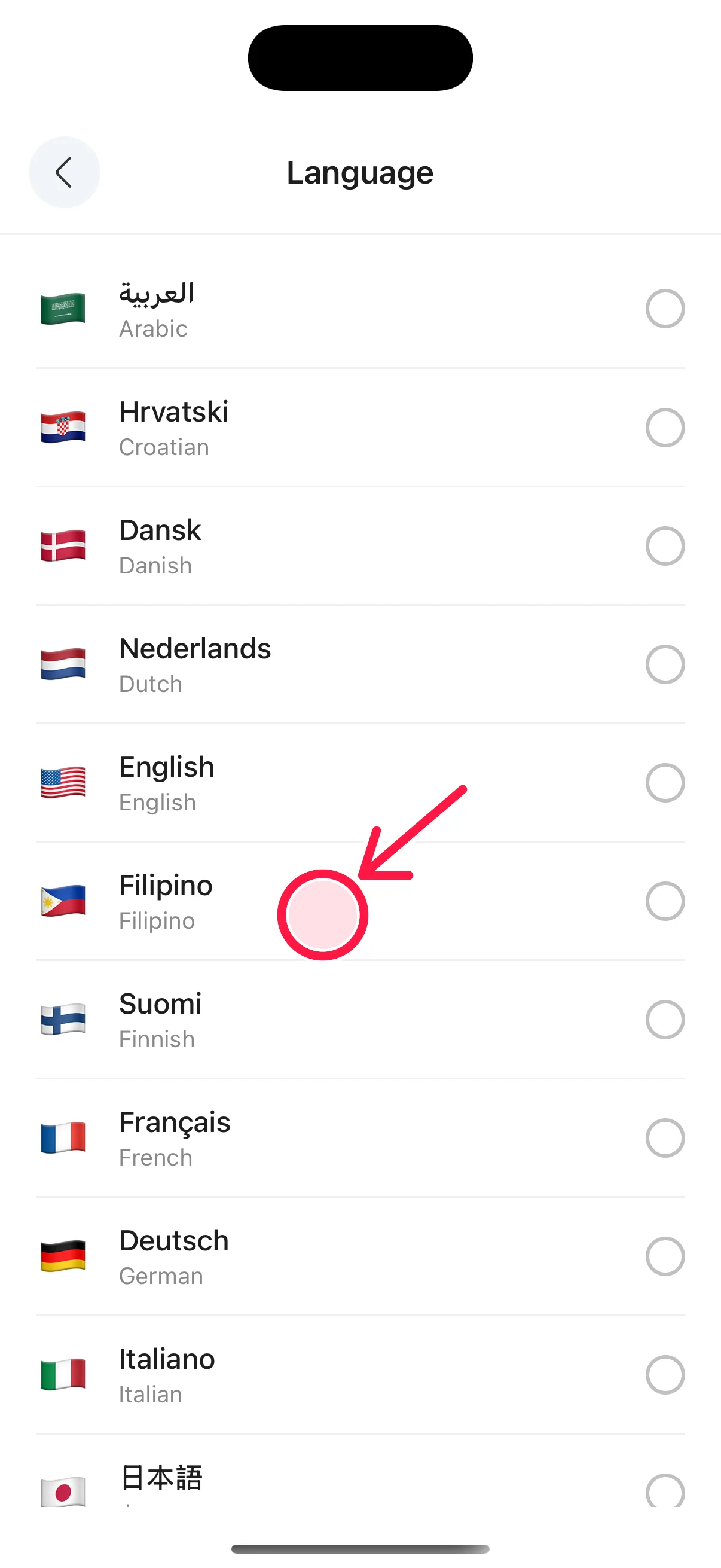
To change the interface language, open Profile → Language and choose an option from the list. Then go back to the screens you use while serving guests to recognize the commands in the selected language.
Demonstration on the iPhone simulator, using Vizz360 7.39 and sample data. Some controls vary on Android and by plan.
Read the video steps
- Choose the app language from the list.
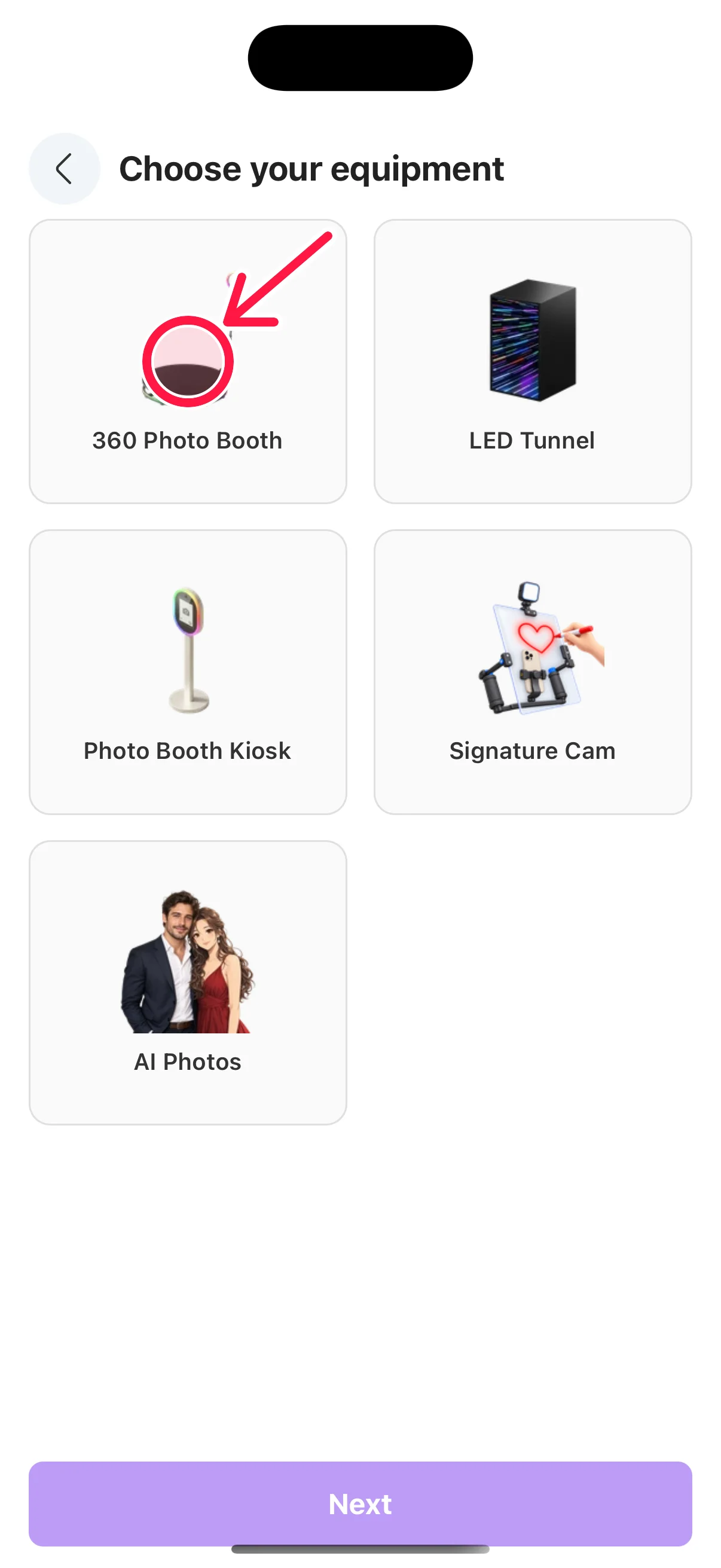
- Select 360 Photo Booth and continue.
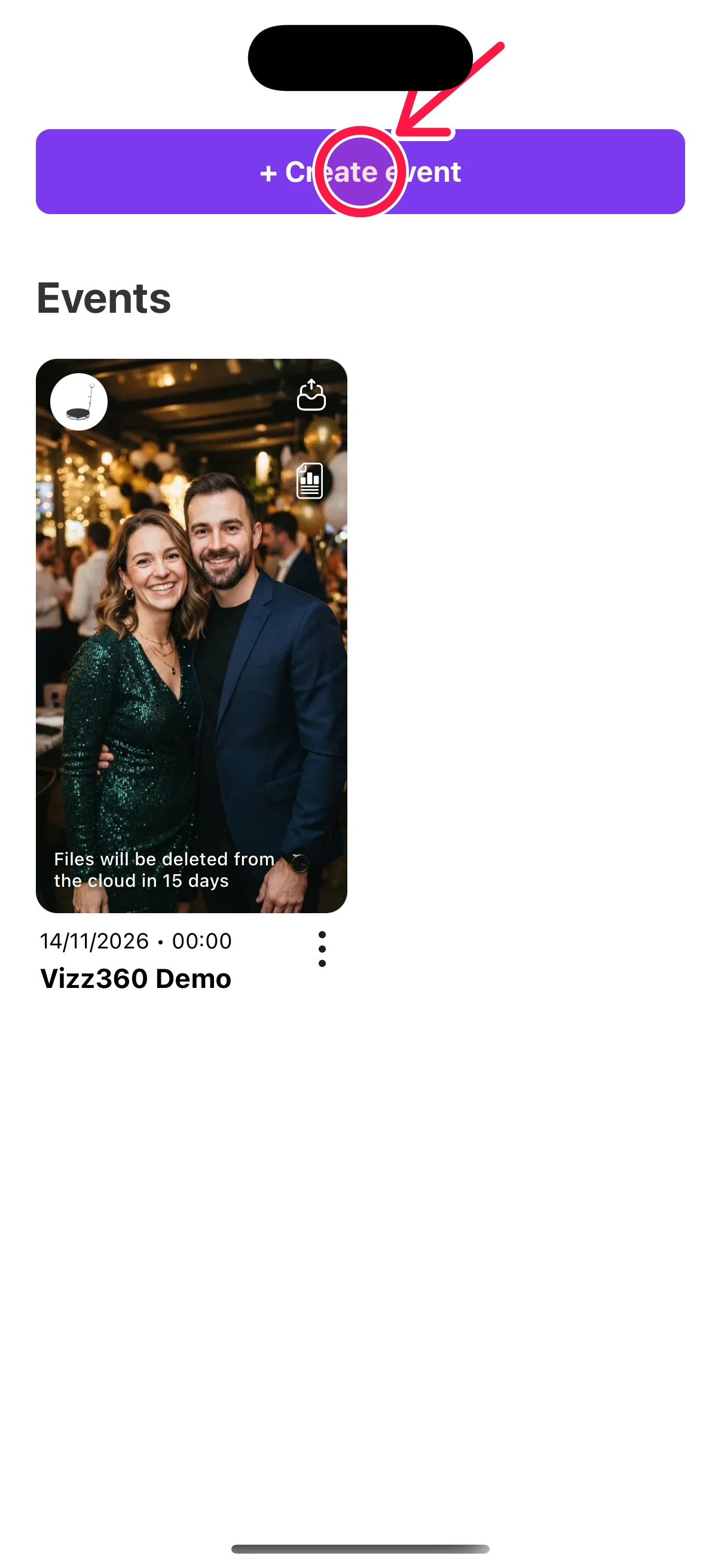
- Tap + Create event to get started.
You may prefer to work in Spanish or English and want the app commands to match that language. Using the language you’re most comfortable with reduces the need to guess what an action will do during operation.
Before you start
Identify the language you want to use and, if you have a team, align on the command names. Changing the interface language does not automatically translate the names you typed for events, music, or artwork files.
How to do it
-
Open Vizz360 and go to the Profile tab.
-
Tap Language.
-
Choose the desired language from the available list.
-
Go back to the home screen and identify the action for creating an event.
-
Open the sharing screen for a test event and check the names for copying the link and saving the QR code.
Where to tap in the app
Check the result
In Spanish, you should recognize commands such as Compartir evento and Copiar enlace; in English, Share event and Copy link. Check the screens you actually use, not just the title of the language list. This also helps your team guide an operator who works in another language.
If something does not work as expected
If an event name stays in Portuguese, remember that you typed it yourself and it is not an interface label. If any command is hard to understand, note the screen and the action so you can report it through the app. When following a tutorial, prefer the version in the same language as your interface so you can compare the buttons more easily.
Quick questions
Does changing the language delete events?
The action described changes the language preference. It is not a content deletion action.
Are music and event names translated too?
Do not count on automatic translation for data that you or the client registered. Use names your team can recognize.
What word does the app use for Plataforma360 in other languages?
In Spanish, the equipment appears as Cabina 360; in English, 360 Photo Booth. Check the labels in the app list.
Continue in the app
Open Vizz360 in your preferred language and test creating and delivering a media file. The store buttons below take you to the iPhone and Android versions.
Read also: How to Create a 360 Photo Booth Event in Vizz360; How to Share the Event Link in Vizz360; How to Share an Individual Video in Vizz360.

Download Vizz360
Record, edit and share 360° videos in seconds, right from your phone. Free download for Android and iOS, with in-app purchases.


Related articles

How to Position and Resize the Kiosk Shutter Button
How to Position and Resize the Kiosk Shutter Button. See the Vizz360 steps, app screens and what to check before using it at an event.

How to Adjust Photo Framing Inside an AI Overlay
How to Adjust Photo Framing Inside an AI Overlay. See the Vizz360 steps, app screens and what to check before using it at an event.

How to Change Your Vizz360 Account Email
How to Change Your Vizz360 Account Email. See the Vizz360 steps, app screens and what to check before using it at an event.