
How to Share 360 Videos by QR Code and WhatsApp
Learn how to send 360 photo booth videos to guests in seconds, using a QR code or WhatsApp directly from Vizz360.



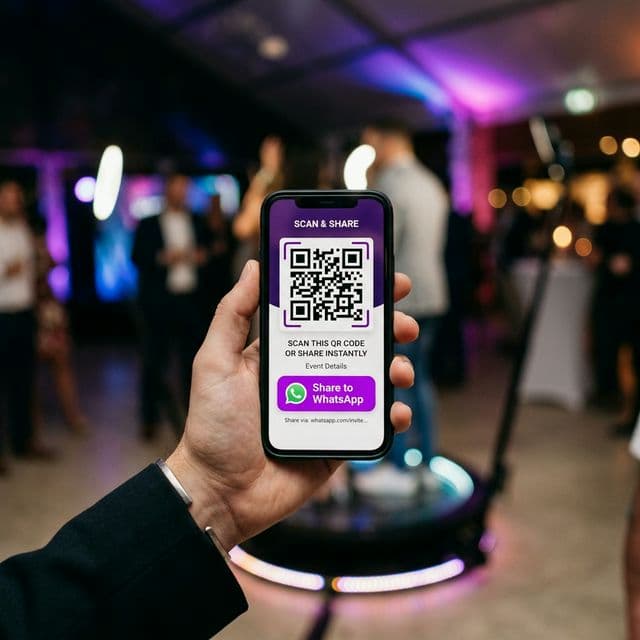
Fast sharing is what sets you apart
At events, speed matters. Your guest wants to leave with the video in hand — and that is exactly what Vizz360 makes possible.
Method 1: QR code
After recording, Vizz360 automatically generates a QR code on the device screen. The guest points their phone camera at the QR code, and the video downloads instantly.
Works without internet!
Vizz360 has an offline sharing mode using a local network via Wi-Fi Direct. This means that even in places with no internet signal, your guest can download the video.
Method 2: WhatsApp
To share via WhatsApp:
- Tap the Share button after recording
- Select WhatsApp
- Choose the contact or group
- The video is sent automatically
Tips for the best result
- Keep the QR code visible — position the device screen at eye level
- Use a stable Wi-Fi network if you are sharing via WhatsApp in real time
- Quality vs. Speed — lower-resolution videos share faster
Conclusion
Vizz360’s sharing system was designed with the reality of Brazilian events in mind. Do not depend on perfect internet — always have a plan B with offline mode.
Follow our Instagram @vizziam for more tips!
All of this is already included in the app
Instant QR code, WhatsApp sending, and the offline mode you just learned about are part of the same app, with no installation cost. Download Vizz360 and start sharing 360° videos the way your guests expect: instantly, without depending on perfect internet.

Download Vizz360
Record, edit and share 360° videos in seconds, right from your phone. Free download for Android and iOS, with in-app purchases.


Related articles

AI overlays for 360 photo booths: create without wasting time
Use the Vizz360 overlay library and artificial intelligence to quickly customize 360 videos with a strong visual identity for every event.

Offline 360 Videos: Process and Share Without Internet
Learn how Vizz360 processes and shares 360 videos offline to keep your operation running even with unstable internet at the event.
How to share an event with all videos
See how to share a complete event gallery in Vizz360. Generate one unique QR code or send the link to all videos at once.