
How to Download an Event Report to Send to Your Client
Open the event report in Vizz360 after 10 media files, choose the template, and check the company details before downloading and sending the PDF to your client.



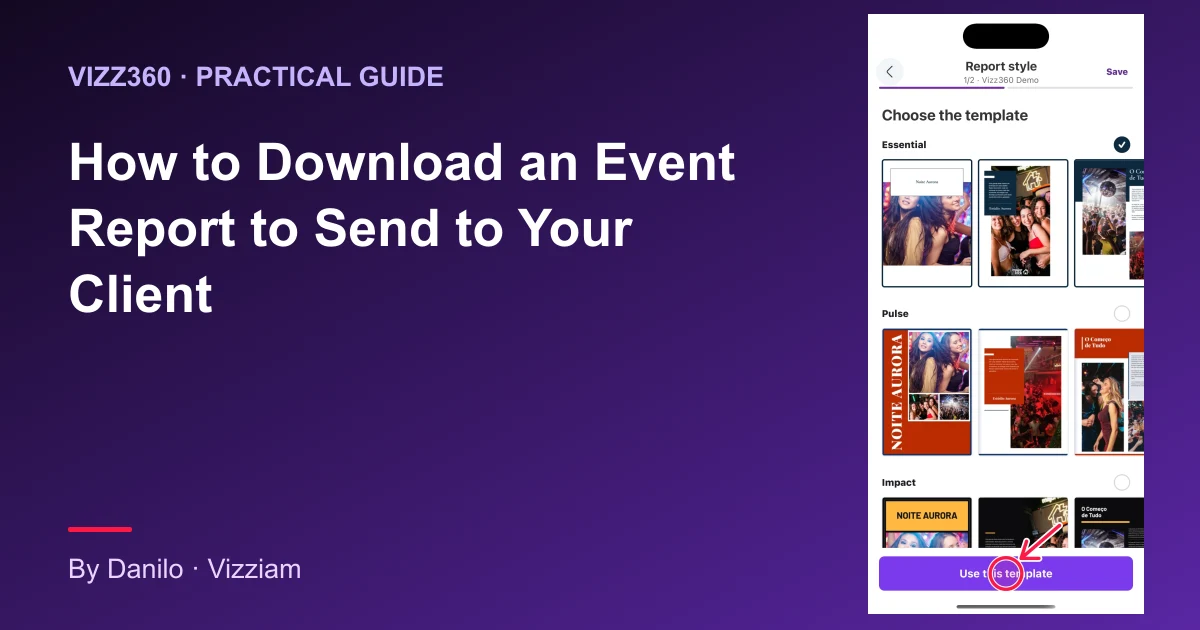
On the event cover, use the report icon to open Event report. The screen tells you it becomes available after 10 media files. Then, you can choose the template, review company details, and open or download the PDF.
Demonstration on the iPhone simulator, using Vizz360 7.39 and sample data. Some controls vary on Android and by plan.
Read the video steps
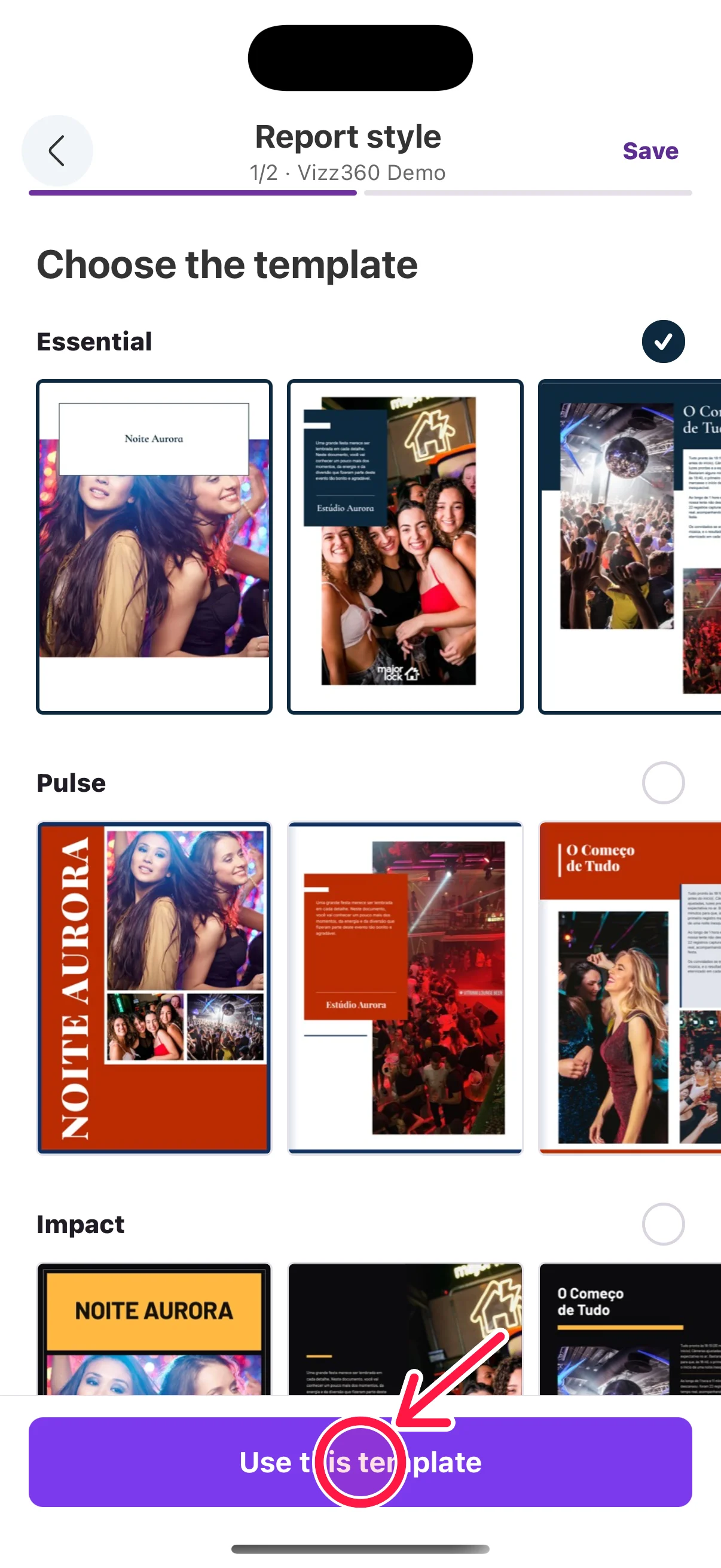
- Choose a design and tap Use this template.
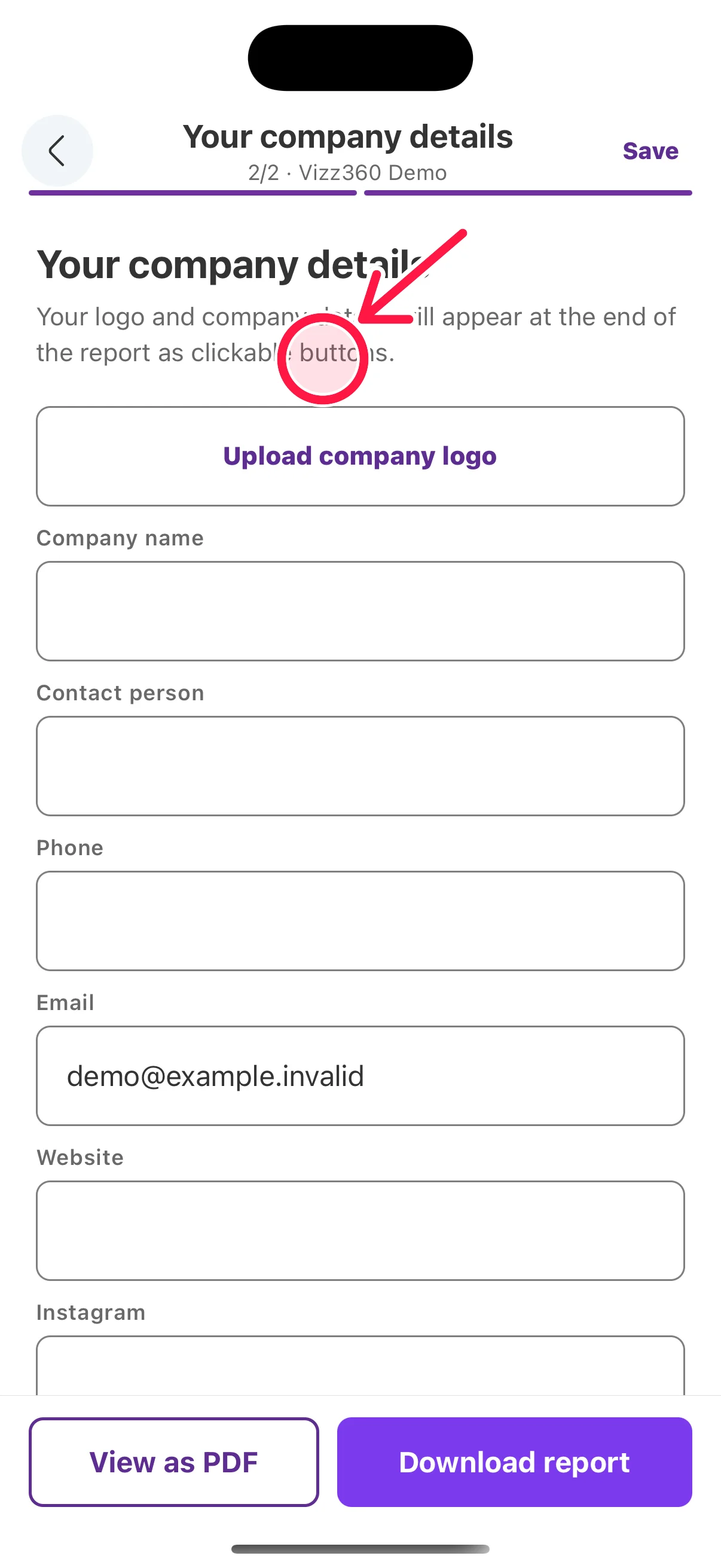
- Review the company details that will appear in the report.
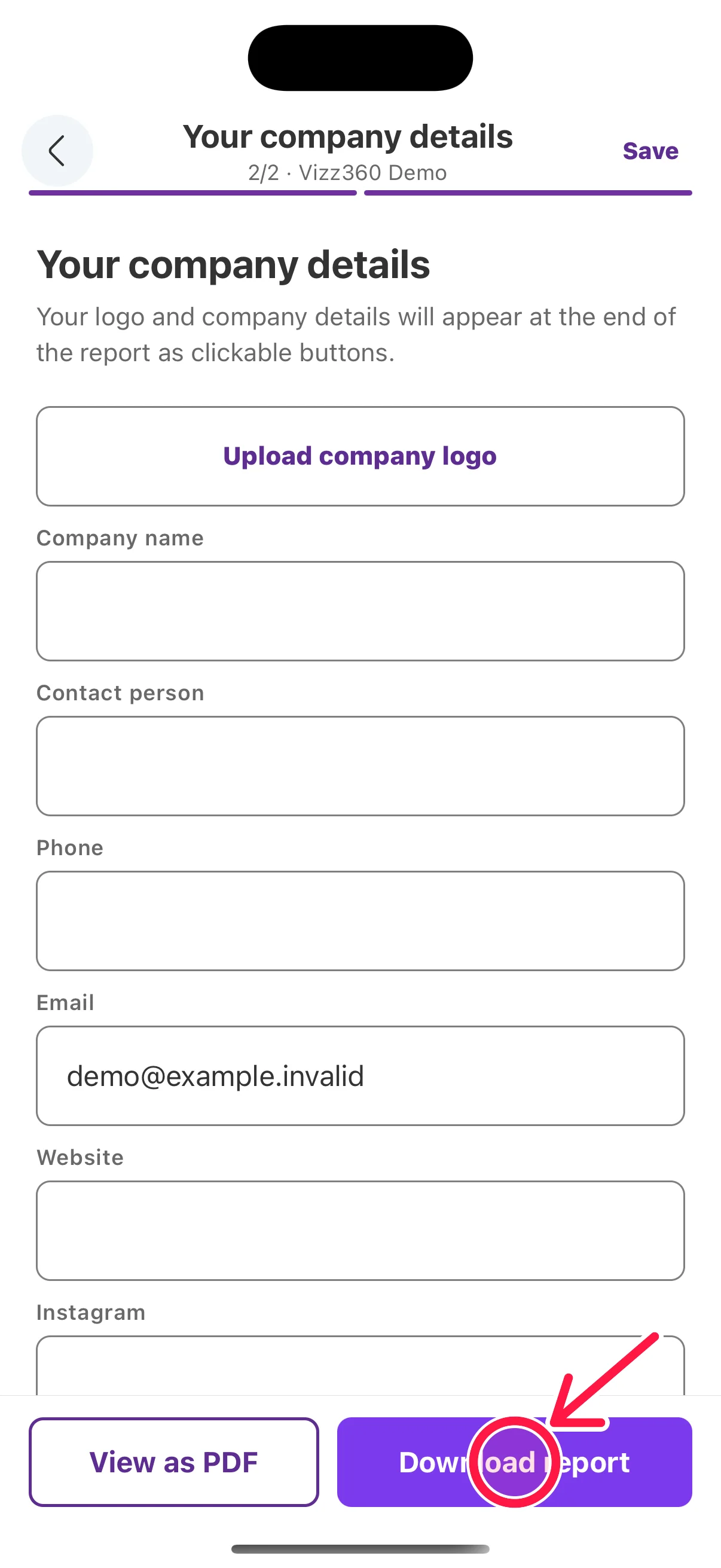
- Tap Download report after checking the details.
The service is over and the client wants to receive an organized presentation of the results. The document helps you organize the presentation for the client, but the numbers and identification details need to be checked before sending.
Before you start
Check whether the event has reached the minimum amount and whether the media from the participating devices is up to date. The count includes photos and videos from those devices. Set aside the logo, name, and contact details you want to show in the report.
How to do it
-
On the home screen, find the correct event and tap Open event report.
-
If the number is still below 10 media files, check the operation and use Refresh count after the necessary recordings and uploads.
-
Once the report is available, choose the presentation template.
-
Review the company details, contacts, and branding elements offered in the editor.
-
Use View as PDF to check the document.
-
Tap Download report and open the saved file before forwarding it to your client.
Where to tap in the app
Check the result
Confirm the event name and date, the numbers shown, logo, contacts, and page readability. Open the PDF that will be sent, not just the editor preview. This also helps you spot a file from another event with a similar name.
If something doesn’t work as expected
If the report remains unavailable, check the message and the count shown. Do not confuse ten local files still being processed with a count that has already been updated for the report. If the visual identity is incorrect, review the fields and generate a new version before sharing.
Quick questions
Does the report open before ten media files?
The screen shows availability after 10 media files and displays progress toward that minimum.
Does it only count what I recorded on my phone?
The guidance explains that photos and videos from the participating devices are included in the count.
Does the PDF replace delivering the videos?
No. The report presents event information; the gallery link and file copies are separate deliverables.
Continue in the app
After the event, open the report in Vizz360 and review the PDF before sending it along with the instructions for accessing the gallery.
Read also: How to share the event link in Vizz360; How long do videos stay in the Vizz360 cloud?; Video not showing up in the link? Check pending uploads.

Download Vizz360
Record, edit and share 360° videos in seconds, right from your phone. Free download for Android and iOS, with in-app purchases.


Related articles

How to Position and Resize the Kiosk Shutter Button
How to Position and Resize the Kiosk Shutter Button. See the Vizz360 steps, app screens and what to check before using it at an event.

How to Adjust Photo Framing Inside an AI Overlay
How to Adjust Photo Framing Inside an AI Overlay. See the Vizz360 steps, app screens and what to check before using it at an event.

How to Change Your Vizz360 Account Email
How to Change Your Vizz360 Account Email. See the Vizz360 steps, app screens and what to check before using it at an event.