
How to enable video reverse in Vizz360
Turn on Reverse video under Set effect in Vizz360 and see how the sequence plays back from the end. Learn what to watch for with duration and music.



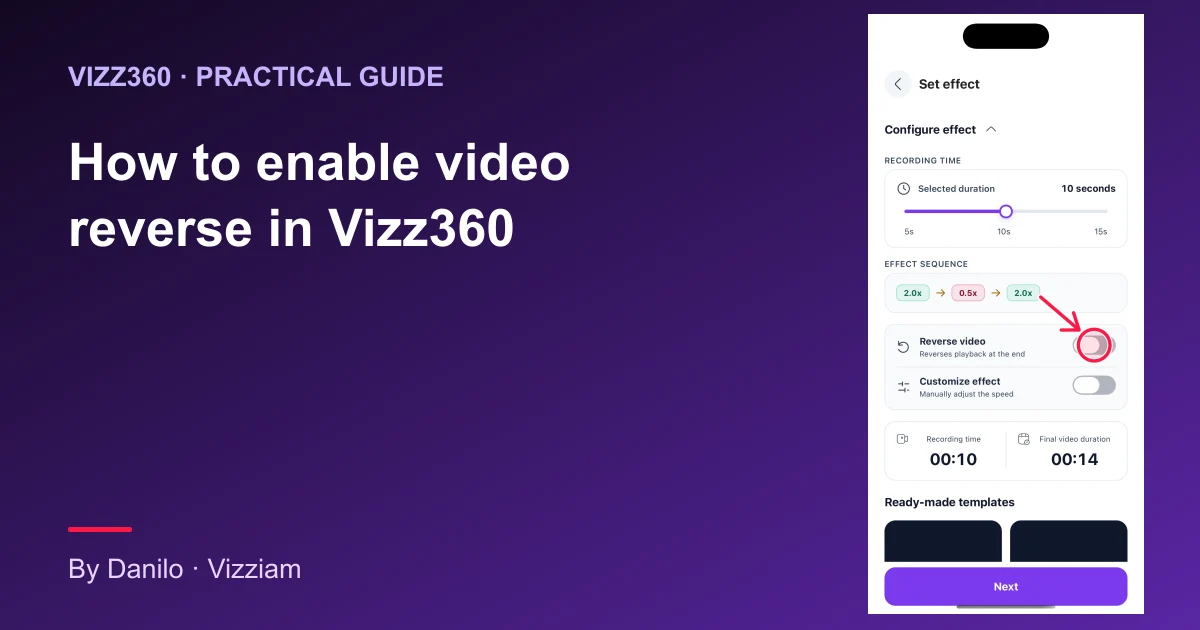
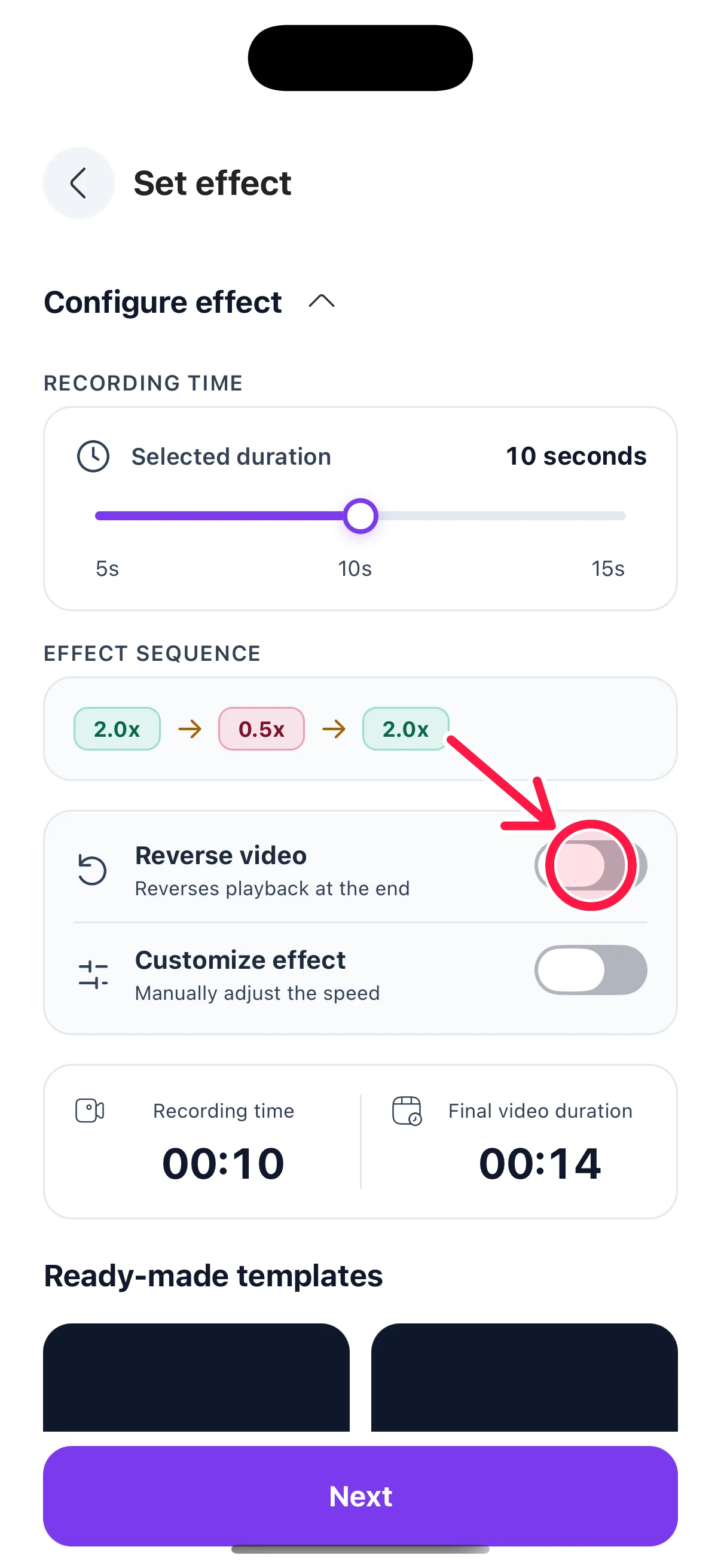
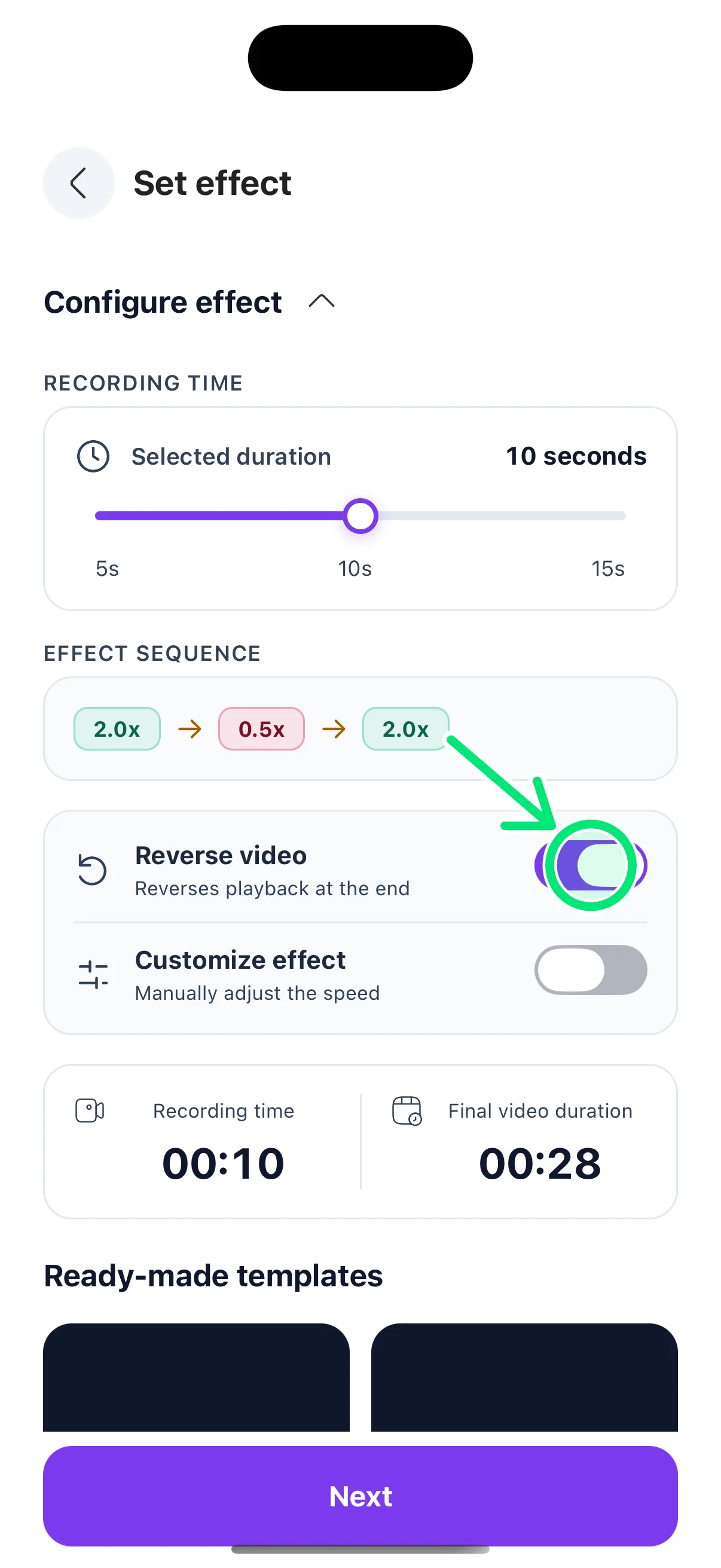
To use reverse in Vizz360, open Set effect → Configure effect and turn on Reverse video. The control description is Reverses playback at the end: the sequence will then include the return from that point.
Demonstration on the iPhone simulator, using Vizz360 7.39 and sample data. Some controls vary on Android and by plan.
Read the video steps
- Find Reverse video in Set effect.
- With reverse enabled, check the final duration before continuing.
- This example records for 10 seconds. Check the final video length too.
You want the sequence to play back from the end and add a different dynamic to the recording. The effect works best when the movement you choose still looks interesting in both directions.
Before you start
Use the standard effect flow and have a simple idea for the test, such as raising your arms or making a hand gesture. Make the movements safely and without creating obstacles while the platform is rotating.
How to do it
-
When creating the event, continue to Set effect.
-
Tap Configure effect to open the controls.
-
Find Reverse video and turn the switch on.
-
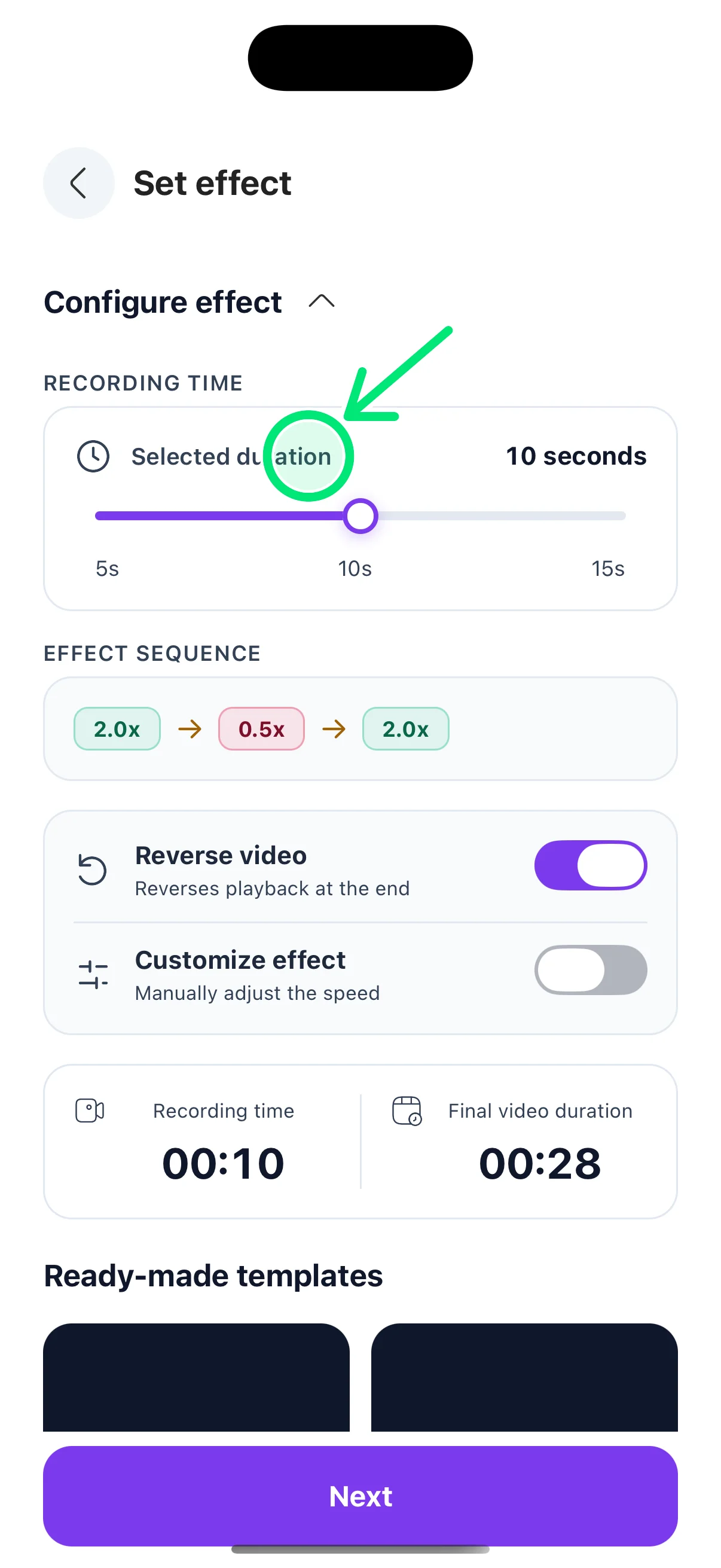
Review Recording time and Effect sequence, which will be combined with your reverse setting.
-
Finish the event, record a take, and watch it through to the end point and the return.
Where to tap in the app
Check the result
See whether the transition from forward to reverse makes sense with the gesture and whether the soundtrack covers the entire result. The reversed section can make a cut, an interrupted pose, or a movement that went out of frame more noticeable.
If something does not work as expected
If you cannot find the switch, check whether you are using Ready-made templates. In that case, the edit is defined by the template, and the standard controls may not appear. If the final duration surprises you, review the combination of speed and reverse; do not confuse the duration of the finished file with the time the camera recorded.
Quick questions
Does reverse mean the platform will spin the other way?
No. This control changes the flow of the processed video. It is not a command for the equipment’s motor.
Can I use reverse together with slow motion?
In the standard effect, the speed and reverse options appear in the settings. Check the combination in your final test.
Does changing the switch remake old videos?
This tutorial covers the recording setup. Do not assume files that have already been delivered will be reprocessed when you change an event setting.
Continue in the app
Create a test event in Vizz360 and compare one recording with reverse and one without it. This helps you choose based on the result your audience will receive.
Also read: How to adjust slow motion and speed in Vizz360; How to choose the recording time for a 360 video; How to use Vizz360’s ready-made video templates.

Download Vizz360
Record, edit and share 360° videos in seconds, right from your phone. Free download for Android and iOS, with in-app purchases.


Related articles

How to Position and Resize the Kiosk Shutter Button
How to Position and Resize the Kiosk Shutter Button. See the Vizz360 steps, app screens and what to check before using it at an event.

How to Adjust Photo Framing Inside an AI Overlay
How to Adjust Photo Framing Inside an AI Overlay. See the Vizz360 steps, app screens and what to check before using it at an event.

How to Change Your Vizz360 Account Email
How to Change Your Vizz360 Account Email. See the Vizz360 steps, app screens and what to check before using it at an event.