
How to Test AI Photos Before the Party
Test AI Photos styles in Vizz360 with a well-lit photo. Check the face, composition, and variations before offering the experience at the event.



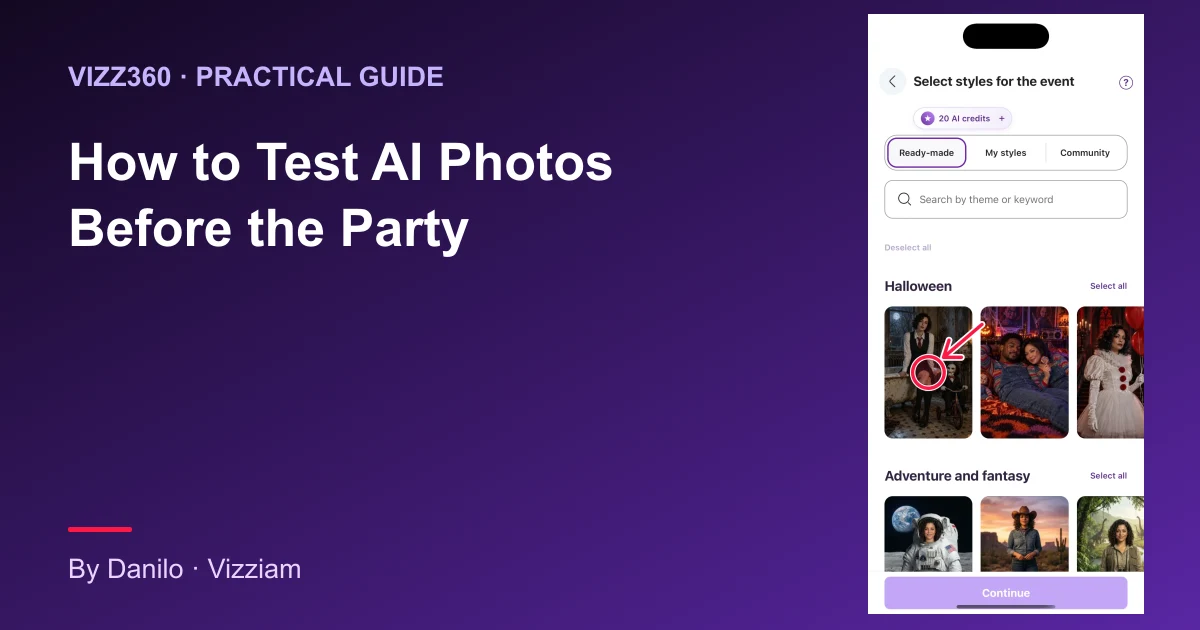
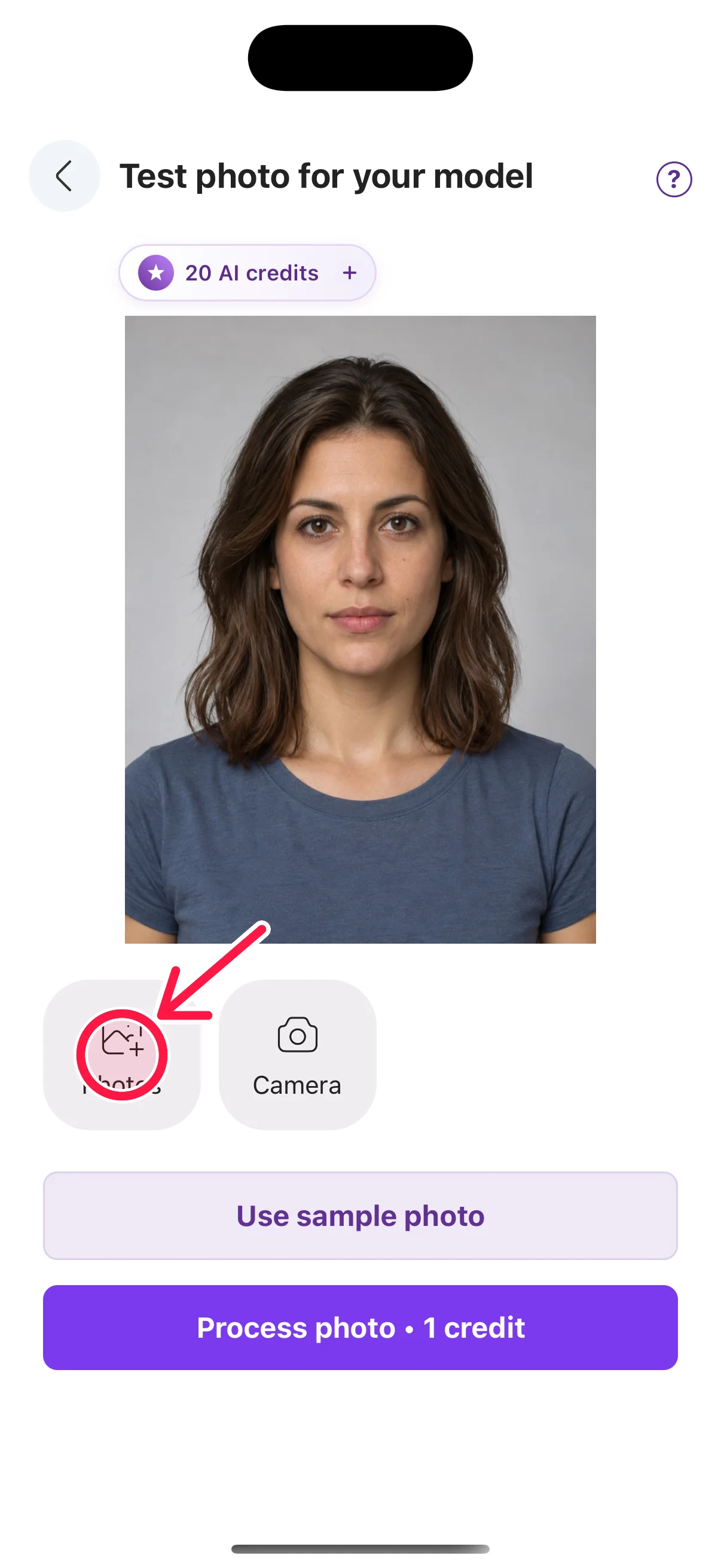
Use Test photo for your model to evaluate the AI Photos style before the event. Choose an image with clearly visible faces and good lighting. After generation, review the full result before approving it for use with guests.
Demonstration on the iPhone simulator, using Vizz360 7.39 and sample data. Some controls vary on Android and by plan.
Read the video steps
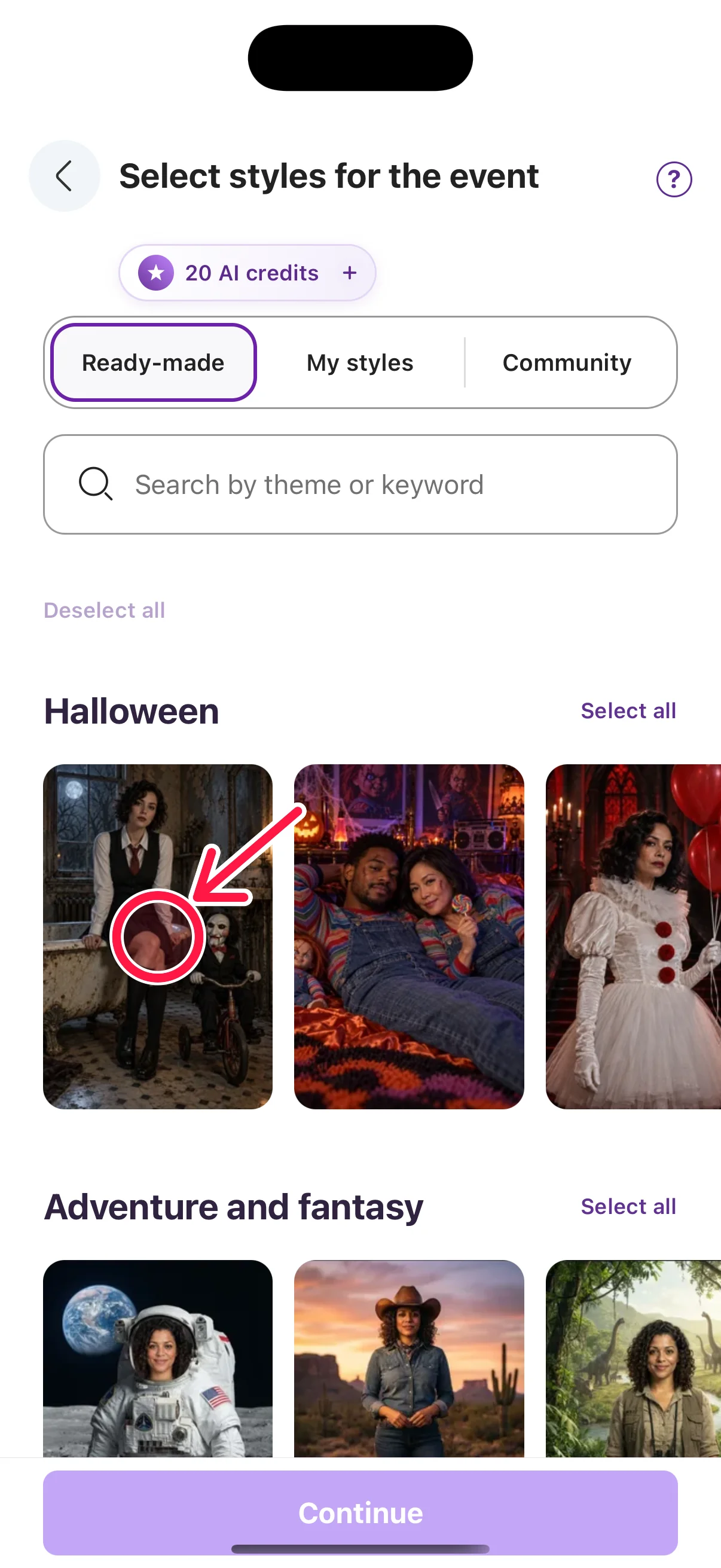
- Explore available styles and choose one for the event.
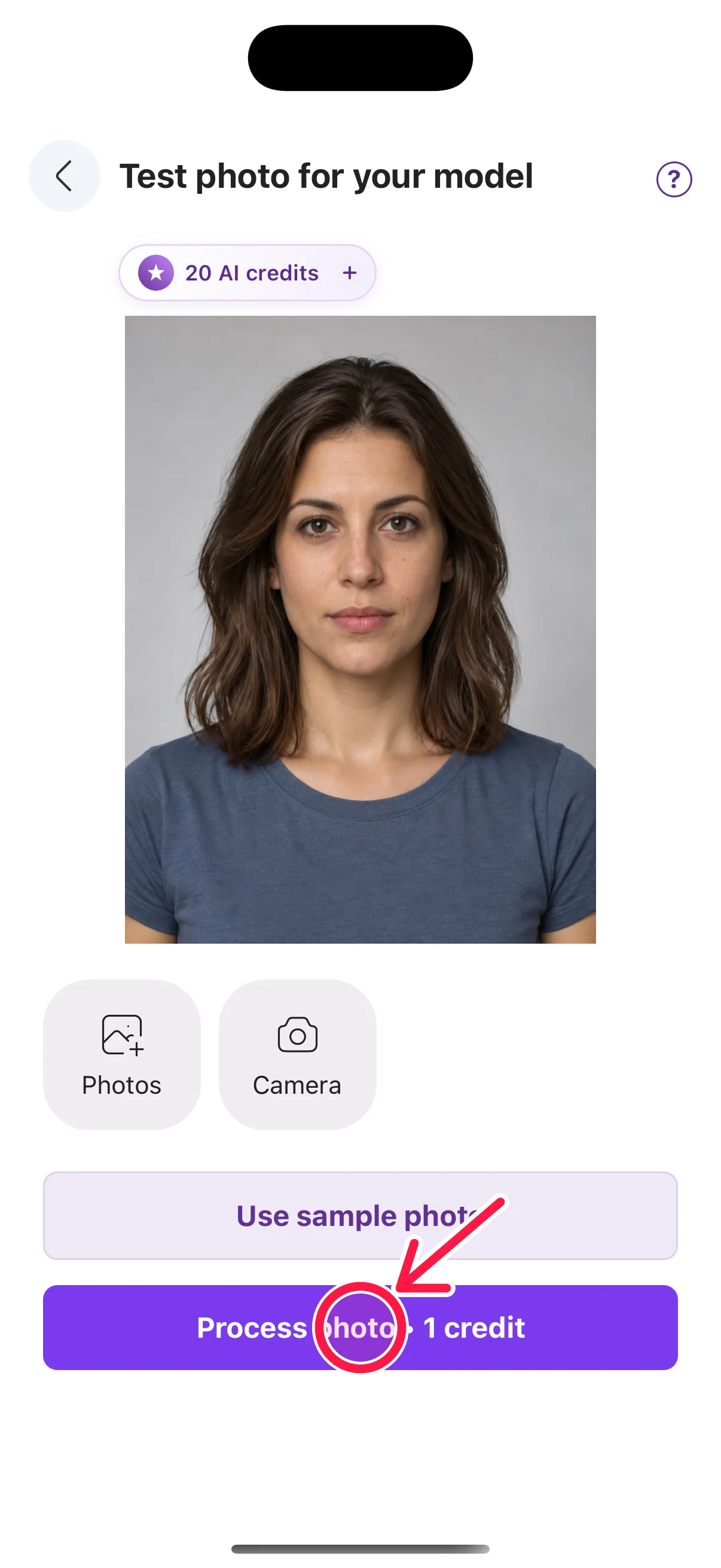
- In the test step, use an authorized photo and check the cost before processing.
- Check the cost shown on the button before processing a test photo.
The style looks interesting, but you want to evaluate the result with a photo before serving guests. This test reveals composition issues that a catalog thumbnail or prompt text cannot show on their own.
Before You Start
Have an authorized photo for the test, an internet connection, and available balance. Each generation uses 1 credit; Generate again • 1 credit represents a new generation, not a free revision of the same file.
How to Do It
-
Select the ready-made style or custom model you plan to use.
-
Continue to Test photo for your model.
-
Choose a sharp photo, with the face visible and no strong shadows over the features.
-
If the style asks for additional information, fill in the test details according to the proposed setup.
-
Generate the image and check the result carefully.
-
If needed, review the photo or model before using Generate again • 1 credit. Also test the overlay and final delivery.
Where to tap in the app
Check the Result
Verify that there is the same number of people, that faces look right, that hands and objects make sense, and that the composition fits the chosen orientation. When the event includes groups, use representative group tests instead of assuming that an individual portrait validated every case.
If Something Does Not Come Out as Expected
If the result looks odd, do not start by simply repeating the generation: check the quality of the original photo and the model instructions. If the test uses text, a name, or a color, review those fields as well. A result reference does not eliminate AI variations or replace checking each delivered image.
Quick Questions
Does the test use credit?
Yes. AI Photos generation uses 1 credit; a new generation should also be counted against your balance.
Can I test with a dark photo?
The app recommends visible faces and good lighting. An unsuitable image makes it harder to evaluate the model.
Does changing only the overlay generate another AI photo?
No. The overlay is applied over the result and is not sent to the generation provider. Check the composition after changing it.
Continue in the App
Use Vizz360 to test the style in advance and save an approved reference to guide event operations.
Also read: How to create an AI Photos style with your own text; How to use ready-made styles at an AI Photos event; How to check AI Photos and overlay credits.

Download Vizz360
Record, edit and share 360° videos in seconds, right from your phone. Free download for Android and iOS, with in-app purchases.


Related articles

How to Position and Resize the Kiosk Shutter Button
How to Position and Resize the Kiosk Shutter Button. See the Vizz360 steps, app screens and what to check before using it at an event.

How to Adjust Photo Framing Inside an AI Overlay
How to Adjust Photo Framing Inside an AI Overlay. See the Vizz360 steps, app screens and what to check before using it at an event.

How to Change Your Vizz360 Account Email
How to Change Your Vizz360 Account Email. See the Vizz360 steps, app screens and what to check before using it at an event.