
How to save Vizz360 videos to your phone’s photo library
Choose whether Vizz360 saves videos to your phone’s photo library. Understand the difference between a local copy, internal storage, and cloud upload.



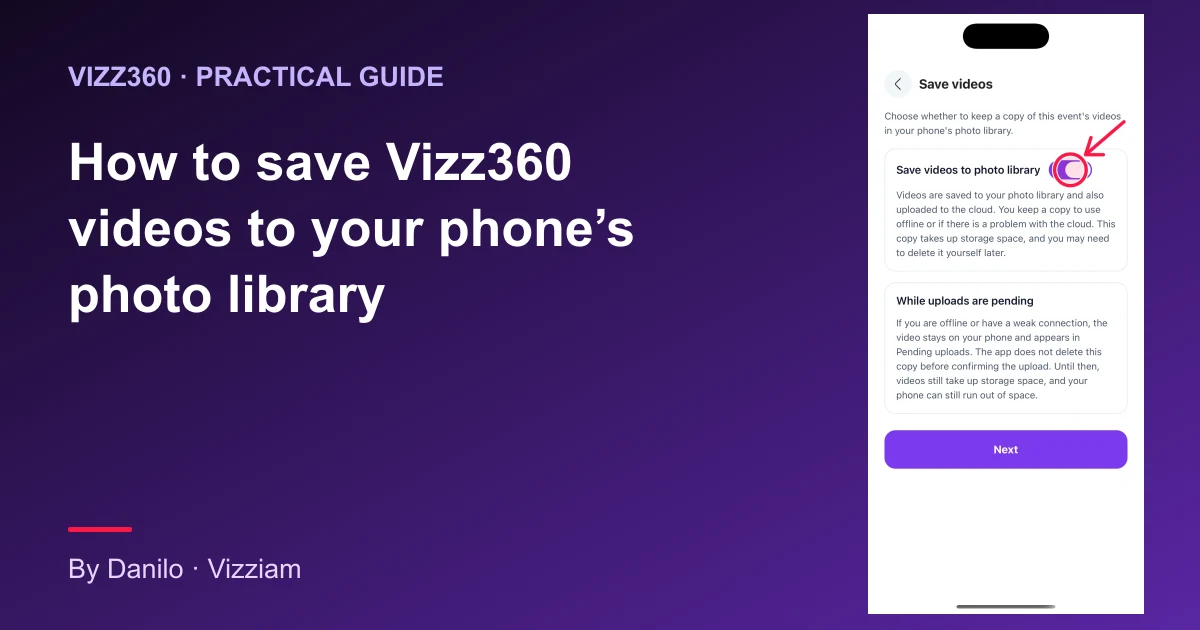
In the event setup, the Save videos to photo library option defines whether there will be a copy in the phone’s library. When it is turned off, Vizz360 still uses internal storage during upload; this does not mean the video will appear in the photos app.
Demonstration on the iPhone simulator, using Vizz360 7.39 and sample data. Some controls vary on Android and by plan.
Read the video steps
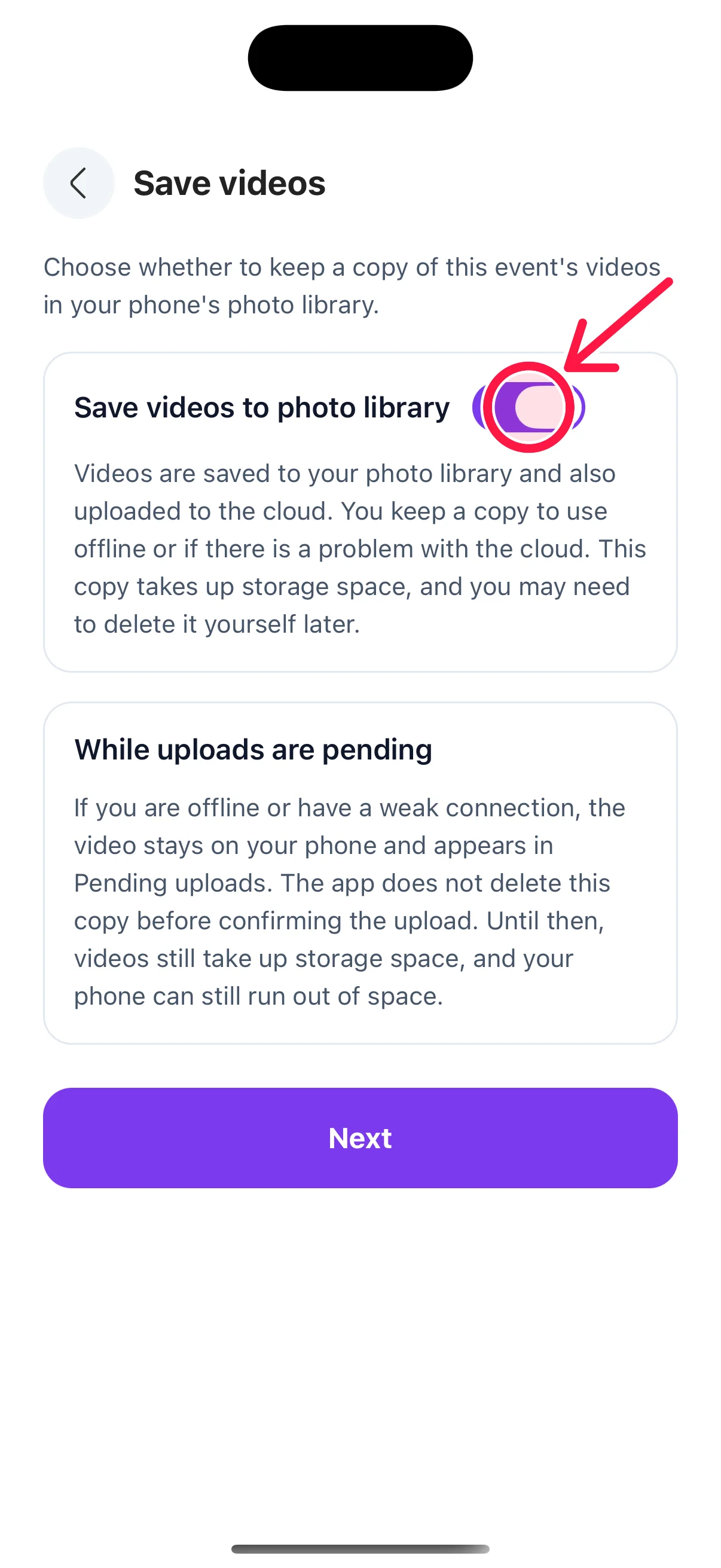
- Enable Save videos to photo library to keep a copy on the phone.
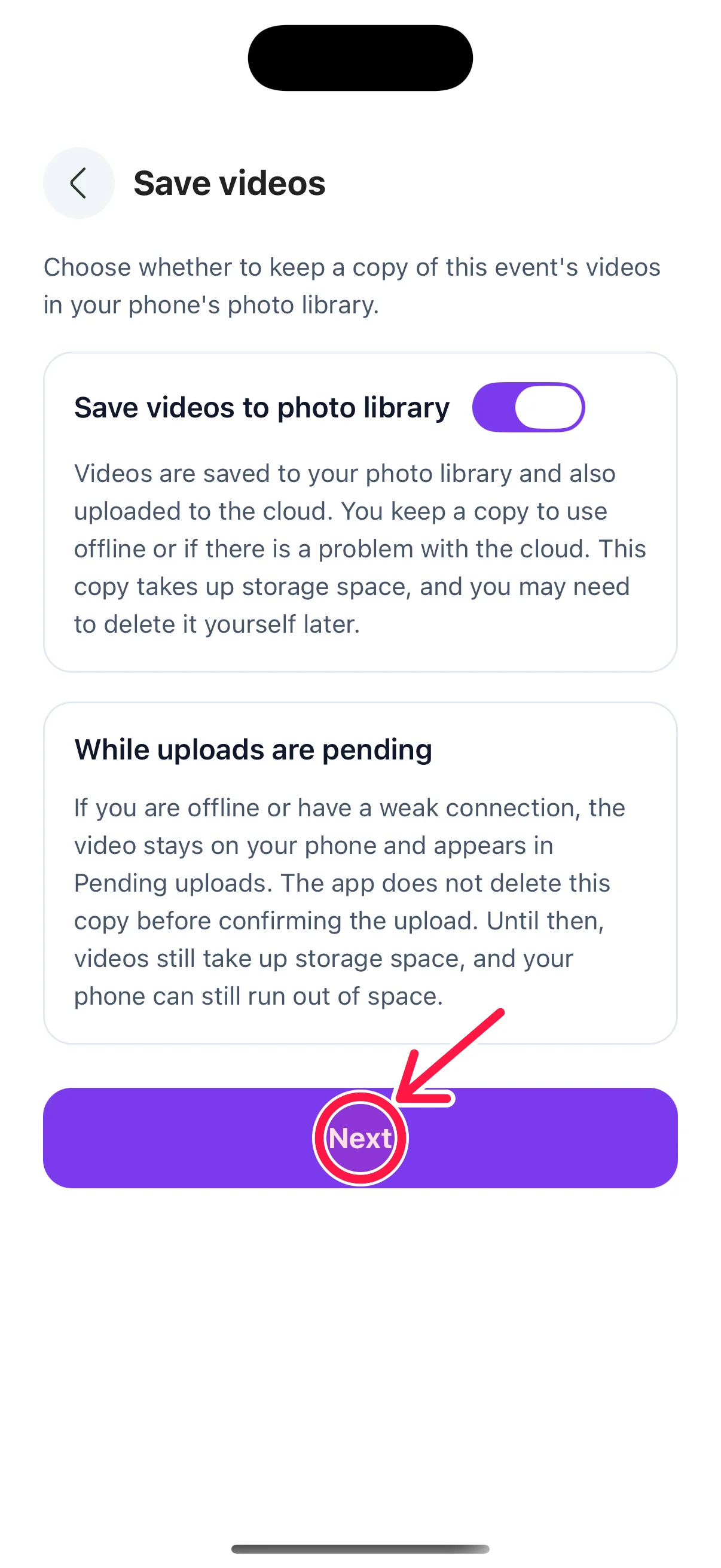
- Continue after choosing the storage preference.
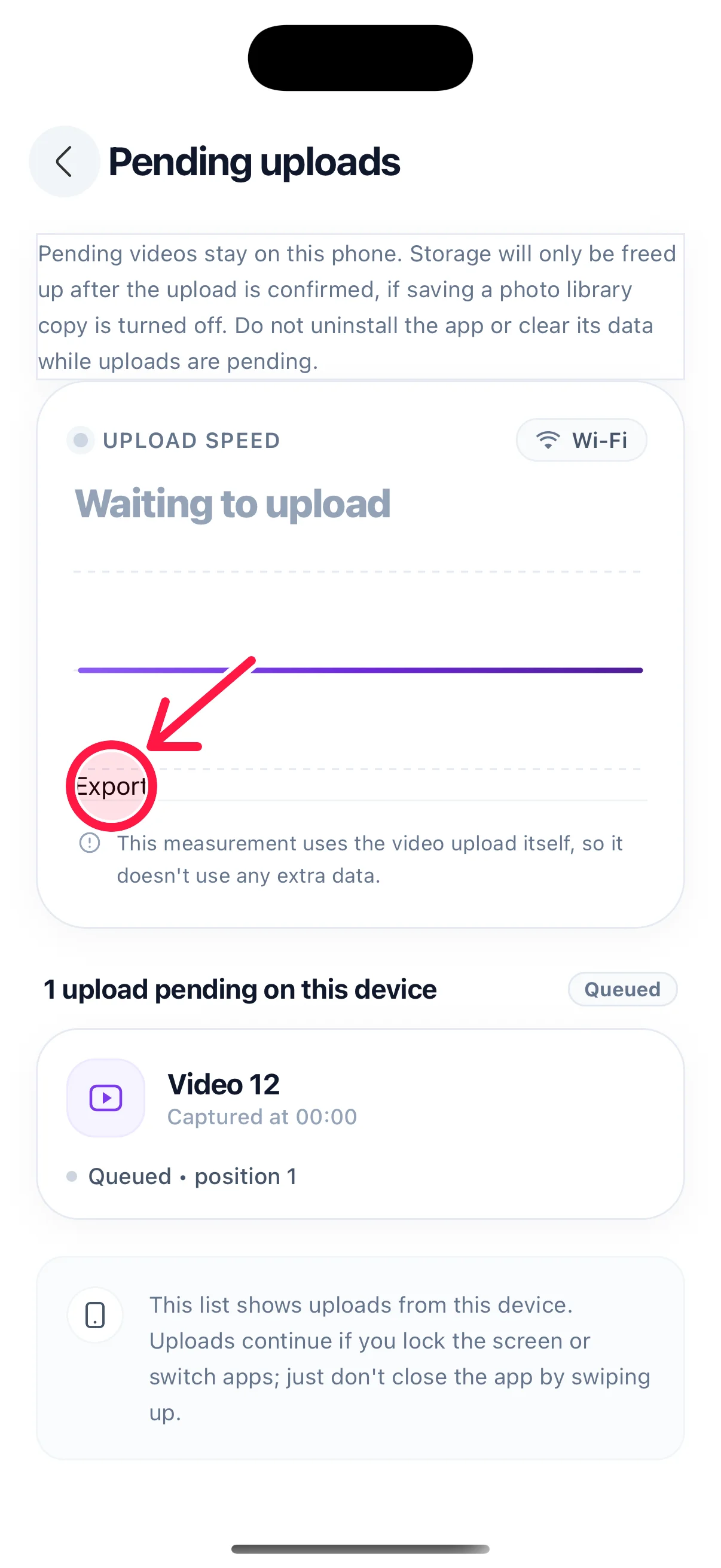
- If needed, use Export to preserve a copy of pending files.
You want to keep a local copy of the videos and need to understand what takes up space on the phone. Choosing intentionally helps you plan storage and the copies needed for the job.
Before you begin
Check how much free space is available on the device and the delivery policy agreed with the client. The local copy and the cloud retention period are separate matters: saving to the photo library takes up space on the device, while the online gallery has its own retention period.
How to do it
-
During setup, open the Save videos step.
-
Read the explanation for the Save videos to photo library option.
-
Turn the option on if you want a copy in the device library; leave it off if that is not the workflow you chose.
-
Complete the setup and record a short test video.
-
After processing, open the phone’s photo library to check whether the result matches the choice you made.
Where to tap in the app
Check the result
If the option is on, check that the local copy is there and plays correctly. Also check the online upload separately: finding the video on the phone does not prove it is already in the cloud, and finding the video online does not confirm there is a copy in the device’s photo library.
If something does not go as expected
If there is no file in the library, review the option and the system permissions. If you run out of space, do not delete items without checking which copies exist and which uploads are still pending. With the option turned off, the internal file used for upload may be removed after confirmation when it is not in use; do not treat this temporary storage as a permanent file.
Quick questions
Does turning the option off prevent recording?
No. It controls the copy in the photo library; it does not eliminate the internal storage required for processing and upload.
Does turning this option on use storage space?
Yes. Files saved to the phone use local storage, which needs to be monitored during the event.
Does it turn the cloud into a backup with no expiration date?
No. Online retention still follows the period shown in the event.
Continue in the app
Set up a test event in Vizz360 and check the full workflow before your next booking. You can find the app for iPhone and Android at the links below.
Read also: Video not showing up in the link? Check pending uploads; How long do videos stay in the Vizz360 cloud?; How to record 360 videos offline in Vizz360.

Download Vizz360
Record, edit and share 360° videos in seconds, right from your phone. Free download for Android and iOS, with in-app purchases.


Related articles

How to Position and Resize the Kiosk Shutter Button
How to Position and Resize the Kiosk Shutter Button. See the Vizz360 steps, app screens and what to check before using it at an event.

How to Adjust Photo Framing Inside an AI Overlay
How to Adjust Photo Framing Inside an AI Overlay. See the Vizz360 steps, app screens and what to check before using it at an event.

How to Change Your Vizz360 Account Email
How to Change Your Vizz360 Account Email. See the Vizz360 steps, app screens and what to check before using it at an event.