
How to Crop an Image Added to an Overlay
How to Crop an Image Added to an Overlay. See the Vizz360 steps, app screens and what to check before using it at an event.



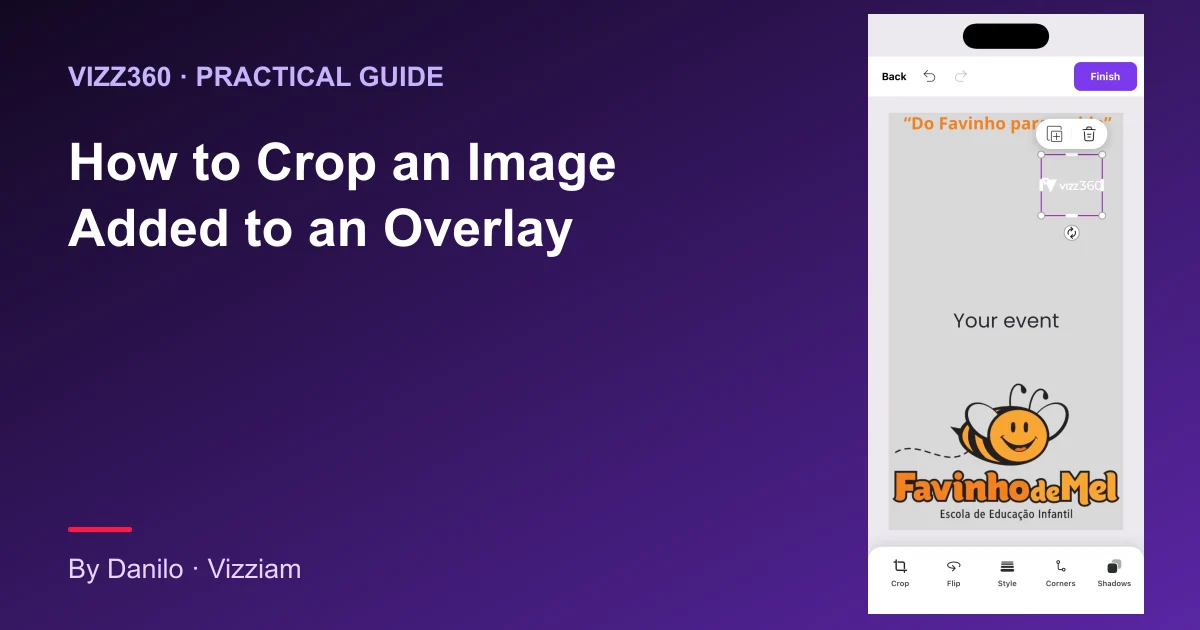
An imported image may include margins that make placement difficult. Crop the image layer without confusing cropping with transparency.
Demonstration on the iPhone simulator, using Vizz360 7.39 and sample data. Some controls vary on Android and by plan.
Read the video steps
- Select the image to adjust its properties.
- Adjust the image crop boundaries.
- Review the crop within the overlay layout.
Before you start
Open test artwork in the editor and wait for loading. Controls depend on the selected layer; review any credit confirmation before saving.
How to do it
-
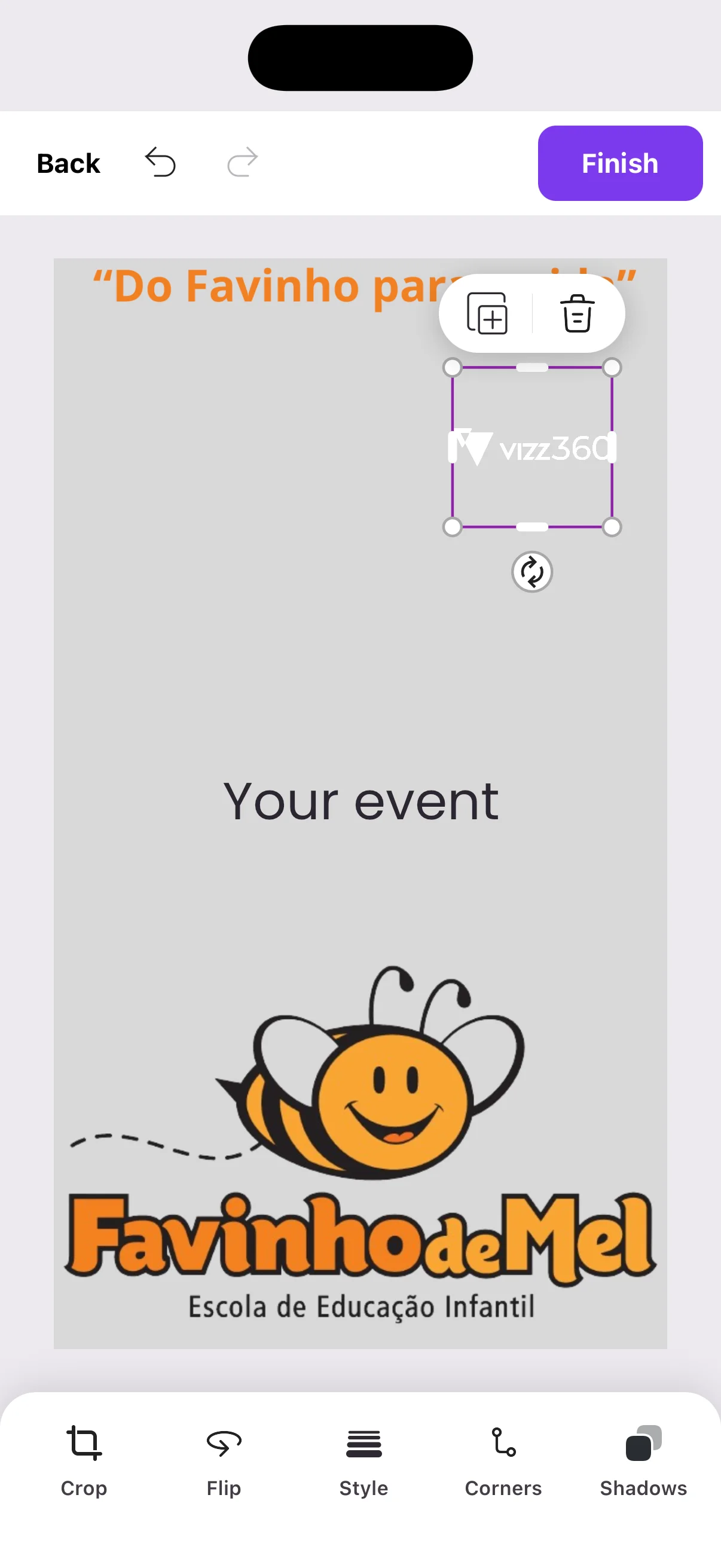
Select the added image. Check selection before opening Crop.
-
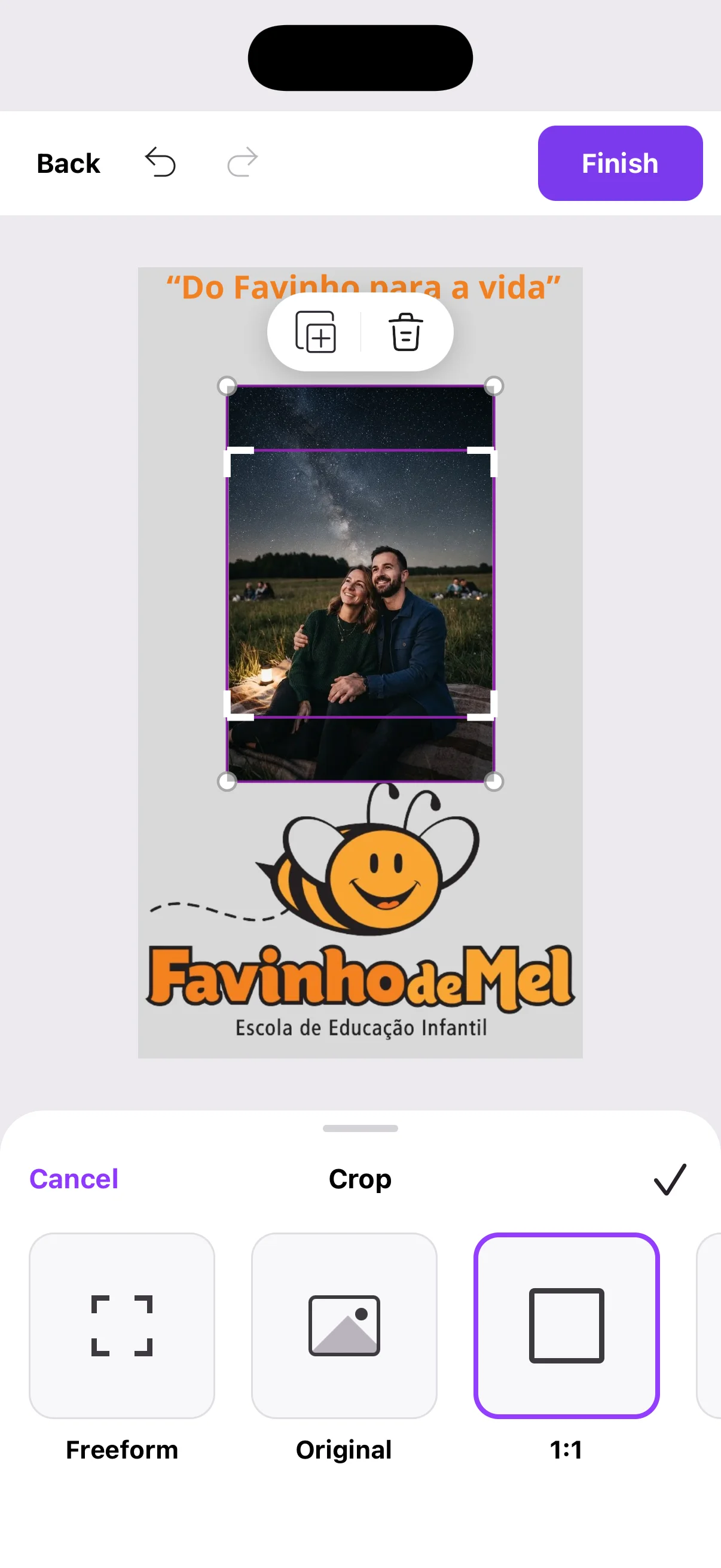
Adjust crop boundaries with the shown controls and confirm. Preserve important parts of the logo.
-
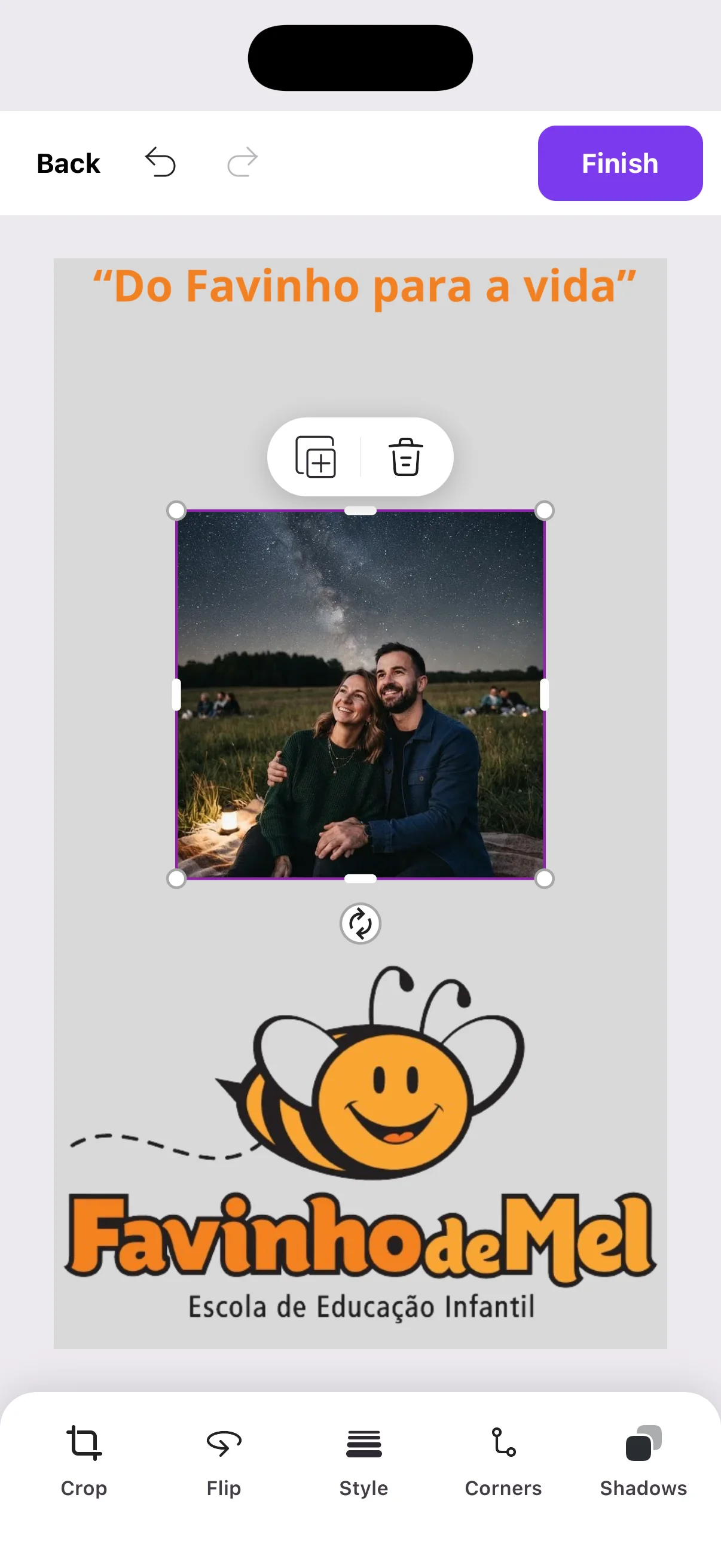
Review the cropped image at final size and reposition if needed.
Where to tap in the app
Check the result
Check that logo lettering and details remain intact. Inspect the entire artwork.
If something does not go as expected
If cropping fails, wait for loading and retry. To remove a background color, use the dedicated tool when suitable.
Quick questions
Does cropping make white transparent?
Cropping limits the image area. Removing a color is a separate operation.
Why might my screen look different?
Screenshots use working version 7.39 on iPhone. Controls and access may differ with the installed version, Android, device and plan. Check the path in your app and test before the event.
Continue in the app
Download Vizz360 for iPhone or Android using the buttons below. Prepare a test event and check this procedure before your next booking.
Also read: How to Rotate and Resize an Overlay Element; How to create an overlay with artificial intelligence in Vizz360; Overlay for a 360 photo booth: size, transparency, and customization.

Download Vizz360
Record, edit and share 360° videos in seconds, right from your phone. Free download for Android and iOS, with in-app purchases.


Related articles

How to Position and Resize the Kiosk Shutter Button
How to Position and Resize the Kiosk Shutter Button. See the Vizz360 steps, app screens and what to check before using it at an event.

How to Adjust Photo Framing Inside an AI Overlay
How to Adjust Photo Framing Inside an AI Overlay. See the Vizz360 steps, app screens and what to check before using it at an event.

How to Change Your Vizz360 Account Email
How to Change Your Vizz360 Account Email. See the Vizz360 steps, app screens and what to check before using it at an event.