
How to Change Pose Order in a Kiosk Photo Overlay
How to Change Pose Order in a Kiosk Photo Overlay. See the Vizz360 steps, app screens and what to check before using it at an event.



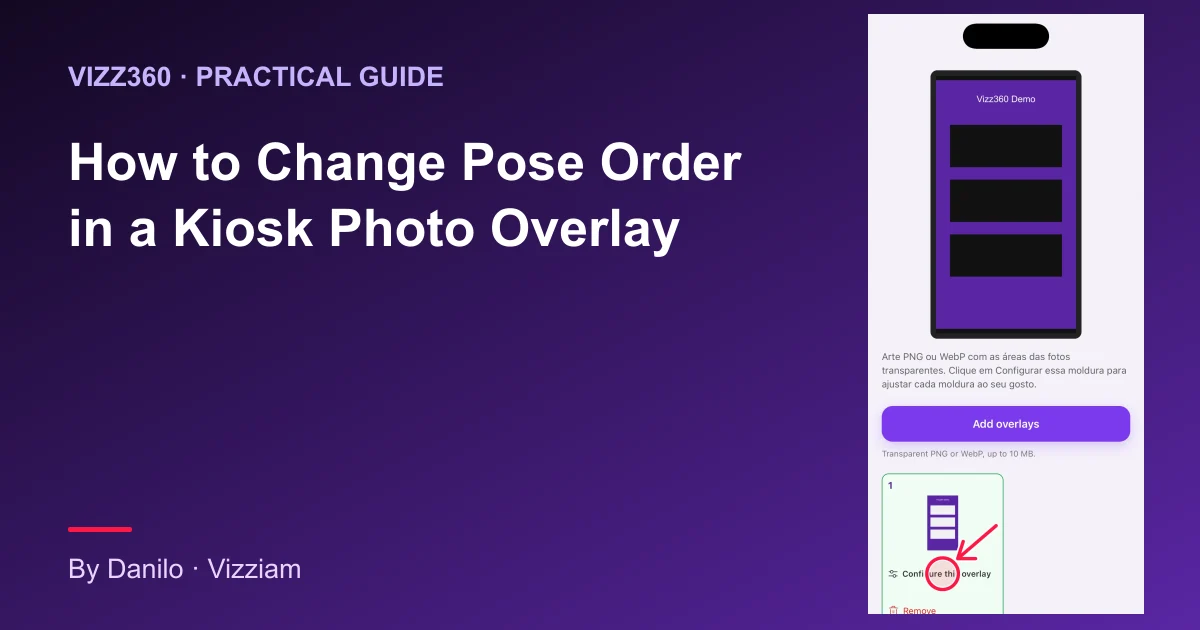
Should the first pose appear at the bottom, or repeat in two slots? In the kiosk overlay editor, numbers indicate which capture goes into each area. Adjust numbering before starting a session.
Demonstration on the iPhone simulator, using Vizz360 7.39 and sample data. Some controls vary on Android and by plan.
Read the video steps
- Open the three-slot overlay configuration.
- Numbers indicate which photo goes in each slot.
- Review pose order and use Save configuration.
Before you start
Prepare a test event and assets matching the installation orientation. Review the full guest experience after setup.
How to do it
-
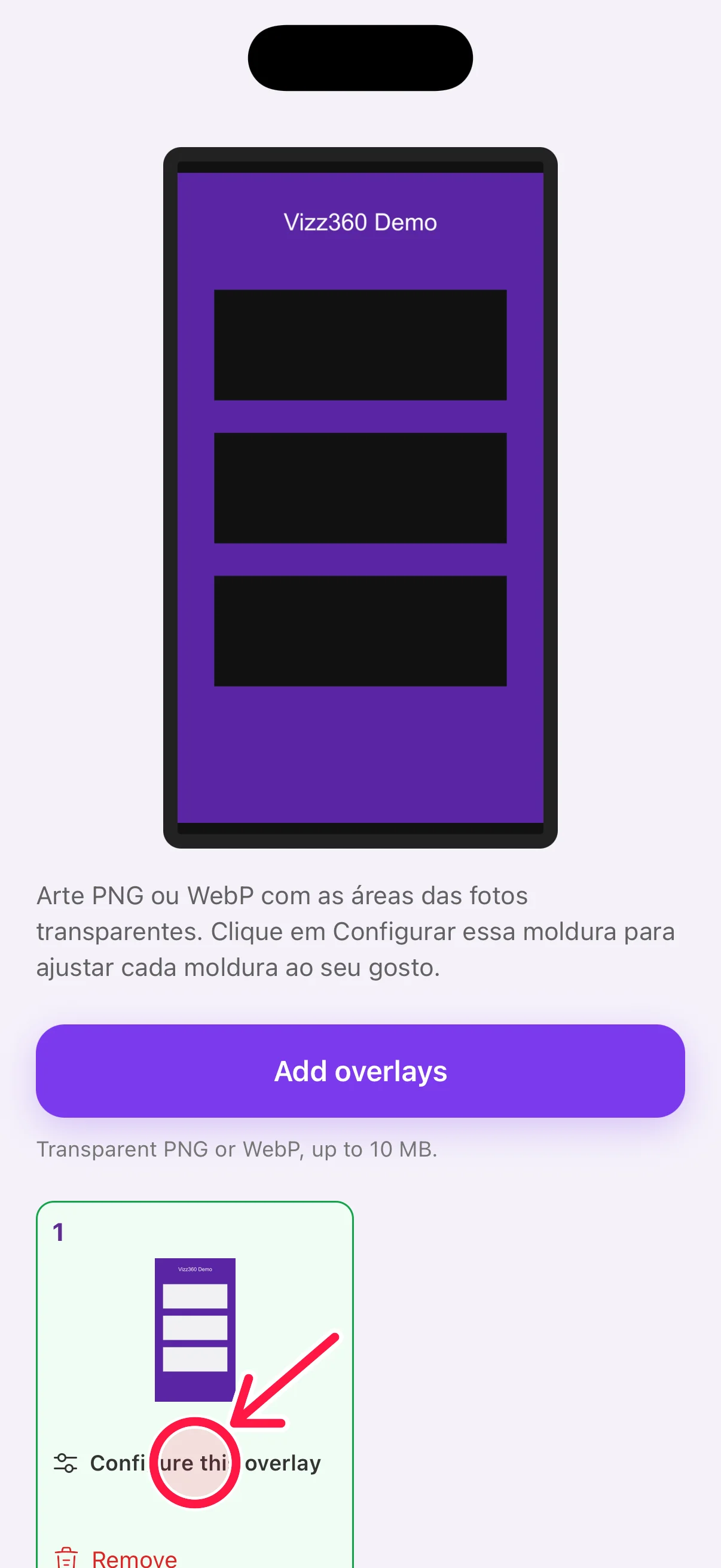
In Overlays, open Configure this overlay for the desired artwork.
-
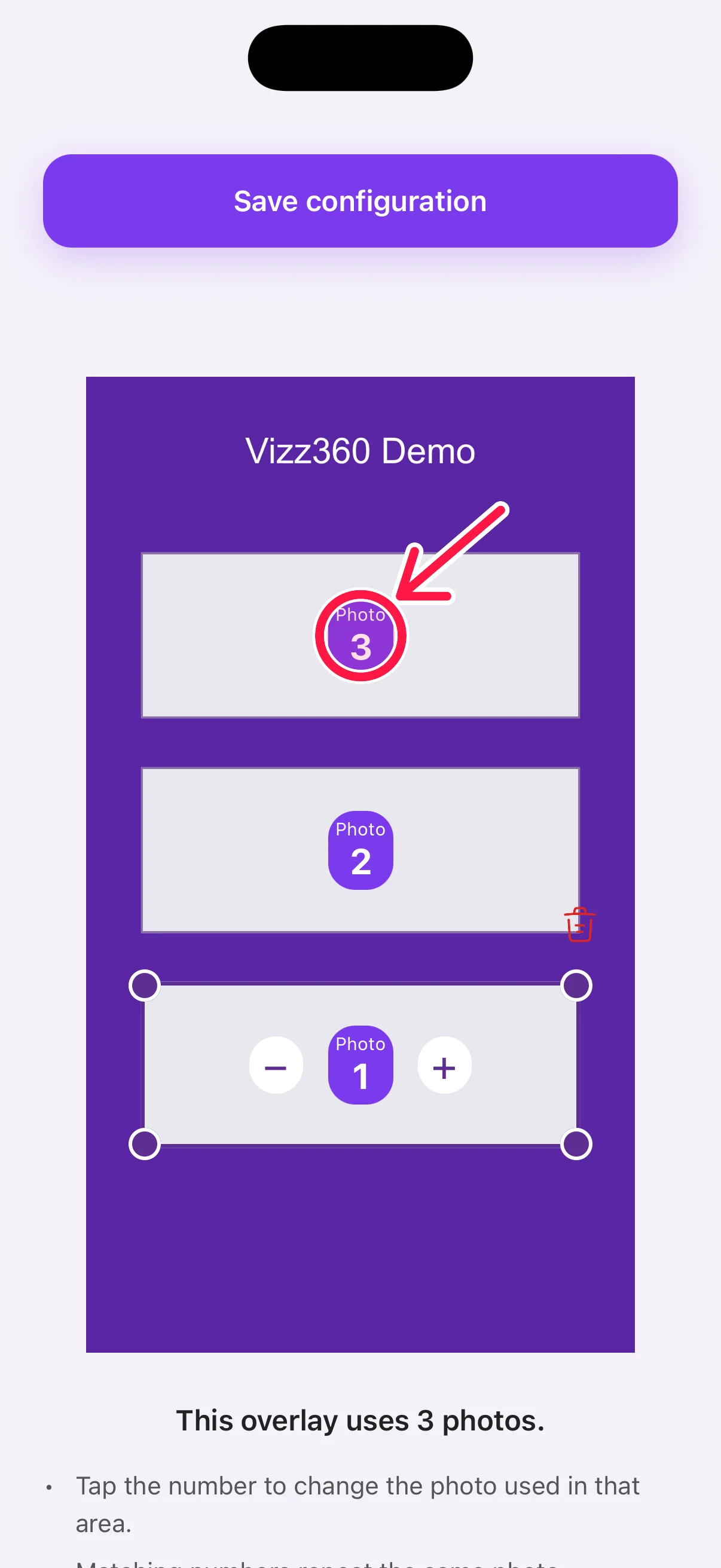
Tap an area’s number to change the photo it uses. Matching numbers repeat the same capture.
-
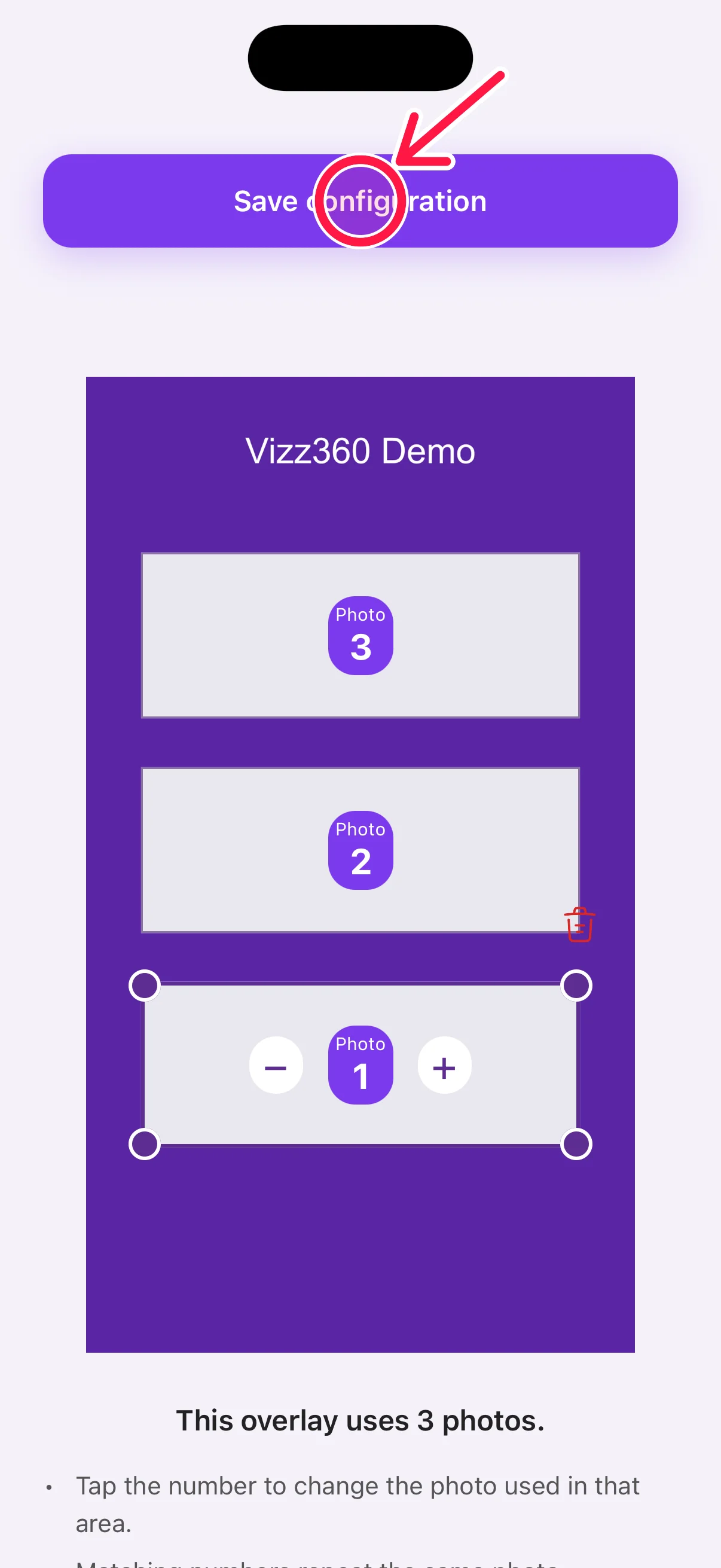
To swap positions, drag one number onto another. Use Save configuration and test with clearly different poses.
Where to tap in the app
Check the result
Use a different pose for each shot and compare the final slots. This reveals unintended repeats or order changes missed in the preview.
If something does not go as expected
If a photo repeats unintentionally, review numbering. Changing numbers does not reposition the artwork’s transparent areas.
Quick questions
Can two slots use the same pose?
Yes. Matching numbers use the same photo. Make sure that repetition is part of the intended composition.
Why might my screen look different?
Screenshots use working version 7.39 on iPhone. Controls and access may differ with the installed version, Android, device and plan. Check the path in your app and test before the event.
Continue in the app
Download Vizz360 for iPhone or Android using the buttons below. Prepare a test event and check this procedure before your next booking.
Also read: How to Choose TV Orientation for a Photo Booth Kiosk; How to Create a Photo Booth Kiosk Event in Vizz360; How to configure the photo spaces in the photo booth kiosk overlay.

Download Vizz360
Record, edit and share 360° videos in seconds, right from your phone. Free download for Android and iOS, with in-app purchases.


Related articles

How to Position and Resize the Kiosk Shutter Button
How to Position and Resize the Kiosk Shutter Button. See the Vizz360 steps, app screens and what to check before using it at an event.

How to Adjust Photo Framing Inside an AI Overlay
How to Adjust Photo Framing Inside an AI Overlay. See the Vizz360 steps, app screens and what to check before using it at an event.

How to Change Your Vizz360 Account Email
How to Change Your Vizz360 Account Email. See the Vizz360 steps, app screens and what to check before using it at an event.