
How to Choose Template Music or Your Own Track in Vizz360
How to Choose Template Music or Your Own Track in Vizz360. See the Vizz360 steps, app screens and what to check before using it at an event.



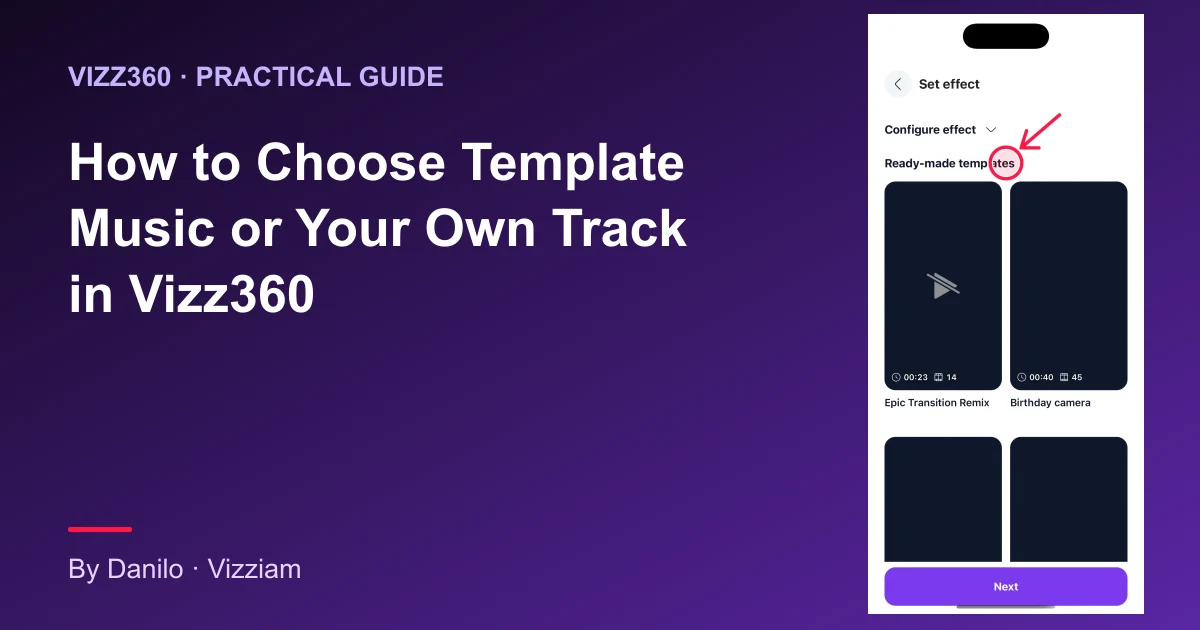
Like the template but need a different soundtrack? When a template includes its own audio, the selection shows Original template music. Review that option before choosing a library track for subsequent videos.
Demonstration on the iPhone simulator, using Vizz360 7.39 and sample data. Some controls vary on Android and by plan.
Read the video steps
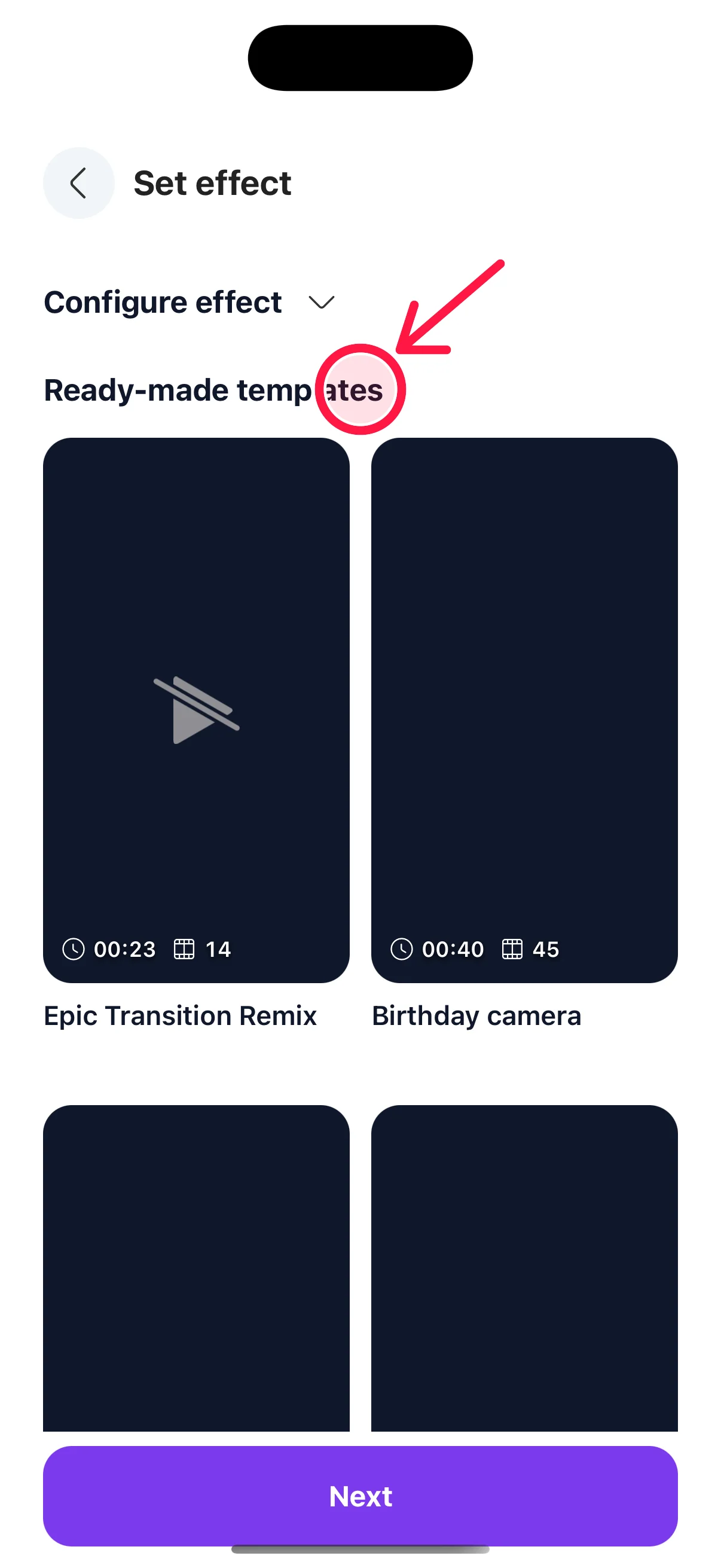
- Under Ready-made templates, choose an option and test before the event.
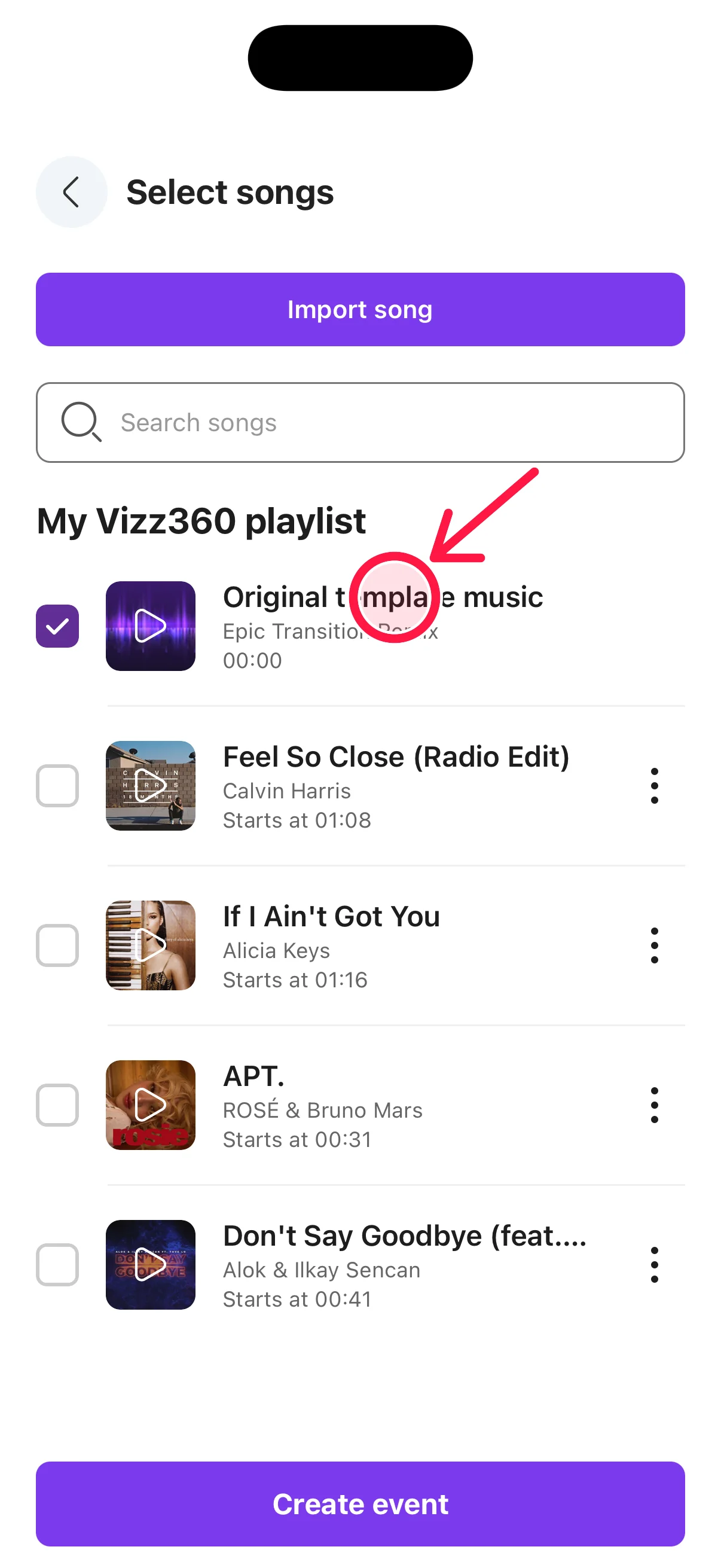
- Review the template’s original music option.
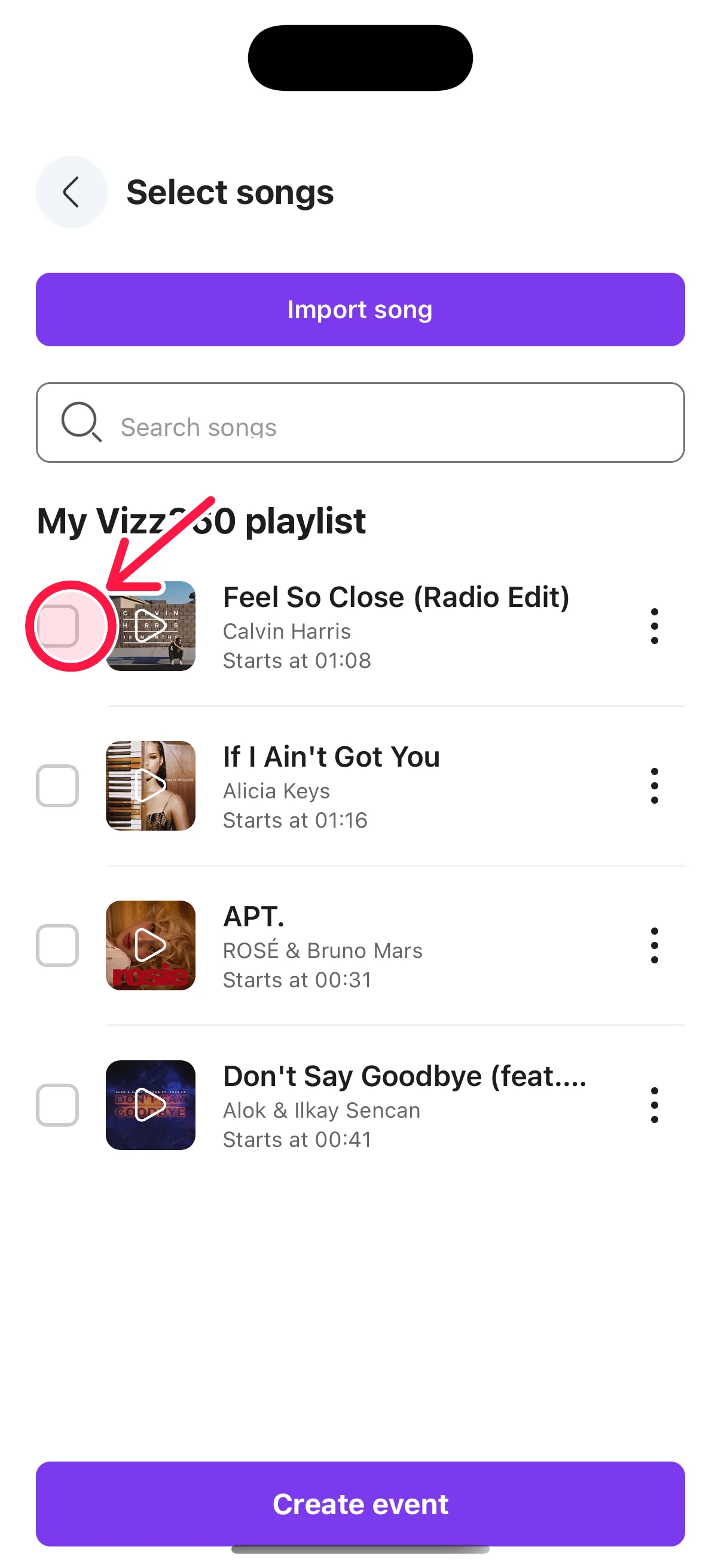
- Choose an available track from your library.
Before you start
Have a track you can use at the event and check final video duration. Prepare selections on the working device.
How to do it
-
In Set effect, select a template available with Plus. Not every template includes its own music.
-
In music selection, find Original template music when available and preview it.
-
Choose the original track or a library song and finish. Run a test to check the cuts against the new audio.
Where to tap in the app
Check the result
Watch with sound from beginning to end. Different music can change how the same cuts feel.
If something does not go as expected
If the original option is missing, check the selected template. Not every template includes audio, and selected tracks do not play simultaneously.
Quick questions
Do I have to use the original music?
Choose according to the template and available options. Check the final selection and output before serving guests.
Why might my screen look different?
Screenshots use working version 7.39 on iPhone. Controls and access may differ with the installed version, Android, device and plan. Check the path in your app and test before the event.
Continue in the app
Download Vizz360 for iPhone or Android using the buttons below. Prepare a test event and check this procedure before your next booking.
Also read: How to Use Vizz360’s Ready-Made Video Templates; How to Choose Multiple Songs for the Same Event; How to change the music for an event you already created.

Download Vizz360
Record, edit and share 360° videos in seconds, right from your phone. Free download for Android and iOS, with in-app purchases.


Related articles

How to Position and Resize the Kiosk Shutter Button
How to Position and Resize the Kiosk Shutter Button. See the Vizz360 steps, app screens and what to check before using it at an event.

How to Adjust Photo Framing Inside an AI Overlay
How to Adjust Photo Framing Inside an AI Overlay. See the Vizz360 steps, app screens and what to check before using it at an event.

How to Change Your Vizz360 Account Email
How to Change Your Vizz360 Account Email. See the Vizz360 steps, app screens and what to check before using it at an event.