
How to create an AI Photos style with your own text
Describe your own AI Photos style in Vizz360 using a prompt and references. Choose the orientation, generate a test, and review it before serving guests.



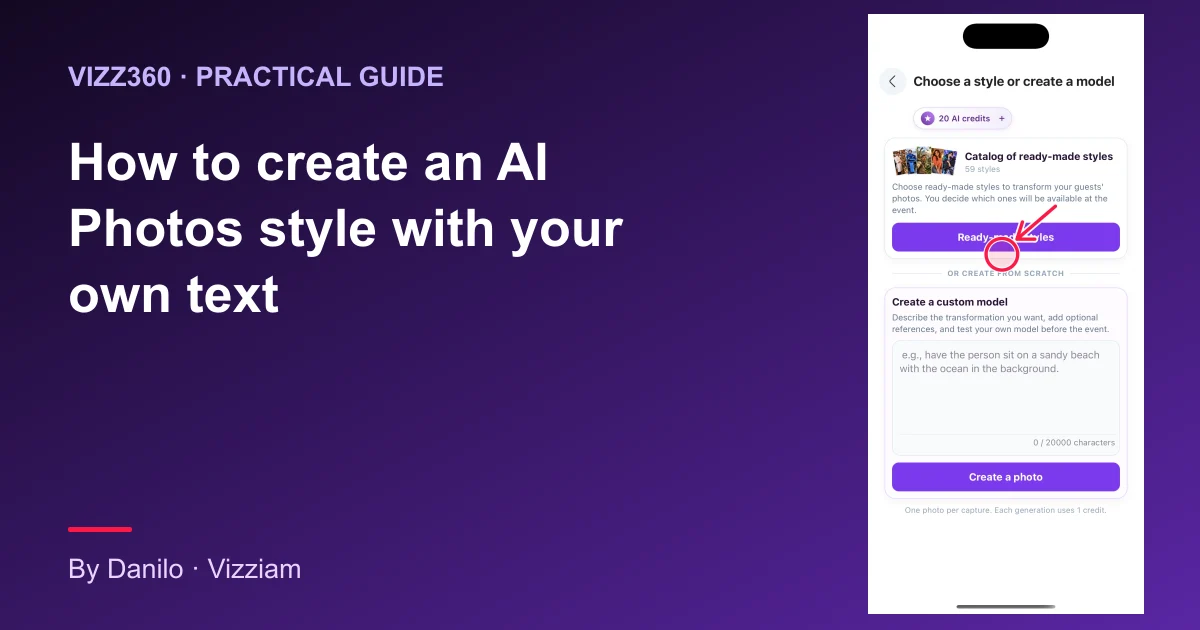
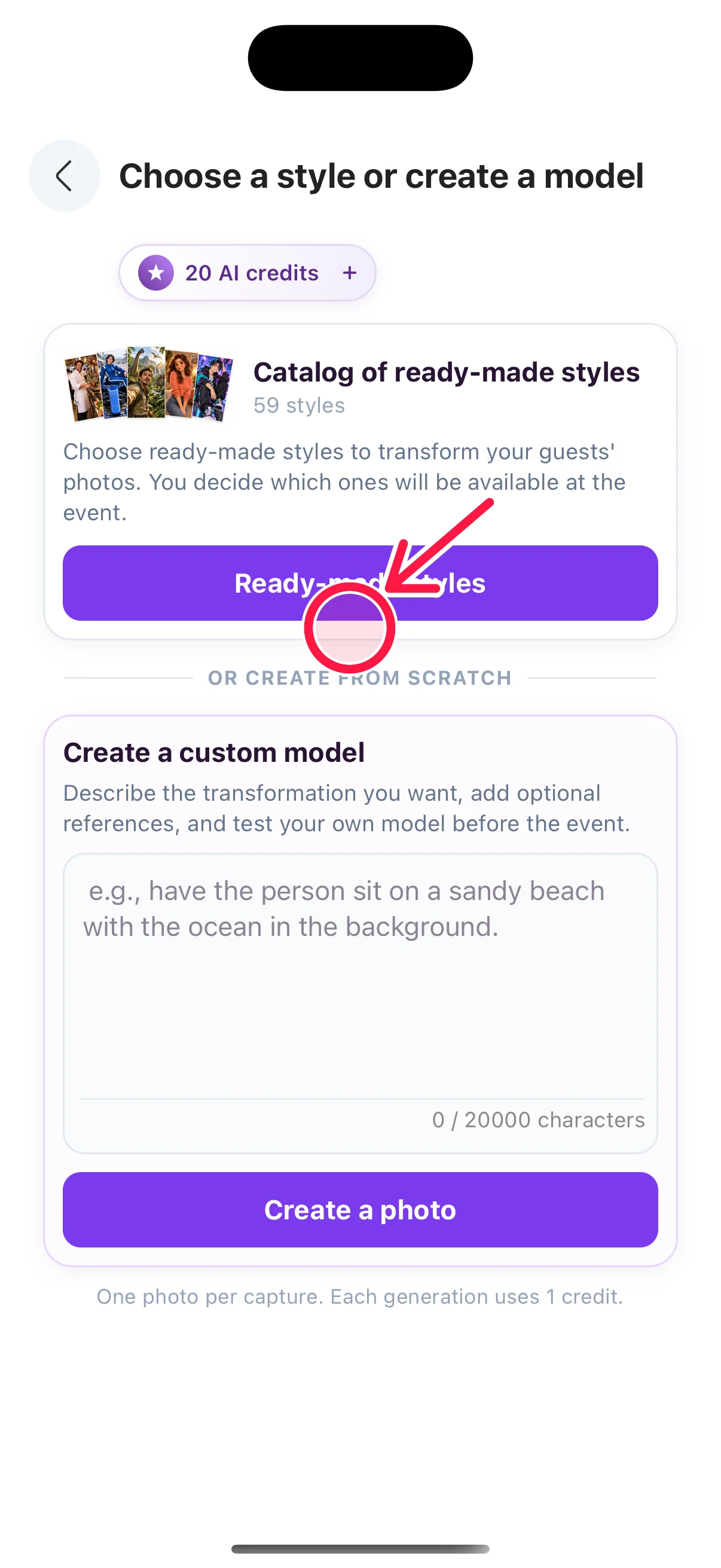
In AI Photos, use Create a custom model to describe the transformation you want and add optional references. Then choose the orientation and test it with a photo before using the model at the event.
Demonstration on the iPhone simulator, using Vizz360 7.39 and sample data. Some controls vary on Android and by plan.
Read the video steps
- Choose between ready-made styles and creating your own model.
- Describe the expected result and what should be preserved in the photo.
- In the test step, use an authorized photo and check the cost before processing.
The client’s theme calls for a specific transformation, and you want to describe that idea in the app. A clear direction is usually more helpful than mixing too many styles and settings into a single description.
Before you start
Prepare text covering the setting, outfit, lighting, and framing. Use only references you have permission to use, and avoid including unnecessary people or data. Make sure you have a connection and credits for the test: each photo generation uses 1 credit.
How to do it
-
In the AI Photos setup, tap Create a custom model.
-
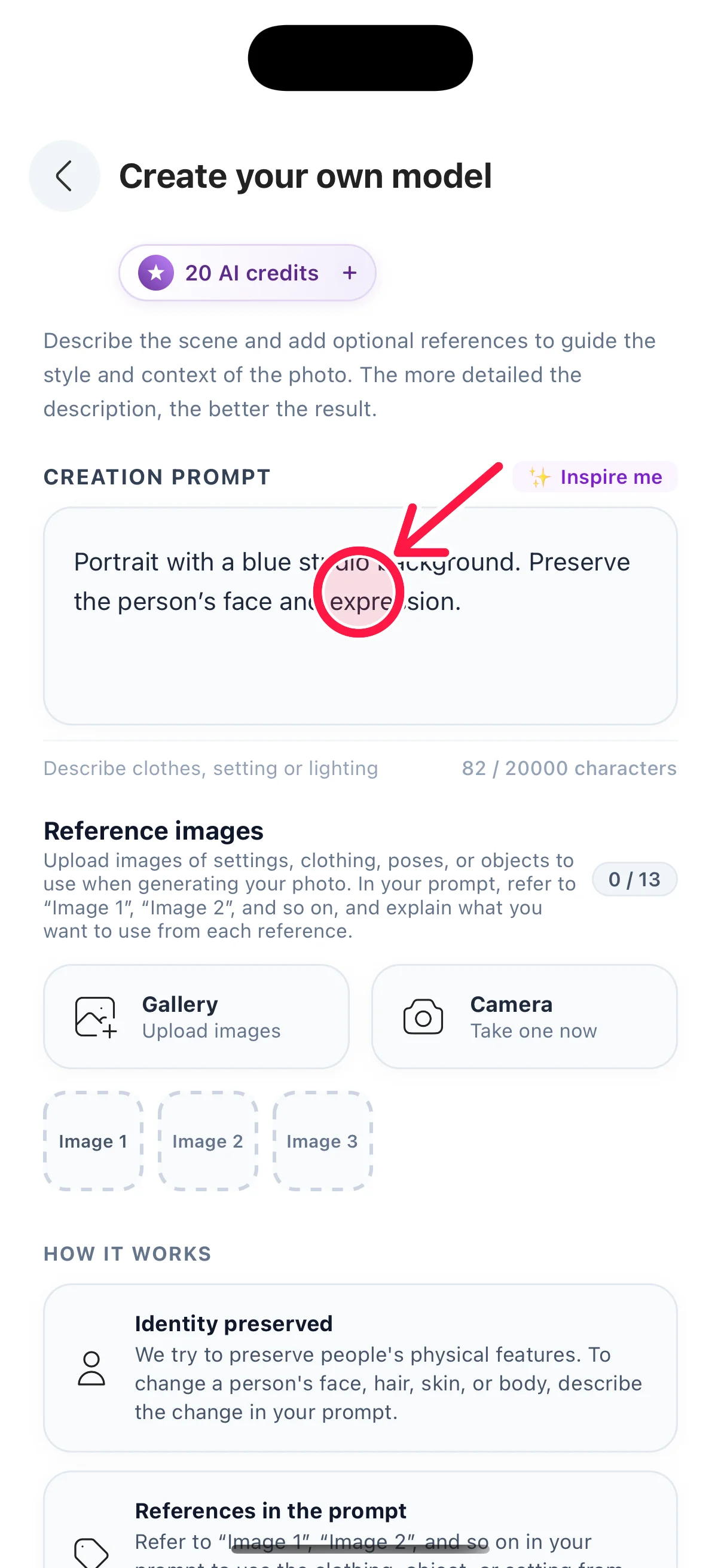
In the Creation prompt field, describe the result in concrete terms. For example: portrait with formalwear, a ballroom background, and soft lighting.
-
Add optional references to guide the style and context.
-
Check Photo orientation and dimensions for the composition you want.
-
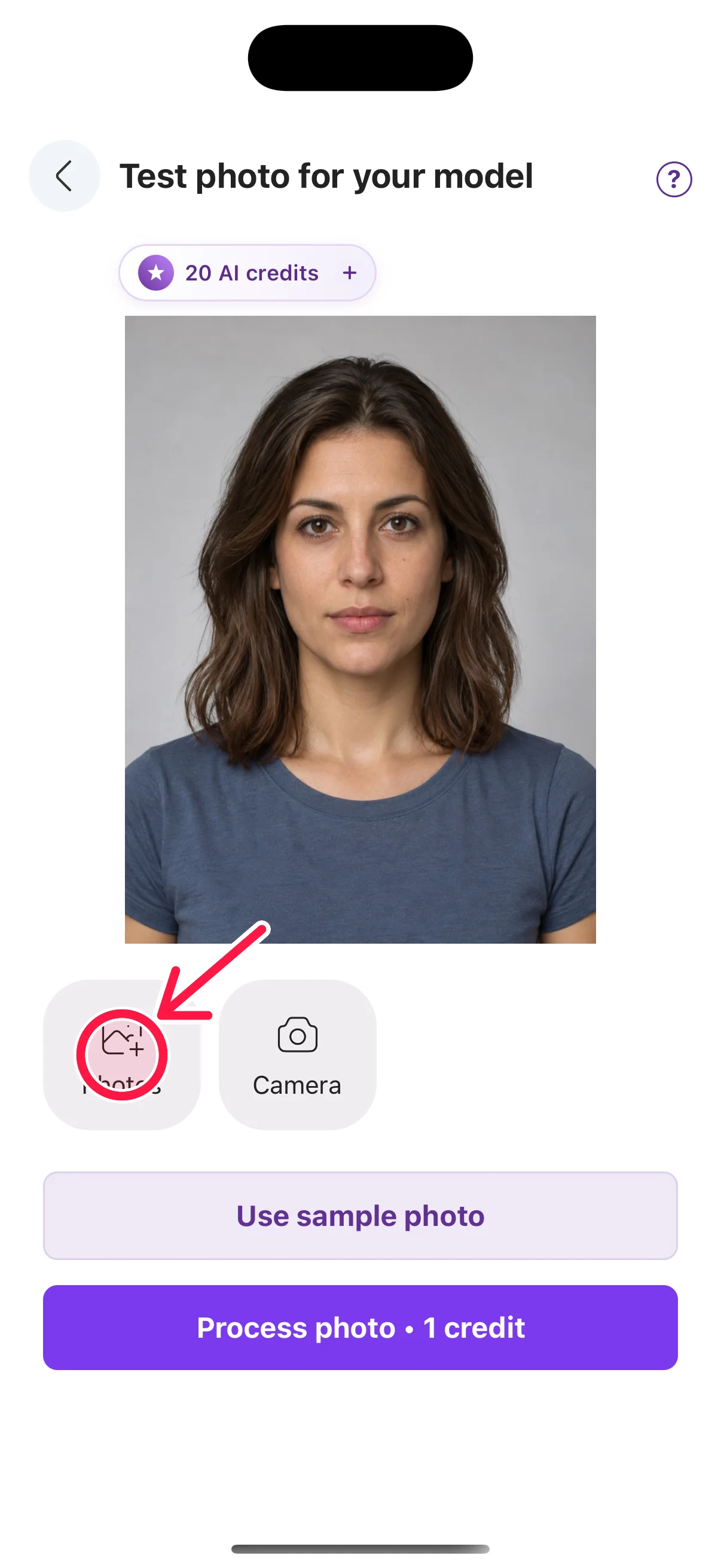
Under Test photo for your model, choose a well-lit image with visible faces.
-
Generate the test, review the result, and adjust the text before finishing the setup.
Where to tap in the app
Check the result
See whether the main transformation happened and whether the person is still recognizable. Check hands, eyes, teeth, clothing, and the number of people. A model approved for an individual portrait should also be tested with groups if that is the intended service.
If something does not come out as expected
If the image does not follow the idea, reduce conflicting instructions and make the main element explicit. If the face becomes hard to recognize, review the source image, the lighting, and the type of transformation. Each new generation produces its own result; do not promise identical copies or perfect identity preservation.
Quick questions
Are references required?
No. The app presents references as optional to guide style and context.
Does more text always improve the result?
The text needs to be clear and coherent. Incompatible instructions can make it harder to evaluate what you actually wanted to generate.
Can I use the result as a guarantee for all guests?
No. Test different photos suitable for the audience and explain that AI results vary.
Continue in the app
Describe a simple idea in Vizz360 and evaluate the first test before adding details. Preparation and review are part of the experience.
Also read: How to test AI Photos before the party; How to use ready-made styles at an AI Photos event; How to check AI Photos and overlay credits.

Download Vizz360
Record, edit and share 360° videos in seconds, right from your phone. Free download for Android and iOS, with in-app purchases.


Related articles

How to Position and Resize the Kiosk Shutter Button
How to Position and Resize the Kiosk Shutter Button. See the Vizz360 steps, app screens and what to check before using it at an event.

How to Adjust Photo Framing Inside an AI Overlay
How to Adjust Photo Framing Inside an AI Overlay. See the Vizz360 steps, app screens and what to check before using it at an event.

How to Change Your Vizz360 Account Email
How to Change Your Vizz360 Account Email. See the Vizz360 steps, app screens and what to check before using it at an event.