
How to Calibrate Motion in Vizz360’s Camera
How to Calibrate Motion in Vizz360’s Camera. See the Vizz360 steps, app screens and what to check before using it at an event.



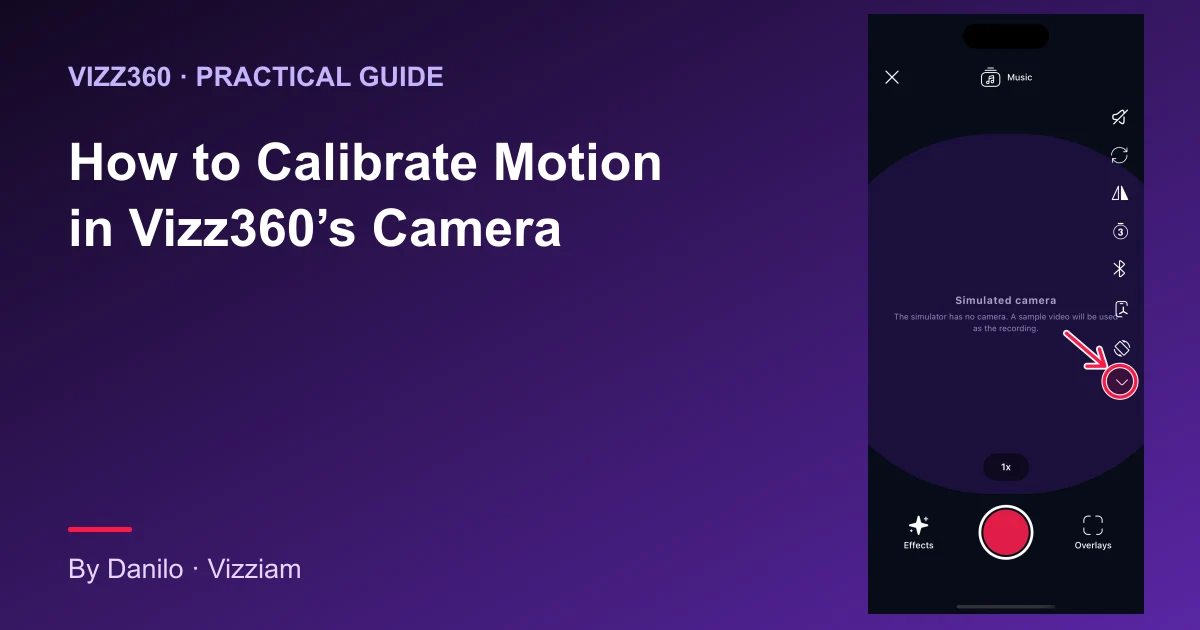
Does the motion reference seem wrong for the phone’s position? The camera panel offers Calibrate motion. Calibrate with the phone in its working position and check a recording before serving guests.
Demonstration on the iPhone simulator, using Vizz360 7.39 and sample data. Some controls vary on Android and by plan.
Read the video steps
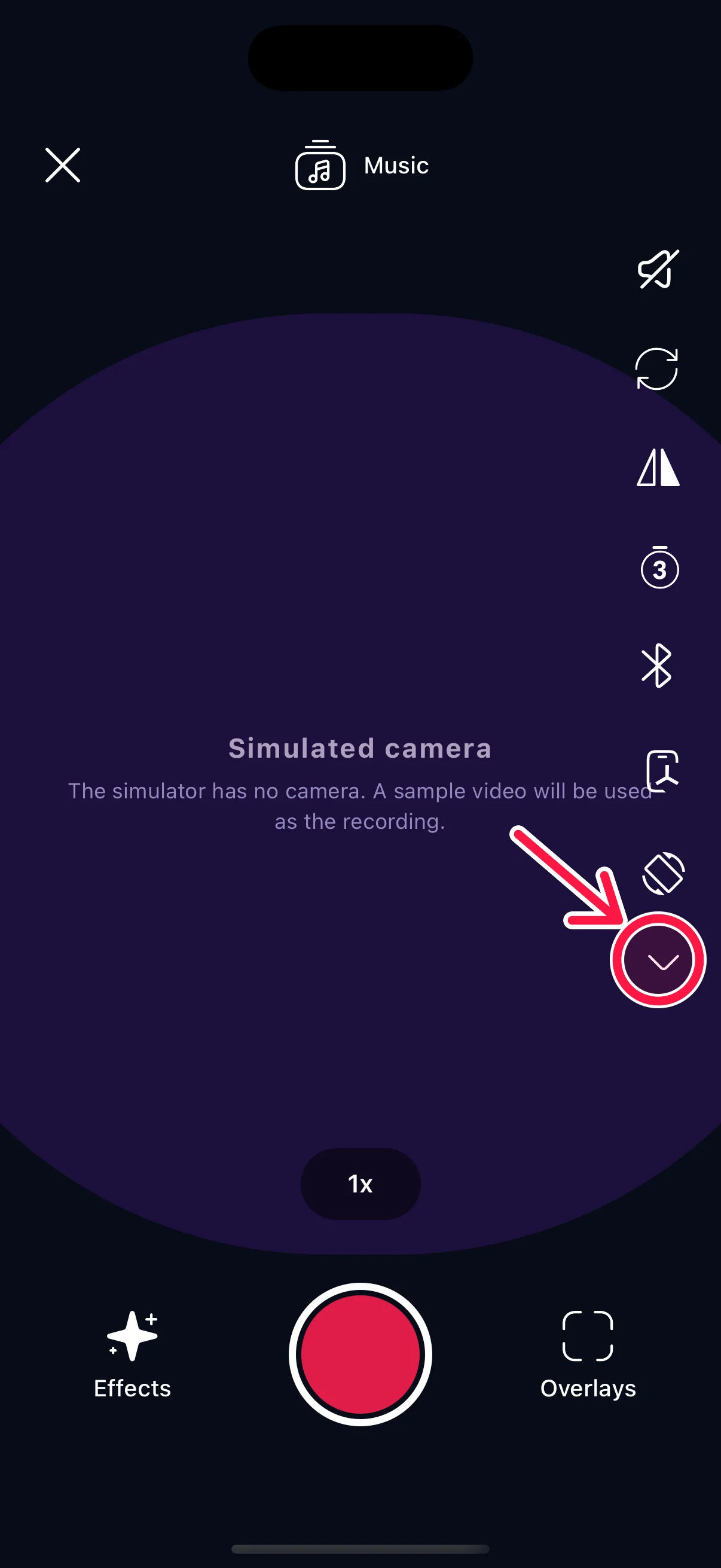
- When recording, expand the panel to access camera controls.
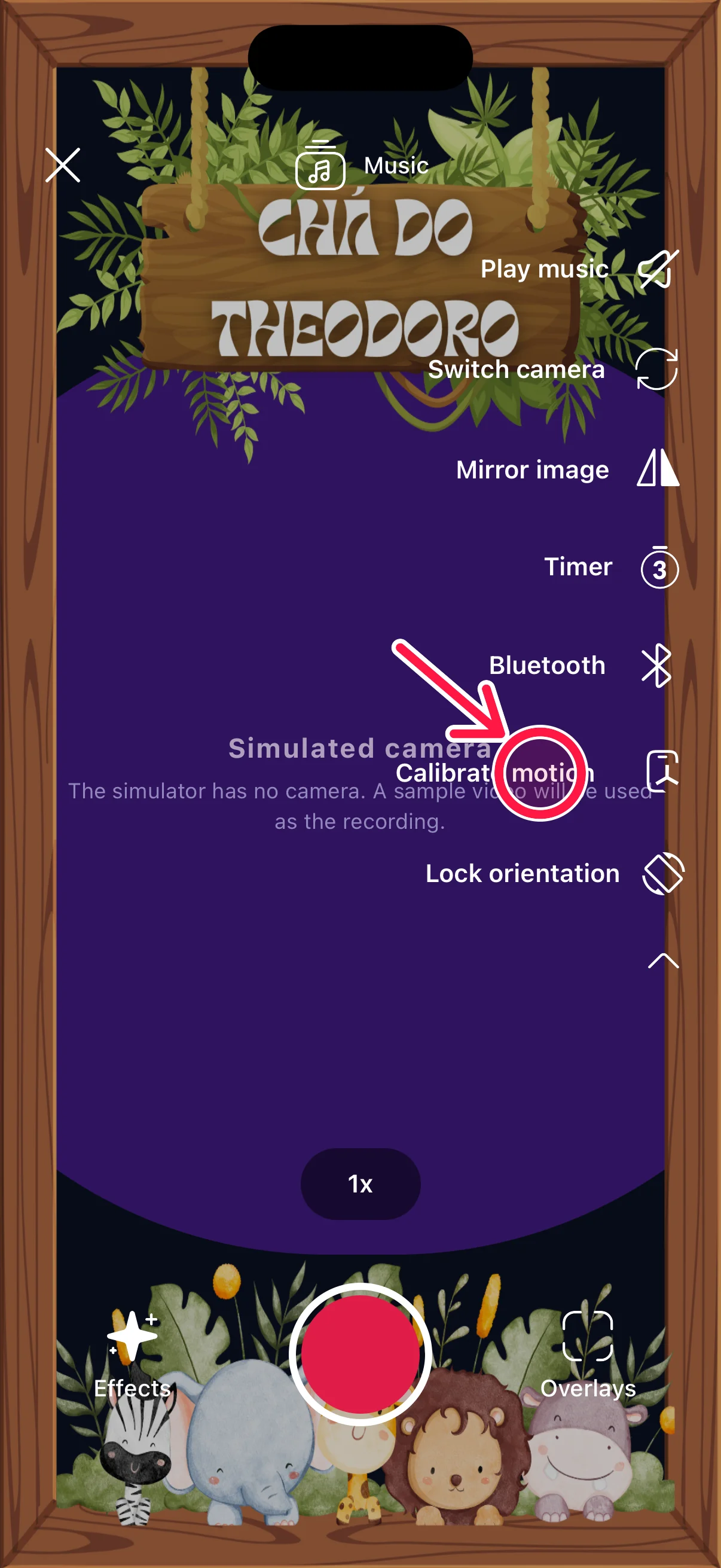
- Use Calibrate motion with the phone in its working position.
- When recording, expand the panel to access camera controls.
Before you start
Use a test event with assets prepared. Change settings between captures and check the final file on the working device.
How to do it
-
Open recording and position the phone as it will be used. Check camera and orientation first.
-
Expand the panel and tap Calibrate motion. Follow the instruction shown by the app.
-
Make a test recording in that position and review it before recalibrating.
Where to tap in the app
Check the result
Compare the on-screen reference with device behavior. Test again if you change the installation or phone position.
If something does not go as expected
If it persists, note the phone model, app version and reproduction steps for a report. App calibration does not configure the platform’s motor.
Quick questions
Does calibration control the platform’s rotation?
Do not use this action as a motor control. It belongs to the app’s camera and motion reference.
Why might my screen look different?
Screenshots use working version 7.39 on iPhone. Controls and access may differ with the installed version, Android, device and plan. Check the path in your app and test before the event.
Continue in the app
Download Vizz360 for iPhone or Android using the buttons below. Prepare a test event and check this procedure before your next booking.
Also read: How to lock orientation during recording; How to switch cameras and mirror the image in Vizz360; How to Use the Timer Before Recording in Vizz360.

Download Vizz360
Record, edit and share 360° videos in seconds, right from your phone. Free download for Android and iOS, with in-app purchases.


Related articles

How to Position and Resize the Kiosk Shutter Button
How to Position and Resize the Kiosk Shutter Button. See the Vizz360 steps, app screens and what to check before using it at an event.

How to Adjust Photo Framing Inside an AI Overlay
How to Adjust Photo Framing Inside an AI Overlay. See the Vizz360 steps, app screens and what to check before using it at an event.

How to Change Your Vizz360 Account Email
How to Change Your Vizz360 Account Email. See the Vizz360 steps, app screens and what to check before using it at an event.